30
RF (radio frequency) system Frequency: 868 MHz
transmitters which can be learned Learning procedure is possible for max. 112 transmitters
Learning procedure for transmitters » Press learning button
» Press once: LED port 1 illuminates ( for the gate movement)
» Press twice: LED port 2 illuminates ( for turning illumination ON / OFF)
» Within 10 sec. Press learning button on handset until the LED turns off
Terminating the learning procedure Press learning button until all LEDs are off
If no handset is activated within 10 sec. the radio receiver switches back to standard mode
Erase a single transmitter » Press the learning button for 5 sec. until the LED starts to flash
» Press button of the transmitter
» LED will be off
You will have to repeat this procedure with each button of the radio transmitter
Erase a single channel from the radio receiver » Chose the desired channel with the help of the learning button
(press once: port 1; press twice à port 2)
» Wait until LED is off
» Press the learning button for 15 sec. ( after 5 sec. the LED will start
to flash; 10 sec. later the LED is on steadily)
» Release the learning button
Clear the radio receiver totally » Press and hold the learning button
» After 5 sec. one LED starts to flash
» After 15 sec. the LED will be on steadily
» After 25 sec. all LEDs are on steadily
» Release learning button
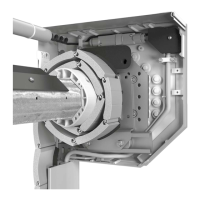
Push-button at the housing There is a push-button at the housing of the drive. According to the setting of the
DIP 7-switch it works in toggle operation (OPEN / STOP / CLOSE) respectively as
push-button UP (OPEN-STOP-OPEN-STOP).
If the button is touched shortly (< 0,5 sec.) only the illumination of the drive is activated,
if the button is pressed longer (>0,5 sec.) the drive starts moving.
Radio channel 1 According to the setting of the DIP 7-switch it works in toggle operation (OPEN / STOP / CLOSE)
respectively as push-button UP (OPEN-STOP-OPEN-STOP).
The illumination of the drive can not be activated separately in this mode.
Radio channel 2 According to the setting of the DIP 7-switch Channel 2 is only used to switch OFF or ON the illumina-
tion of the drive (max. for the preset timer mode of the potentiometer) respectively as push-button
CLOSE (CLOSE-STOP-CLOSE-STOP). The illumination of the drive can not be activated separately in
this mode.
Additional push-button 1 An additional push-button is connected to the terminals 5 and 6 of the socket connector. According
to the setting of the DIP 7-switch it works in toggle operation (OPEN / STOP / CLOSE) respectively as
push-button UP (OPEN-STOP-OPEN-STOP).
If the button is touched shortly (< 0,5 sec.) only the illumination of the drive is activated, if the button is
pressed longer (>0,5 sec.) the drive starts moving.
Program the OPEN and CLOSE travel limits The limit positions are set mechanically by motion stop devices. Afterwards the force settings have to
be learned again.
Force settings During the initiation of the drive the necessary force for both directions will be measured and memo-
rized. During each movement the memorized force setting is compared to the actual measured value
and the memorized value will be adjusted.
If there is an obstacle in the area they protect during closing, the DIP – switches may be adjusted:
DIP 3 = OFF: reverses door direction to opening for approximately 2 sec.
DIP 3 = ON: reverses door direction to fully open.
The next movement will be upward, even if you activate the push-button downwards,
if defined opening / closing is set.
Learning force settings » The force setting is learned by the first four movements of the door after a total reset.
» During the movement the illumination of the drive, the warning light and the LED are
flashing.
» After the force settings are memorized, the illumination of the controller will be on steadily
for the preset time of the potentiometer, the warning light and the LED will be off.
Reset force » Close the door
» Press and hold the reset – button of the control unit until the LED flashes four times.
The light of the control unit will be turned off if it was on previously.
» Release the button.
» The illumination of the drive, the warning light and the LED start flashing.
» Learning force setting again (see step 5)
Power failure In case of power failure all force settings remain stored.
The next movement after a power failure will be up.
If defined opening is active: After a power failure the first movement will to be up, even if the down-
button is pressed.
RF (radio frequency) system



 To Next Page
 Loading...