Installation Instructions 1016 Bracket kit
NOTE: This vehicle requires undercarriage plastic cover trimming.
Step 1: After removing plastic panels locate front mounting locations and hardware as per 1
st
page of this
installation manual
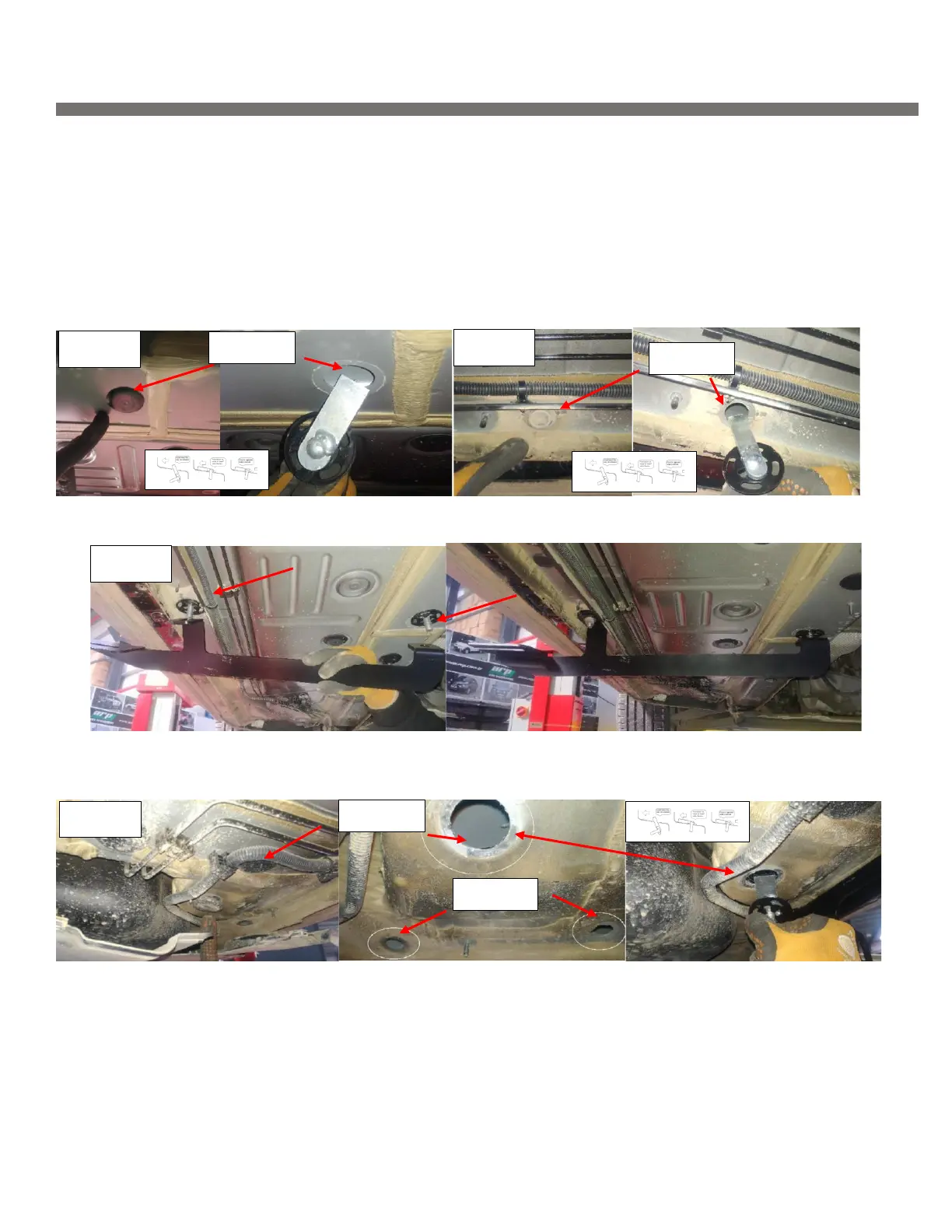
Step 2: Remove the second rubber plug on the main chassis Figure 1, install provided HTC 230
Step 3: Locate outer mounting point, the rubber plug is directly inline with the inner rubber plug that was just
removed. Figure 2 install provided HTC 243 as shown
Step 4: Attach main bracket to hardware, Figure 3 do not tighten.
Step 5: Locate rear mounting area and remove factory rubber plugs Figure 4. Install HTC 230 on inner most
position and HTC 243 on remaining positions


 To Next Page
 Loading...