Installation Instructions 1016 Bracket kit
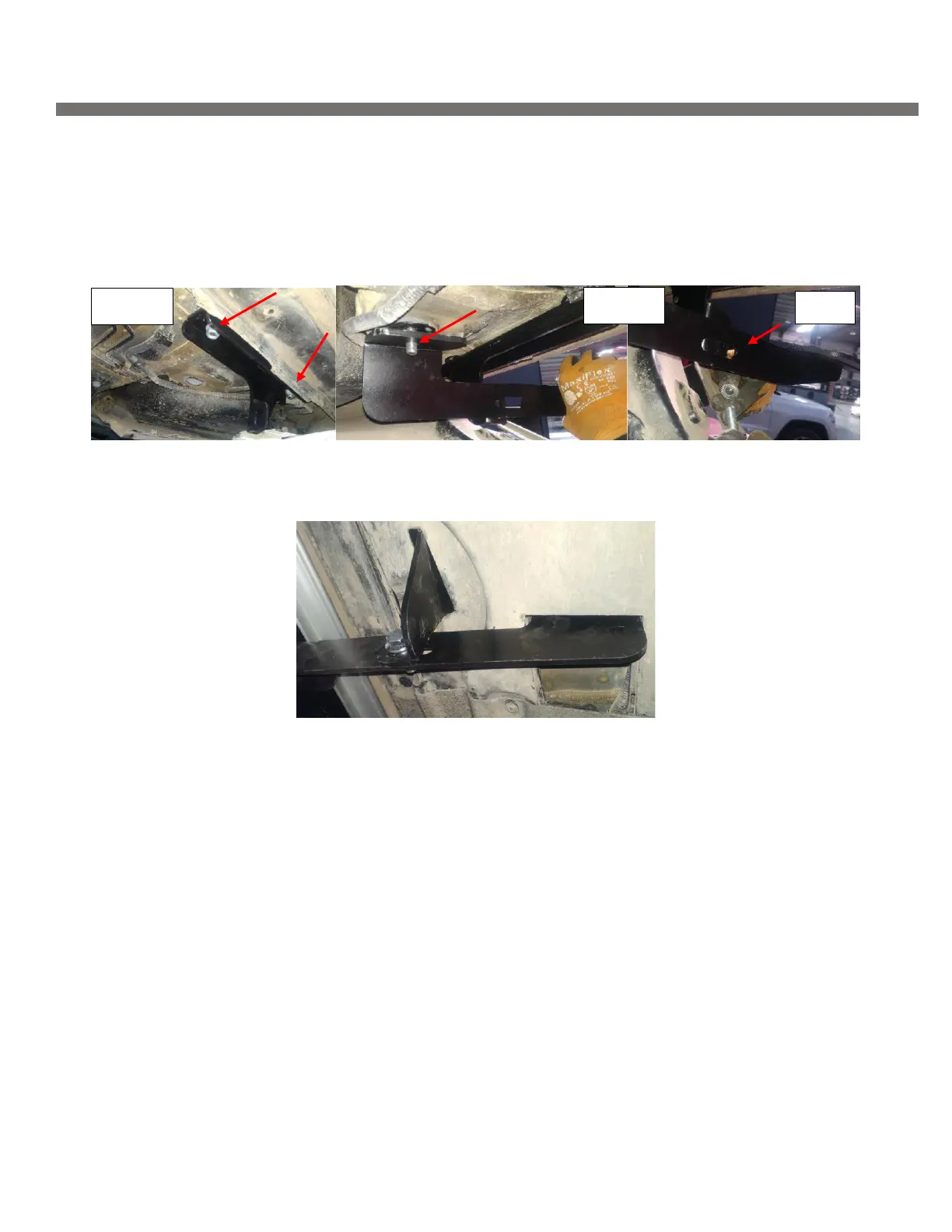
Step 6: Install extra support bracket onto HTC 243 as shown Figure 5
Step 7: Install rear main bracket onto HTC 230 as shown Figure 6, attach two brackets together using supplied
M10 harware.
Step 8: Proceed to last page of this manual for running board install instructions and torque values
Step 9: Raise panels onto vehicle and mark locations to cut.
For Technical support please call our team at 1-866-717-6645 and one of our experts will assist
you with this installation
Thank you for choosing Romik.


 To Next Page
 Loading...