
 Need help?
Do you have a question about the RONGDA VR-7625S and is the answer not in the manual?
Explains manual symbols used for warnings and procedures.
Outlines usage permissions, content reproduction, and company liability.
Guidelines for power supply, sockets, and machine placement.
Warnings about dismantling, modifying, and handling machine components.
Safety for power cords, electrical issues, and machine stability.
Cautions for environment, ink, glass tables, and paper powder.
Details on how the machine enters and exits sleep mode.
Configuration and function of automatic power-off mode.
Steps to protect the unit by setting and entering passwords.
How to view total print and plate counts.
Requirements for safe installation and operation environment.
Handling originals, paper, and proper storage.
Daily machine care and copying/printing restrictions.
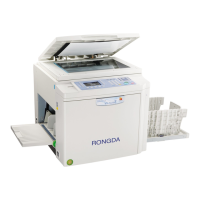
Identification of machine parts and operation panel buttons.
Guide to navigating and using the operation setting screen.
Steps for preparing the machine before printing.
Step-by-step guide for performing basic printing.
How to input numbers and adjust position/speed.
Adjusting concentration, original mode, and zooming.
Features like two-in-one, ink saving, and quick ink outlet.
How to input numbers for general and group printing.
Adjusting print position vertically and horizontally.
How to adjust the printing speed settings.
Adjusting concentration via master making, scanning, and pressure.
How to configure the background color removal feature.
Choosing image modes based on original type.
Using standard ratios and free zoom for magnification.
How to set the number of proof prints.
Steps to activate the confidential protection feature.
Printing two originals and master making from books.
Using modes to save ink and for quick ink outlet.
How to evenly coat the drum with ink.
Step-by-step guide for replacing ink cartridges.
Instructions for replacing the master paper.
How to handle and dispose of waste master paper.
Procedures for removing and installing the drum unit.
Steps to install the driver and configure initial settings.
Setting up network printing and online connections.
Printing via USB cable and flash drives.
Troubleshooting power, connection, and print quality faults.
Troubleshooting paper delivery jams and winding faults.
Addressing master faults and computer printing issues.
Steps to resolve left, middle, and right paper jams.
Procedures for handling master unloading errors.
Instructions for cleaning the scanning table, roller, and shell.
Detailed technical specifications for the VR-7625S model.
Detailed technical specifications for the VR-7428S model.
 General
| Brand | RONGDA |
|---|---|
| Model | VR-7625S |
| Category | Disc Duplicator |
| Language | English |

 To Next Page