17
• Upon connection, you will hear an audio confirmation from your SmartBase (“water leak sensor
connected”) and receive a notification on your phone. The water leak sensor will also appear in
your app.
• Repeat connection process with each Water Leak Sensor.
Placement
Place your water leak and temperature sensors on the floor near
areas of potential water leaks or frozen pipes such as:
• Under the kitchen sink, dishwasher, or ice maker
• Behind a toilet, sump pump, or washing machine
• Near a hot water heater (especially ones that are > 10 years)
• Near water pipes along an outside wall
To avoid water damage to the sensors, please do not submerge them in water.
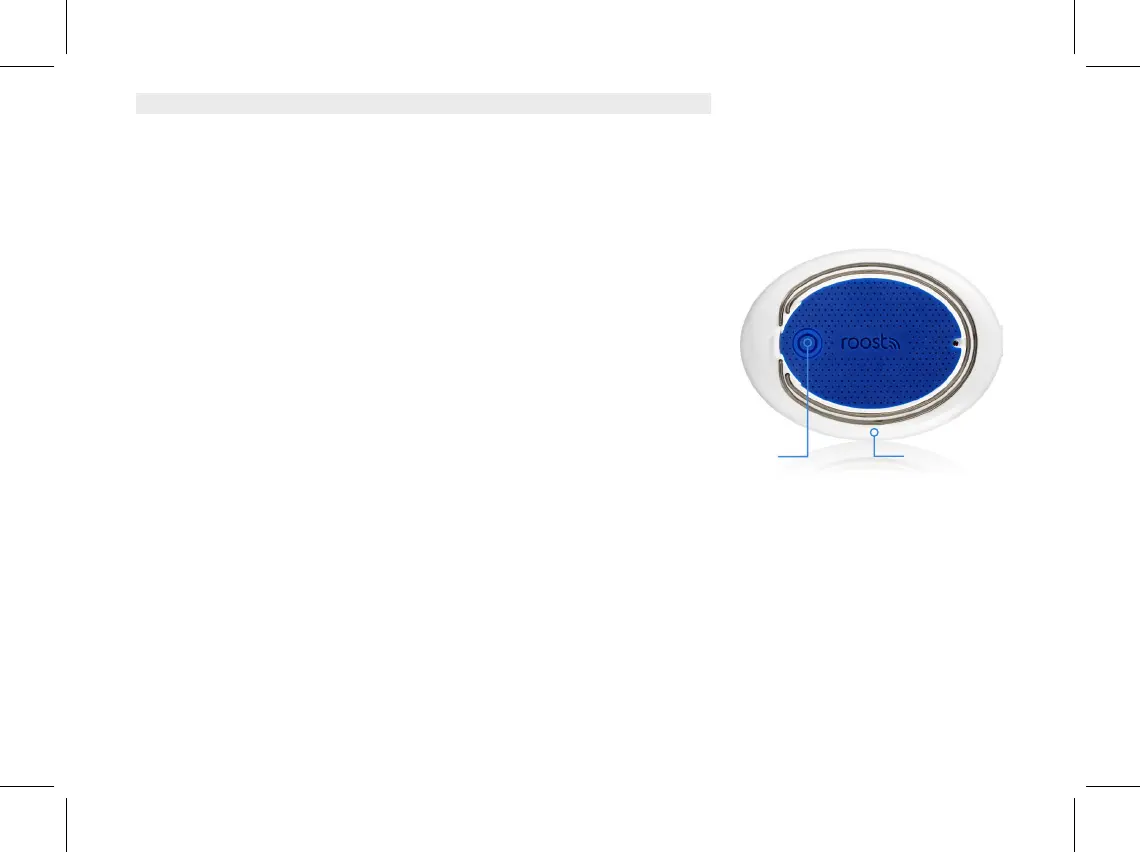
Once positioned, test that your water leak sensors are still connected by touching a damp paper towel
to the 2 metal rings on the bottom of the sensor. Alarm will trigger on your app, notification received
on your phone and the red LED on top of the sensor will blink.
Name Your Water Leak/Temp Sensors
Your water leak and temperature sensors should appear in the app with default names. To change
these names, go to the app and tap on each water leak sensor tile and select “Change Name.” Then
select an appropriate location name or create a custom name for each water leak and temperature
sensor and tap “Save.”
Metal Rings
Reset Button


 To Next Page
 Loading...