Need help?
Do you have a question about the Rose electronics RS150B and is the answer not in the manual?
Enables wireless control and playback of Spotify music on the ROSE OS device.
Allows streaming and playback of music and videos from TIDAL with MQA support.
Provides access to music streaming services from Qobuz with Hi-Res Audio support.
Ensures full compatibility with Roon Core for high-fidelity sound quality management.
Enables playback of all content and music available on YouTube.
Functionality to play CDs via external USB CD-ROM and rip CD content.
Tools for organizing music files and creating/managing personal music playlists.
Details Hi-Res Audio certification and 4K video playback capabilities.
Details wireless control capabilities for music, ROSE Tube, TIDAL, Qobuz, Radio, Podcasts, and CD Ripping.
Enables music streaming from phone and creation/management of personal playlists through the app.
Covers essential warnings for safe operation and handling of the HiFi ROSE RS150B.
Details important precautions for product usage, maintenance, and potential issues.
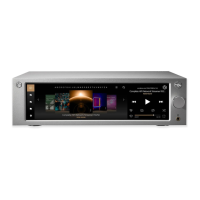
Identifies and explains the functions of the front panel controls and display.
Details all the input and output ports located on the rear panel of the device.
Explains the buttons and functions of the included Bluetooth remote control.
Guidelines for optimal device placement, ventilation, and installation environment.
Step-by-step instructions for connecting the power cord to the device and power outlet.
Illustrates how to connect various audio and video cables to the rear ports.
Guidance on connecting USB, Micro SD, and SSD storage devices, including installation steps.
Instructions for connecting to a network via wired Ethernet and wireless WiFi.
Steps to pair the Bluetooth remote control with the HiFi ROSE RS150B.
Guide on how to connect the device to RoonReady for music playback.
Explains power button functions for turning the device on/off, standby, and reboot.
Guide to configuring input sources and output ports for optimal audio performance.
Details how to select active input sources like USB, AES/EBU, LINE IN, COAX, OPT, and ARC.
Explains how to enable/disable output settings and select ports like USB DAC, HDMI, or Internal DAC.
Configures USB DAC connection, MQA type, PCM resampling, DSD mode, and output gain.
Configures HDMI settings, PCM resampling, DSD mode, volume control, and analog output levels.
Enables music and video playback from USB storage devices and internal folders.
Instructions for scanning media to create a database for album art, lists, and sorting.
Guides on performing OTA updates, updating via settings menu, and handling XMOS/MCU update pop-ups.
Details how to perform a factory reset to restore default settings and troubleshoot issues.
 General
| Brand | Rose electronics |
|---|---|
| Model | RS150B |
| Category | Media Player |
| Language | English |

 To Next Page