1
INSTALLATION INSTRUCTIONS
PACKAGE CONTENTS
SYSTEM REQUIREMENT
1. Plug USB connector of NEON M60 to a USB port of your PC or
laptop.
2. Search the keyword “NEON M60” and download the driver from
http://www.rosewill.com/downloads/
3. Double click “NEON M60.exe” to start the installation program.
4. Installation will run automatically; click “Finish” to complete the
installation.
1. MS Windows Series: Win XP / Win 7 / Win 8.X / Win 10
and above
2. Free USB port
3. 50 MB free hard disk space
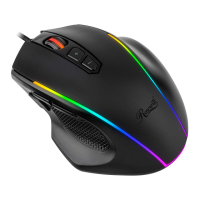
• NEON M60 Ultimate Gaming Mouse
• User Manual
SPECIFICATIONS
• Interface: USB
• Acceleration: 50G / 250 IPS
• DPI: 800 (Red) / 1600 (Green) / 2400 (Blue) /
3600 (Orange) / 5000 (Purple) / 12000 (White)
• Polling Rate: 1000 Hz
• Backlight: RGB
• Cable Length: 5.9ft (1.8m)
• Dimension: 5.24 x 2.89 x 1.63 inch (133 x 73.5 x 41.3 mm)


 To Next Page