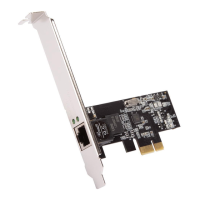
SATA II/ATA 133 PCIe Card RC216 User Manual
6
RAID 0+1 Disk Striping
+ Mirroring
4
JBOD Disk Concatenation 2 or 3 or 4
RAID 0 (Striping)
1. As the BIOS boots press Ctrl+J when prompted to enter the RAID
BIOS.
2. At the next screen select Create RAID Disk Drive, press Enter.
3. Enter RAID name, press Enter.
4. Please use arrow keys ↑ and ↓to switch the RAID level to
0-Stripe, then press Enter.
5. Please use arrow keys ↑ and ↓to switch the disk, use the “space”
key to mark the selected disk, then press Enter.
6. Please use arrow keys ↑ and ↓ to select chunk size from 4K, 8K,
16K, 32K, 64K or 128K, then press Enter.
7. Input the RAID size, press Enter.
8. When asked Created RAID on the select HDD (Y/N)?, press Y to
accept.
9. At the next screen select Save And Exit Setup, press Enter. When
asked Save to disk &Exit (Y/N)?, press Y to exit the BIOS.
RAID 1 (Mirroring)
1. As the BIOS boots press Ctrl+J when prompted to enter the RAID



 To Next Page