USB 2.0 DVI KVM Switch RKV-2DVI User Manual
2
♦ USB 2.0 mouse port can be used for USB hub and USB peripheral sharing
♦ HDCP Compatible
♦ Non-Powered
Note:
1. PC keyboard combinations emulate Mac/Sun keyboards.
2. Mac/Sun keyboards work only with their own computers.
System Requirements
Console
♦ A DVI monitor capable of the highest resolution that you will be using on any computer in the installation
♦ A USB Keyboard and a USB Mouse
♦ Speakers and microphone (optional)
Computers
The following equipment must be installed on each computer that is to be connected to the system:
♦ A DVI video port
♦ USB Type A port
♦ Speaker and microphone ports (optional)
Cables
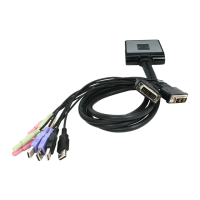
The RKV-2DVI’s innovative design features built-in KVM and audio cables for extra convenience. No further cables
are necessary.
Package Contents
The RKV-2DVI USB 2.0 DVI KVM Switch package contains the following items:
♦ 1 RKV-2DVI 2-Port USB 2.0 DVI KVM Switch
♦ 1 Remote Port Selector
♦ 1 User Manual*


 To Next Page