operating XPression, see the “XPression User Guide” available in the C:\Archive folder
maintenance of the XPression system, see the “XPression Maintenance Guide” in the C:\Archive folder
other XPression features and functions, see the documents available in the C:\Archive folder
For information on...
To configure the XMIO5:
1
Stop all applications using the Matrox card and ensure that the card is installed.
2 Run the machine as administrator:
3 Click the Windows Start button.
4 Type Command Prompt.
5 Right-click on Command Prompt and select Run as administrator.
6 In the Command Prompt, type the following to get to the directory:
cd C:\Program Files\Matrox DSX-TopologyUtils\drivers
7 Then type:
mvConnectorConfig.exe load-f=Xmio5Le5ConnectorMapping\Xmio5\Pinout_XiYo.pin -sn=XXXXXXX
a. Replace Pinout_XiYo.pin with .pin file you want to use. For example xmio5_x2_06i06o.pin provides 6 inputs
and 6 outputs.
b. Replace the XXXXXXX with the serial number of the Matrox card.
To find the serial number, open the Matrox X.info app from the Windows system tray, select Hardware from the
drop-down and look at the hardware information.
The final mvConnectorConfig should look something like this:
C:\Program Files\Matrox DSX-TopologyUtils\drivers>mvConnectorConfig.exe load-f=Xmio5Le5ConnectorMapping\
Xmio5\Pinout_06i06o.pin -sn=A572788
8 Reboot the machine.
9 In XPression, click Edit > Hardware Setup and select the Inputs/Outputs tab to confirm the video I/O settings.
To launch XPression:
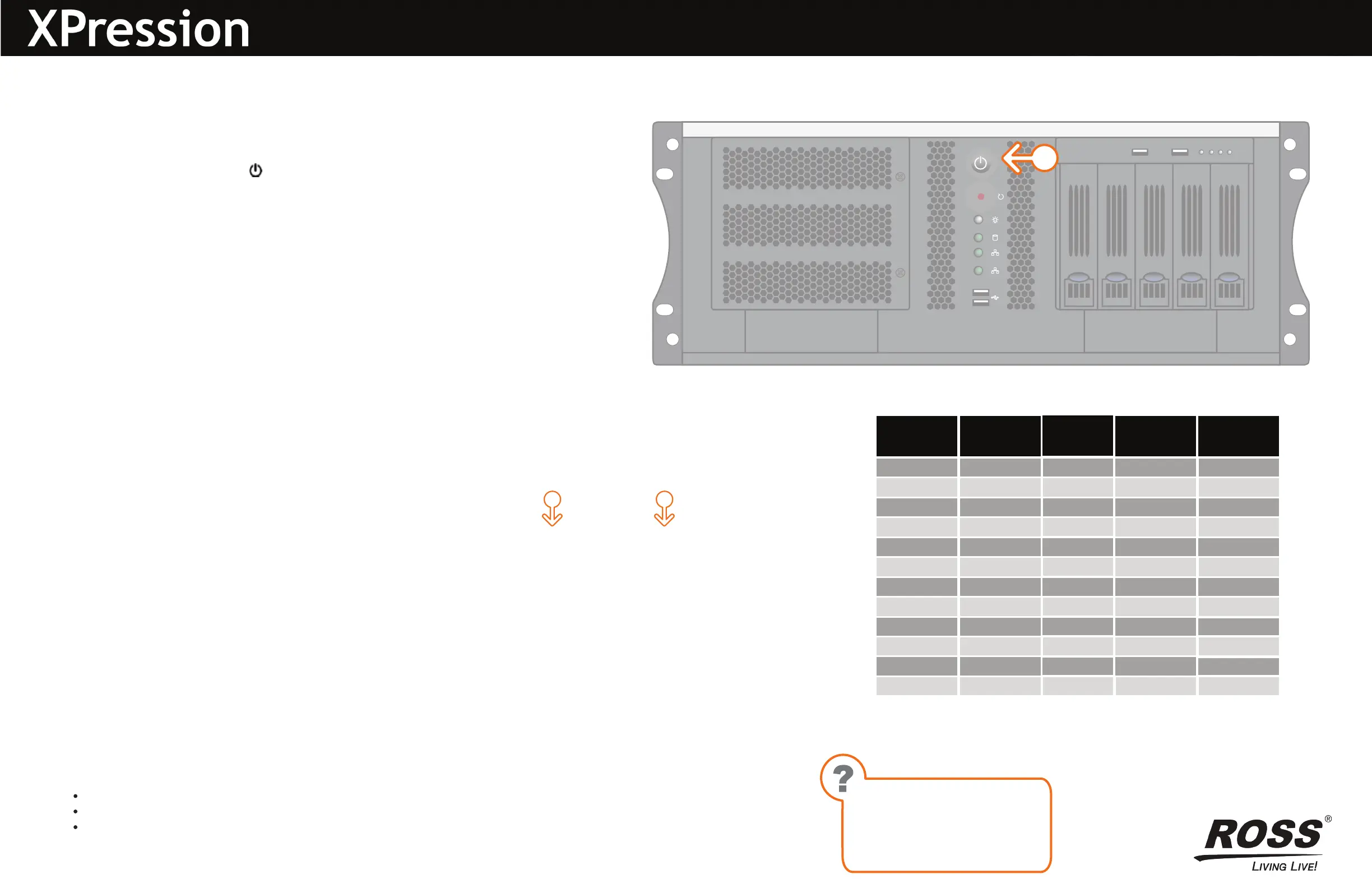
1
Press the Power button ( ) on the front of the XPression system.
Ross Video recommends shutting down XPression systems from the Windows
operating system.
2 Click the XPression user account icon on the desktop.
3 Log onto the system.
4 Launch XPression from the Start menu.
Getting Started continued
3508DR-517-01 © 2023 Ross Video Limited. All rights reserved.
Technical Support:
1-844-652-0645 (North America)
+800 1005 0100 (International)
Email: techsupport@rossvideo.com
Need Help?
*Up to 12G
^Up to 3G
Out 3*
Out 2*
Out 4*
Out 1*
In 8^
In 7^
In 6^
In 5^
In 4*
In 3*
In 2*
In 1*
8 In, 4 Out
Out 8*
Out 7*
Out 6*
Out 5*
Out 4^
Out 3^
Out 2^
Out 1^
In 4*
In 3*
In 2*
In 1*
4 In, 8 Out
Out 2*
Out 1*
In 10*
In 9*
In 8^
In 7^
In 6^
In 5^
In 4*
In 3*
In 2*
In 1*
10 In, 2 Out
Out 6*
Out 5*
Out 4*
Out 3*
Out 2^
Out 1^
In 6^
In 5^
In 4*
In 3*
In 2*
In 1*
Default
(6 in, 6 out)
12
11
10
9
8
7
66
5
4
3
2
1
HD-BNC
1
a
b


 To Previous Page
 Loading...


