Listening To Your Radio continued
DAB manual tune
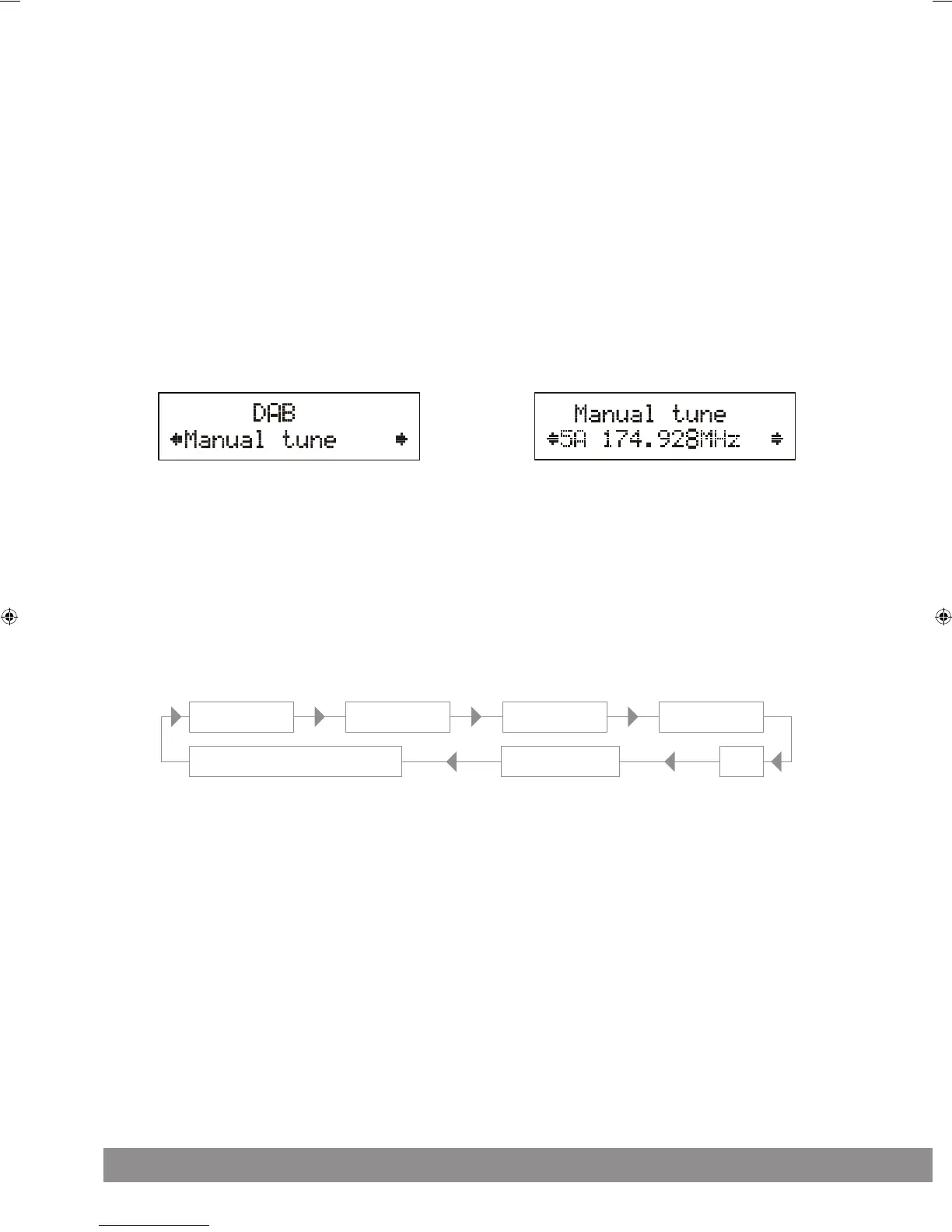
To select manual tune, first press the MENU button to enter into the Tune Select Menu, then press on the OK control to select “Manual tune”.
(Figure 4)
Rotate the OK control to move through the DAB channels, the display will show “5A to 13F” and their associated frequencies. (Figure 5)
When your desired frequency appears in the display, press on the OK control to confirm. The name of the station group (ensemble/multiplex)
will be displayed. To listen to the station selected, press on the OK control again.
DAB secondary services
On some occasions you will see a “>” symbol directly after the name of the station, this indicates that there are secondary services available
to that station. These secondary services contain extra services that relate to the primary station. E.g. a sports station may want to add extra
commentaries. The secondary services are inserted directly after the primary station. To select the secondary station, press on the OK control once.
DAB display modes
Every time you press the INFO button, the display will cycle through the following display modes:
Time and date The time and date will be automatically updated by the broadcasted information; it is no need to set the clock manually. In
the unlikely event that no clock information is received, the display will show “<TIME/DATE>”.
Frequency The frequency of the present station will be displayed.
Audio bit rate The display will show the digital audio bit rate being received.
Signal strength The display will show a slide bar to indicate the signal strength, the stronger the signal, the longer the bar will be from left to right.
DLS DLS stands for Dynamic Label Segment which is a scrolling message that the broadcaster may include in their transmissions. The
message usually includes information such as programme details etc.
Programme type This describes the style of the programme that is being broadcast. If the information is not available, the display will show
“<Programme Type>”.
Figure 4 Figure 5
Time and date Frequency
Ensemble / Multiplex (Group Name)
Audio Bit Rate
Programme Type
Signal Strength
DLS


 To Next Page
 Loading...