Factory Reset
When you move the radio to another part of the country, your pre-tuned and stored DAB stations may no longer be available. If this is the
case then you will need to reset your radio back to its original factory settings; to perform a factory reset, please do the following:
1. Plug the radio to mains and press the
button to turn the radio on.
2. Press and hold the MENU button until the display shows “Press SELECT to confirm reset”.
3. Release the MENU button and press on the OK control once, the display will first show “Restarting …” and after the reset is completed,
the radio will go to standby.
4. Press the
button to turn the radio on again, it will then automatically enter into the DAB mode and perform auto scan function. After
the scan has finished, the radio will select and display the first alphanumerically found station.
Note: All of your stored DAB & FM presets will be lost once the reset has taken place.
Alarm Function
This unit incorporates an identical Dual Alarm function. You can have two individual alarm wake-up time and wake-up mode settings to wake
you to an electronic buzzer tone or your favourite radio station (DAB/FM).
Setting the alarm time and wake-up mode
1. Press the ALARM button once to enter into the Alarm Menu, then rotate the OK control followed by pressing on the same control to
select Alarm (1 or 2).
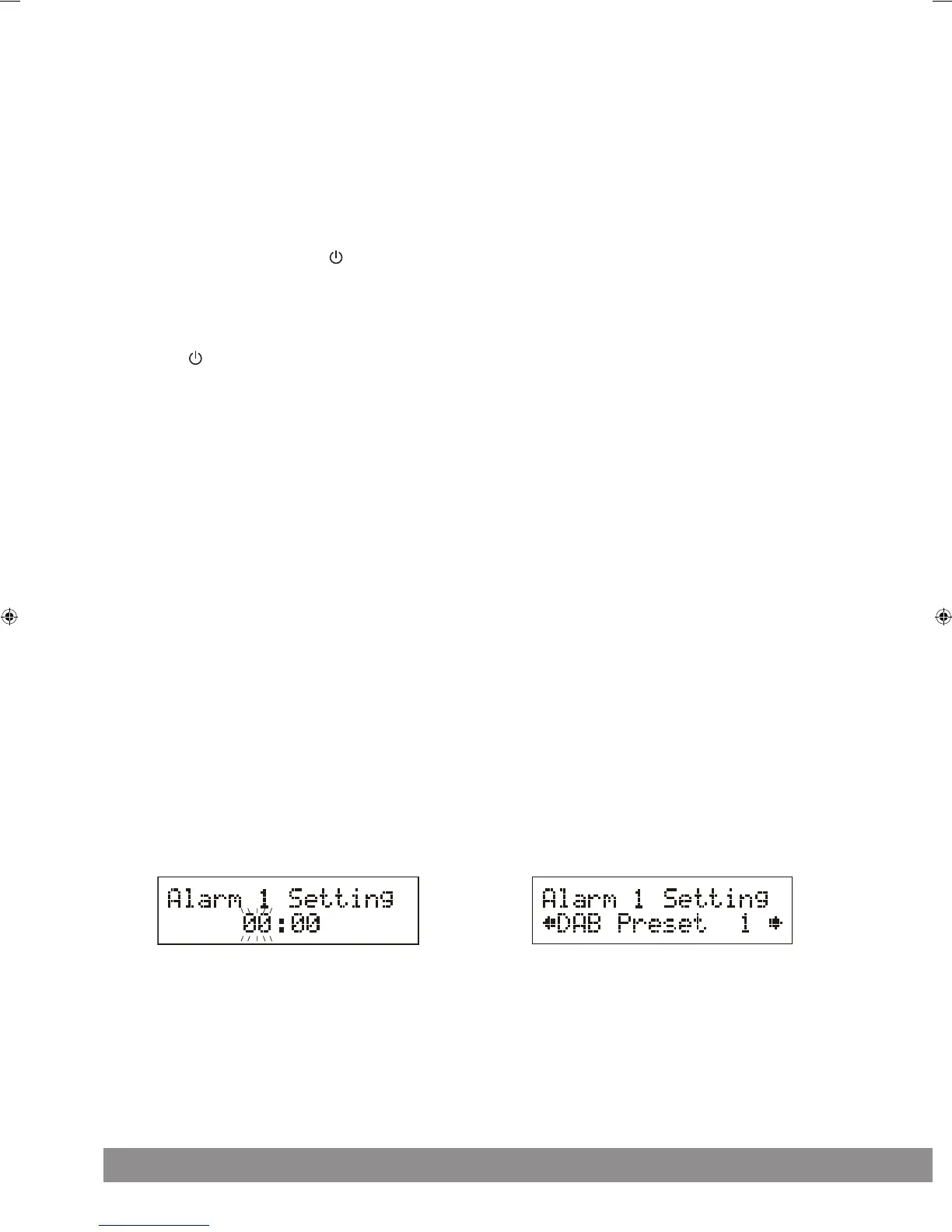
2. Again rotate the OK control followed by pressing on the same control to select “Alarm Setting”. The display will show “Alarm # Setting”
and the hour digit of the alarm time will flash. (Figure 10)
3. Rotate the OK control followed by pressing on the same control to adjust and confirm your desired alarm time - first set the hour and then
the minute.
4. After the confirmation of the minute setting, the alarm time is set and you will enter into the wake-up mode settings.
5. Rotate the OK control followed by pressing on the same control to adjust and confirm the wake-up mode settings -first set the DAB and
FM Preset (1-10), then the Buzzer Tone (1 or 2), finally the alarm Volume level. (Figure 11)
6. After the selection of the alarm volume level, the wake-up mode settings are completed and the alarm function is now ready for you to activate.
7. Repeat the above procedures to set the other Alarm (1 or 2).
Figure 10 Figure 11


 To Next Page