
 Need help?
Do you have a question about the Roto KJ100G-C9 and is the answer not in the manual?
Critical safety instructions and prohibitions for safe operation of the air purifier.
Key advisories and precautions for proper use, maintenance, and handling.
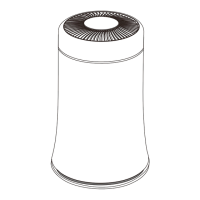
Identification and labeling of the air purifier's main parts and accessories.
List of items included in the product packaging.
Detailed specifications including model, size, power, noise, and materials.
Step-by-step guide for unpacking, filter installation, and power connection.
Explanation of buttons, displays, and indicators on the control panel.
Mapping of ring lamp colors to air quality levels (Good, Moderate, Bad).
Detailed guide on using Auto, Manual, UV, and Timer modes.
Guidance on filter replacement frequency and cleaning routines.
Solutions for problems like odor, no wind, ineffectiveness, and indicator lights.
This document describes the KJ100G-C9 Air Purifier, a device designed to improve indoor air quality.
The air purifier operates by drawing in air through an air inlet, passing it through a filter, and then releasing purified air. It features a control panel that displays PM2.5 levels, filter reminders, and current speed settings. The device offers multiple operating modes, including Auto, Manual, and Sleep, and incorporates a UV light function for enhanced purification. A timer function allows users to set specific operating durations.
Upon connecting the power, the machine starts in auto mode. After a 30-second preheating period, the air quality indicator displays the current air quality, and the device automatically selects an appropriate fan speed. The three-digit digital tube defaults to displaying PM2.5 data. In auto mode, the wind speed is automatically controlled based on sensor data, with a maximum speed of level 3. In manual mode or sleep mode, users can adjust the fan speed, with a maximum speed of turbo. The UV lamp is off by default but can be manually turned on at any time.
The device includes a filter reset function. After 1800 hours of operation, a filter prompt light will illuminate, indicating that the filter needs to be replaced. Pressing the sleep button for 3 seconds will reset the filter indicator, turning it off and restarting the timing. The timer function allows users to set the operating time from 1 to 8 hours. After setting, the timing interface displays for 5 seconds before returning to the PM2.5 display state. To cancel an active timer, press the timing button for 3 seconds. Once the set running time is completed, the machine automatically shuts down.
The packaging contents include the main engine (x1), power cord (x1), and user manual (x1).
The air purifier is designed for indoor use only and should not be operated in special outdoor environments. It is crucial to use a compatible power adapter and avoid connecting the power plug with wet hands to prevent fire, shock, or injury. The device should be placed on a stable surface to prevent tipping.
Getting Started:
Control Panel: The control panel features a PM2.5 display, filter reminder, and speed display (Levels 1-3). Buttons include Auto mode, Speed, UV, and Timer. The indicator lamp and ring lamp change colors based on air quality: Blue for Good, Orange for Moderate, and Red for Bad.
Before performing any maintenance, always disconnect the power adapter.
Filter Maintenance:
External Surface Maintenance:
Long-term Idle Storage:
Troubleshooting (Frequently Asked Questions):
 General
| Brand | Roto |
|---|---|
| Model | KJ100G-C9 |
| Category | Air Cleaner |
| Language | English |

 To Next Page