6.0 CHARGING
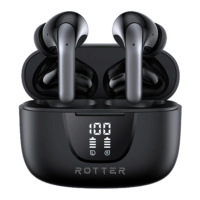
1. When the ROTTER Enhanced Noise Cancelling headphones are charging, the
first number of the battery indicator is flashing. The battery is fully charged
once the battery screen displays 100.
2. To charge the headphones, put them in the charging case and close the cover.
The headphones will power off and charge.
3. In order to charge the charging box, plug in the charging cable and connect it
to the USB adapter.
7.0 COMPATIBILITY
ROTTER Enhanced Noise Cancelling Headphones can be paired with any iOS,
Android or Windows device.
8.0 PRODUCT SPECIFICATIONS
Charging Case Battery Capacity


 To Next Page