12
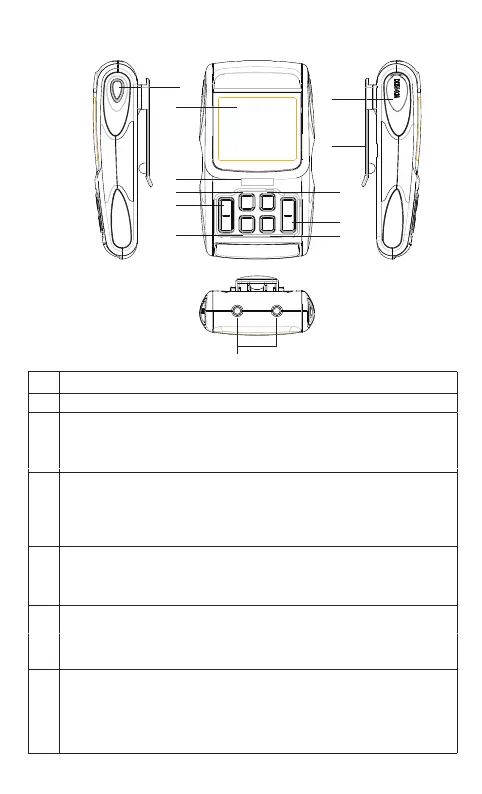
3.3 Device illustration
No. Description
1 LCD display
2 Charger indicator and USB socket:
When the device is charging, the indicator light will be yellow.
When charging is completed, the indicator light will be green.
3
4
5
[+] button:
At standby mode, press the [+] button to increase the CH1 and CH2
output intensity;
[ON/OFF] button:
At power saving mode, press the [ON/OFF] button to turn on the device;
At standby mode, press the [ON/OFF] button to turn off the device;
At treating mode, press the [ON/OFF] button to stop the treatment.
[M] button:
At standby mode, press the [M] button to select the treatment
mode.
6 [P] button:
At standby mode, press the [P] button to select the treatment
program.
1
2
3
4
5
6
7
8
9
11
10
2



 To Next Page