EasyManua.ls Logo

Roundwhale R-C101F - User Manual

Roundwhale R-C101F
48 pages
Print Icon
To Next Page IconTo Next Page
Loading...


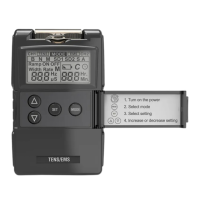
Combo Electrotherapy Device
Shenzhen Roundwhale Technology Co., Ltd.
This manual is valid for the R-C101F Stimulator
Be sure to read this instruction manual before operation and
keep it where safe.
This user manual is published by Shenzhen Roundwhale
Technology Co., Ltd.
R-C101F

Questions and Answers

  • J
    James RhodesAug 6, 2025
    What to do if rash occurs during Roundwhale R-C101F treatment?
    • B
      Brandon SimmonsAug 7, 2025
      If you experience a rash or tickle during treatment with your Roundwhale Fitness Equipment, it could be due to several reasons. The treatment time may be too long, so try doing the treatment once a day and for a shorter duration. Ensure the electrode sticks well to the skin. Clean the electrode with a wet cotton cloth before use if the interface is dirty or dry. If you have sensitive skin, check your allergy history, change the placement of the electrode, or shorten the treatment time. If your skin is over-sensitive, stop the treatment or consult a doctor.
  • C
    Clayton HortonAug 13, 2025
    Why does Roundwhale R-C101F Fitness Equipment automatically halt during treatment?
    • P
      Patrick KingAug 13, 2025
      The automatic halt during Roundwhale Fitness Equipment treatment can occur if the electrode loses connection with your skin. In this case, check and place the electrode properly on the skin. Also, check if the battery is used up and replace it if necessary.
  • V
    victoriaatkinsonAug 22, 2025
    How to fix no sensation of stimulation with Roundwhale R-C101F?
    • J
      Jessica CamposAug 22, 2025
      If you're not feeling any stimulation from your Roundwhale Fitness Equipment, start by checking that the electrode is making good contact with your skin and re-paste if needed. Also, verify the connection between the electrode and the stimulator. If that's not the issue, replace the battery. Dry skin can also be a factor; wipe both the electrode and your skin with a wet cotton cloth.
  • I
    Ian EvansAug 29, 2025
    How to fix no display on Roundwhale R-C101F after battery replacement?
    • H
      Heather KellerAug 29, 2025
      If your Roundwhale Fitness Equipment display isn't working after replacing the battery, first check the battery compartment for any foreign objects and clean it. Ensure the battery is new and installed correctly. Also, inspect the battery interface for foreign bodies and clean it. Make sure you're using the correct battery model. There may also be an exception reset.

Summary

FOREWORD

Introduction

Introduces the R-C101F Combo Electrotherapy Device and its dual TENS/EMS functionality.

Medical Background

Explains pain as a warning signal and its physiological transmission pathways.

What is TENS?

Defines Transcutaneous Electrical Nerve Stimulation (TENS) and its clinical effectiveness in pain relief.

What is EMS?

Defines Electrical Muscle Stimulation (EMS) for treating muscular injuries and improving performance.

SAFETY INFORMATION

Intended Use

Lists TENS and EMS modes' intended use for pain relief and muscle performance in adults.

Safety Precautions and Warnings

Emphasizes reading warnings to ensure safety, prevent injury, and avoid device damage.

Safety Symbols

Introduces symbols used in the manual for safety information and device operation.

Contraindications

Lists conditions and devices where the stimulator should not be used, e.g., pacemakers.

Warnings

Lists critical warnings, such as consulting a physician for pain and avoiding specific body areas.

Precautions

Lists precautions for use, like TENS not substituting medication or being effective for central pain.

Adverse Reactions

Describes potential adverse reactions like skin irritation, electrode burns, or feeling light-headed.

GETTING TO KNOW YOUR DEVICE

Accessories

Lists the components included with the Combo Electrotherapy Device.

LCD Display

Explains the various icons and functions displayed on the device's LCD screen.

Device Illustration

Provides a labeled diagram of the device, showing its front, back, and side views.

SPECIFICATION

Technical Information

Details technical specs: device name, power, waveform, dimensions, weight, and operating conditions.

Technical Information

Lists output precision, pulse width, pulse rate, time parameters, and stimulation modes.

Technical Information

Describes synchronous/alternate modes, compliance meter, and low battery indication.

OPERATING INSTRUCTIONS

Battery Handling

Instructions for inserting, disposing of, and handling batteries for the device.

Connecting Electrode Wires

Steps to connect electrode pads to wires and wires to the device.

Electrode Options and Placement

Guidance on electrode replacement, placement on skin, and precautions for optimal stimulation.

Electrode Placement Advice

Provides advice on electrode placement for TENS/EMS treatments, and general usage recommendations.

INSTRUCTIONS FOR USE

Power Controls and Modes

Explains power controls, intensity adjustment, and how to select treatment modes.

Parameter Configuration

Details setting parameters like pulse width, rate, timer, and special modes (TENS/EMS).

Battery Check and Replacement

Instructions for checking, replacing, and notices regarding the device's battery.

Electrode Pad Usage

Guidelines for using electrode pads, including connection, care, and potential skin irritations.

Electrode Placement Advice

Provides advice on electrode placement for TENS and EMS treatments, and usage recommendations.

CLEANING AND MAINTENANCE

Device Cleaning and Care

Instructions for cleaning the device, avoiding moisture, heat, and chemical cleaners.

Device Maintenance

Information on maintenance, unauthorized repairs, and device calibration.

TROUBLESHOOTING

Malfunction Countermeasures

Tables detailing common malfunctions and their solutions for display and sensation issues.

Malfunction Countermeasures

Tables detailing countermeasures for automatic halt and rash/tickle issues.

STORAGE

Storing Components

Instructions for storing electrode pads, lead wires, and the main unit properly.

DISPOSAL

ELECTROMAGNETIC COMPATIBILITY (EMC) TABLES

EMC Guidance and Declarations

Details electromagnetic emissions, immunity guidance, and test levels for the device.

NORMALIZED SYMBOLS

WARRANTY

Roundwhale R-C101F Specifications

General IconGeneral
CategoryFitness Equipment
Resistance TypeMagnetic
DisplayLCD
Warranty1 year
Product NameR-C101F
Maximum User Weight120 kg