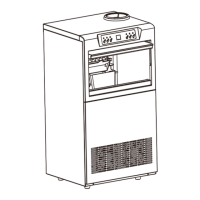
This document is a user manual for RovaEarth Commercial Ice Makers, specifically models CIM-480F, CIM-720F, and CIM-960F. It provides comprehensive information on the installation, operation, maintenance, and troubleshooting of these devices.
Function Description
The RovaEarth Commercial Ice Maker is designed to produce ice for commercial use. It can be installed in two primary configurations: using bottled water or connected to a direct water line. The unit features a control panel for operation, including power on/off, light control, cleaning mode, and ice size selection. It also incorporates a de-icing mode to handle blockages and a timer function for scheduled operation.
Important Technical Specifications
The manual provides detailed specifications for three models: CIM-480F, CIM-720F, and CIM-960F. All models operate on a RATED VOLTAGE of 115V and a RATED FREQUENCY of 60Hz.
Key differences between the models are:
- CIM-480F:
- RATED CURRENT: 2.149A
- REFRIGERANT: R290 / 1.69oz
- CIM-720F:
- RATED CURRENT: 3.012A
- REFRIGERANT: R290 / 2.29oz
- CIM-960F:
- RATED CURRENT: 4.380A
- REFRIGERANT: R290 / 3.1oz
All models share the following specifications:
- HIGH SIDE PRESSURE: 275psig
- LOW SIDE PRESSURE: 130psig
- INSULATION BLOWING GAS: C5H10
The internal components include a distributive pipe, icecube tray, level controller, water pump, water plug, water valve, bottle holder, retaining flap, and water tank. External components include a top cover, control panel, water basin, cooling fan, ice scoop, drain valve, water inlet, power socket, drain pipe, water inlet pipe, and power cord.
Usage Features
The ice maker offers several user-friendly features:
- Powering On: Connect the water source and plug in the unit. The indicator light turns green, then press the power button. A red light and "00" on the LED screen indicate a water source issue (e.g., valve not open).
- Selecting Ice Size: After the water tank fills and the red indicator light turns off, the LED screen displays a warm-up countdown (00-59 seconds). After warm-up, users can select the preferred ice size, ranging from -9 (smallest) to +9 (largest).
- Setting the Start/Stop Timer:
- To set a start time (unit off): Press the timer button and use +/- buttons to select the number of hours (up to 24) until the unit begins function. A green indicator light confirms the timer is set.
- To set a stop time (unit running): Press the timer button and use +/- buttons to select the number of hours (up to 24) the unit will remain on. A green indicator light confirms the timer is set.
- Turning the Light On/Off: Press the light button to activate interior lighting. A green indicator light will appear. Press again to turn off the lights.
- De-icing Mode:
- Automatic De-icing: If a blockage in the ice pallet is detected, the red indicator light flashes, the LED screen displays "00," and the water pump and fan stop. The unit automatically resumes icemaking after de-icing.
- Forced De-icing: While the unit is in use, hold the clean button until the indicator flashes red. The LED screen displays "00," and the water pump and fan stop. The unit automatically resumes icemaking after de-icing.
Maintenance Features
Regular maintenance is crucial for optimal performance and longevity:
- Cleaning:
- Clean the unit thoroughly before first use and every 360 hours of operation.
- Always unplug the unit before cleaning.
- Initial Cleaning:
- Remove the ice scoop. Soak a soft cloth in an environmental protection detergent diluted with warm water. Wipe the machine and accessories.
- Rinse the ice scoop with room temperature drinking water. Connect the drain on the back of the unit to drain residual fluid.
- Wipe the unit's exterior with a soft cloth and environmental protection detergent diluted with room temperature water.
- Dry the inside and outside of the unit with a dry soft cloth.
- Cleaning Mode:
- To activate cleaning mode (unit in standby): Press the clean button. The indicator light turns green.
- The unit automatically shuts off cleaning mode and returns to standby mode after 10 minutes if the door has been open.
- Extended Storage: If the unit has not been used for more than 96 hours, close the water supply and drain residual fluid from the water basin to maintain cleanliness. Wipe with a soft cloth before restarting use.
Installation
The manual outlines two installation methods:
- Bottled Water Installation:
- Tilt the unit slightly to install the four feet.
- Place the bottled water into the holder.
- Open the valve inside the unit.
- Place the drain pipe accordingly.
- Wait 24 hours before plugging in the unit.
- Water Line Installation:
- Tilt the unit slightly to install the four feet.
- Mount the water filter holder.
- Connect the water line inlet pipe to the water source.
- Connect the unit water inlet pipe to the water inlet.
- Place the drain pipe accordingly.
- Wait 24 hours before plugging in the unit.
Important Installation Notes:
- Keep the refrigeration unit upright during transportation and for 24 hours before use to prevent internal damage.
- Inspect for visible damage before installation; report shipping damage immediately.
- Avoid using extension cords. If used, ensure it has a cable thickness of at least 0.75mm and a rated voltage of 6A/250V or above. The equipment must be grounded.
- Do not use outdoors or in direct sunlight.
- Place on a level surface, not on carpet or fabric. Do not cover the power cord or keep near exposed liquid.
- Only use water in the unit.
- Do not use flammable liquids for cleaning.
- Do not modify the unit with third-party equipment not recommended by the manufacturer.
- Dispose of flammable gas and refrigerant according to local regulations.
Troubleshooting
The manual includes a detailed troubleshooting guide covering various error codes and common issues, along with their causes and solutions.
Error Codes:
- E1, E2 (Temperature probe open circuit): Check the connection of the insert.
- E3, E4 (Ice too thick/thin, de-icing failure): Use +/- to adjust ice size.
- Water retaining flap failure or magnetic sensor failure: Hold the clean button to force de-icing, then press the retaining flap to simulate de-icing. If it doesn't resume icemaking, the part may need replacement.
General Issues:
- Refrigerant leak: After 10 minutes, check if the water basin is cold. If not, add coolant.
- Compressor not running: Check if the fan blows warm air and the compressor buzzes. If not, the part may need replacement.
- Fan not turning: Check for air from the back. If no air, check circuit connection. If still not working, the part may need replacement.
- Water pump not working: Press the clean button to prompt start/stop. Check circuit connection. If still not working, the part may need replacement.
- Unit stopped, + indicator red (No water/not enough water): Check/refill water supply.
- Water overflowing from water basin (Water valve not tightened/water source not connected): Close interior valve (if water line), check external source connections.
- Basin full, + indicator red (Float control stuck): De-ice the unit and ensure the float moves freely.
- Unit cycling, no ice (Refrigerant leak/cooling system malfunction): Add coolant. If still malfunctioning, replace refrigeration pipeline.
Warranty
The product comes with a limited warranty covering manufacturer defects and shipping damage.
Warranty Exclusions:
- Normal wear-and-tear.
- Damage from non-compliance with the manual.
- Inappropriate point source connections.
- Partial or complete removal of components.
- Modification of the unit with unauthorized third-party equipment or tools.
Claims Process:
- Check for damage upon receipt and report immediately to the manufacturer via Amazon with photos of the item and packaging. A new machine is reissued only with provided photos.
- For damaged units, a prepaid return label will be provided.
- To request a return, contact the manufacturer via Amazon with a reason.
- Customer service is available at 909-479-7844.

 Need help?

 To Next Page
 General