SPOT CLEANING MODE
Users can select the desired area on the mobile app to deep clean a
specified location. The vacuum will automatically drive through the spot
land start spot cleaning in a 1.5 m x 1.5 m area.
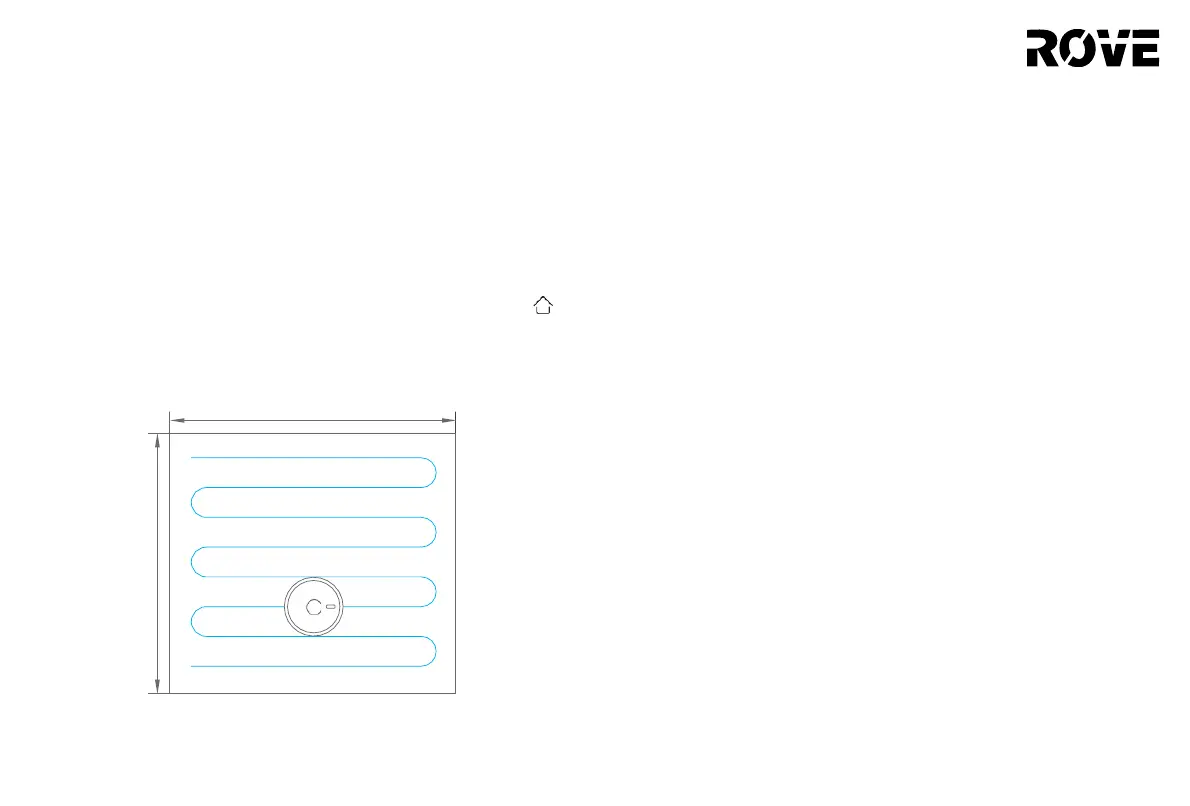
PARTIAL CLEANING MODE
Users can control the robot via the mobile app and can also
manually move the vacuum to the target area. Press and hold the
key for 3 seconds. The device will enter partial cleaning mode and
clean the 1.8 m x 1.8 m area.
1.8 m
CUSTOM CLEANING AREA
Users can use the mobile app to create the desired size and location
of the cleaning area(s).The vacuum will start cleaning the selected area
automatically.
SCHEDULED CLEANING
Users can use the mobile app to set scheduled cleaning times. The
device will start cleaning based on the set times. The device will
return tothe charging base once completed.
SUCTION POWER LEVEL
The mobile app can let the user select up to 4 different suction
levels: Quiet, Normal, Turbo or Max. The vacuum’s default suction
power is Normal.
1.8 m
12
USAGE INSTRUCTION
RESTRICTED AREA
Users can use the mobile app to define one or more restricted areas.
Once the restricted zone(s) are created , the vacuum will NOT attempt
to enter the restricted area(s).
Note:
• This device may enter a restricted area due to positioning errors or sensor
failure.
• Restricted areas may be invalid when significant changes such as the
shifting of furniture or the charging base. Do not move or interfere with the
device during its cleaning operation.
• Building a new map will delete the previously set permanent restricted areas.


 To Next Page