
 Need help?
Do you have a question about the ROVE Ultimate and is the answer not in the manual?
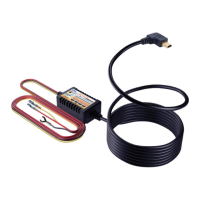
Monitors voltage and cuts power to dashcam if voltage drops below a set value to protect the battery.
Detects abnormal voltage and cuts power to prevent dashcam damage, includes extra fuse protection.
Lists the tools and accessories required for a successful hardwire kit installation.
Details how to find the vehicle's fuse box, typically located behind an interior panel.
Guides users to identify fuse slots for constant power (RED wire) and ACC power (YELLOW wire).
Connects to the Constant Power Fuse Slot (Always Hot) for continuous power supply.
Connects to the ACC Power Fuse Slot (Ignition-Switched) for power when the ignition is on.
Connects to a grounding screw or bolt for completing the circuit and ensuring safety.
Explains how to determine the correct fuse tap type (ATO, Mini, Micro2) for your vehicle's fuse slots.
Details the process of connecting the wires to piggyback fuse-taps using a crimp tool.
Provides instructions for connecting the black wire to a proper grounding point on the vehicle's chassis.
Guides on testing the dash cam and neatly securing wires to prevent obstruction and ensure safe driving.
 General
| Amperage | 15 A |
|---|---|
| Maximum Current | 15 A |
| Outlet Types | NEMA 5-15R |
| EMI/RFI Filtering | Yes |
| Mounting | Rackmount |
| Input Frequency | 60Hz |
| Safety Certifications | UL |

 To Next Page