Locks & alarm
20
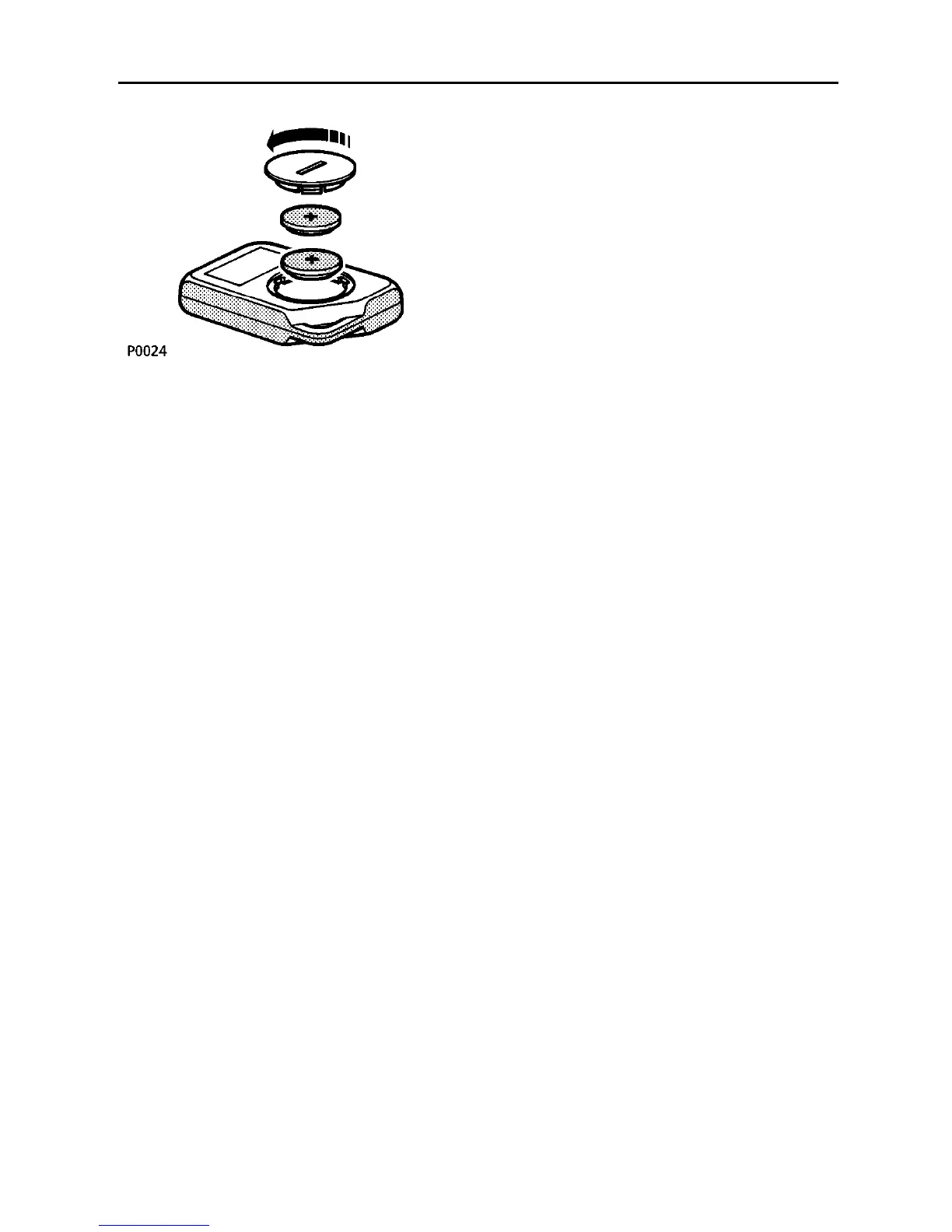
Handset batteries
When the batteries need replacing, the
message centre will display ’KEY BATTERY
LOW’. To replace:
• Remove the battery cover by turning the
cover anti-clockwise with a coin.
• Taking care not to touch the circuit board,
prise the batteries from the cover and fit
new ones (with the positive side facing the
cover), and replace the cover.
The batteries should be replaced within 1
minute of removing the old ones, otherwise it
may be necessary to re-synchronise the
handset (see ’Handset synchronisation’). New
batteries are available from your dealer.
NOTE: Finger marks on the batteries will
adversely affect battery life. If possible, avoid
touching the surface of the batteries, and wipe
clean before fitting.
Handset synchronisation
The handset transmits a coded message,
which changes each time a button is pressed.
If a handset is operated too many times out of
range of the vehicle or if the handset batteries
are removed for longer than a minute, it may
need to be re-synchronised.
To synchronise:
• If the vehicle is locked, press the ’unlock’
button on the handset and then unlock the
vehicle using the key.
• If the vehicle is unlocked, press the ’lock’
button on the handset and then lock the
vehicle using the key.
NOTE: Handset synchronisation cannot be
achieved if the vehicle alarm is armed or if the
handset batteries need replacing.



 To Next Page