
 Need help?
Do you have a question about the Rovus SmartAir Total Room and is the answer not in the manual?
Lists 35 critical warnings covering electrical safety, fire prevention, child safety, and proper usage of the appliance.
Identifies all physical components of the SmartAir Total Room device with numbered labels.
Details the symbols and functions of the device's control panel for various operations.
Instructions for turning the device on and off, and initial operation modes.
How to activate and adjust heating settings for different temperatures.
Guidance on using the misting and humidifying capabilities of the device.
Explains the different airflow settings: normal, natural, and sleep modes.
Instructions for adjusting the fan's direction and oscillation.
How to control the display light and set the auto-off timer.
Details on using the included remote control for device operation.
Instructions for using the aroma box with essential oils or aromatic water.
Describes different ways to use the product for air circulation and drying.
Guidance on how to store the device when not in use.
Steps for cleaning the main body and the water tank to ensure proper function.
Solutions for problems like the device not working or making noise.
Details on power, voltage, model number, and operating conditions.
Information on how to contact customer service for assistance and support via phone or email.
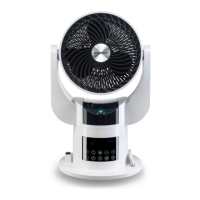
The SmartAir Total Room is a versatile 4-in-1 multifunctional fan designed to provide a comfortable environment in various settings. This device combines the functions of a fan, heater, humidifier, and air circulator, making it suitable for year-round use. Its design emphasizes ease of use, with both an on-device operating panel and a remote control for convenient adjustments.
The primary function of the SmartAir Total Room is to circulate air, offering both cooling and heating capabilities. As a fan, it provides adjustable airflow with multiple speed settings and various wind types, including normal, natural, and sleep modes. The normal air flow adjusts according to the surrounding temperature, while the natural air flow mimics a gentle breeze. The sleep air flow gradually reduces its intensity over time, promoting a comfortable sleeping environment.
For heating, the device offers two temperature settings: low and high. When in heating mode, the water container light switches from blue to red, indicating the change in function. The device is equipped with an automatic cut-off switch that activates if it tips over or overheats, ensuring safety during operation.
Beyond basic air circulation, the SmartAir Total Room also functions as a humidifier. Users can activate this feature to add moisture to the air, which can be particularly beneficial in dry environments. The mist nozzle, responsible for releasing the humidifying mist, can be easily cleaned to prevent obstruction.
The device also incorporates an aroma box, allowing users to add aromatic water to diffuse pleasant scents into the room. This feature enhances the ambiance and can contribute to a more relaxing or invigorating atmosphere, depending on the chosen fragrance.
Pivoting capabilities are a key feature of the SmartAir Total Room. It offers both side-to-side and up-and-down oscillation, enabling users to direct the airflow precisely where it's needed. This ensures even distribution of air, heat, or humidity throughout the room.
A timer function allows users to set the device to operate for specific durations, ranging from 0.5 to 7.5 hours. This is useful for energy saving and for ensuring the device turns off automatically after a desired period. The digital display provides clear feedback on current settings, including temperature and humidity.
Operating the SmartAir Total Room is straightforward, whether using the on-device panel or the remote control. The device features clear symbols for each function, making it easy to select the desired mode.
To begin, the device should be placed on a dry, horizontal, and stable surface. When filling the water tank for humidification, it slides out from the main body for easy access. Clean water is then added, and the tank is reinserted. It's important not to overfill the water tank and to disconnect the power plug before removing it for cleaning or refilling.
The heating function can be activated with a simple press of a button. If the device doesn't start heating automatically, it might be because the set temperature is lower than the actual room temperature, in which case the temperature can be adjusted upwards using the plus symbol.
The remote control mirrors the functions available on the operating panel, offering convenience from a distance. It requires a button cell battery, and users are advised to replace it when the operating range decreases or the main body no longer responds effectively. Proper battery polarity must be observed during replacement, and button cell batteries should be kept away from children due to chemical burn and choking hazards.
The aroma box is easily accessible for adding aromatic water. Users simply remove the cover, add a few drops of their preferred scent, and replace the cover. The fragrance will then naturally diffuse into the room.
Regular cleaning is essential to maintain the performance and longevity of the SmartAir Total Room. Before any cleaning or maintenance, it is crucial to turn off the power and remove the mains plug from the wall socket. If the device has been in heating mode, it should be allowed to cool down before handling.
Cleaning the main body involves removing the mesh cover on the reverse of the fan. This is done by first removing a screw, locating a flap on the mesh cover, and pushing it clockwise to unlock and remove the cover. Once the cover is off, a vacuum cleaner can be used to remove dust from the mesh, and a soft cloth can wipe down the surface. After cleaning, the mesh cover is repositioned and locked by turning it counter-clockwise, and the screw is reinserted.
The water tank also requires regular cleaning, especially if using hard water, which can lead to lime scale buildup. After disconnecting the power plug, the water tank is removed from the main body. The inside of the tank should be rinsed with tap water, and a damp cloth can be used to clean the mist nozzle. For stubborn lime scale, a small amount of vinegar can be poured into the tank and on the mist nozzle, left for approximately 20 minutes, and then rinsed thoroughly with tap water. A damp cloth can then be used to clean the mist nozzle again.
If the device is to be stored for a long period, it should be cleaned thoroughly as per the instructions, and the water tank should be completely dried before storage. This prevents potential breakdowns due to dust accumulation and ensures the device is ready for use when needed again.
 General
| Speeds | 3 |
|---|---|
| Oscillation | Yes |
| Remote Control | Yes |
| Power | 50W |
| Voltage | 220-240V |
| Frequency | 50Hz |

 To Next Page
