The Roxcore Flow A+ Bluetooth headset (Item: 23752-3) is a wireless in-ear audio device designed for listening to music and managing calls. This manual provides an overview of its features, technical specifications, and usage instructions in English, Norwegian, and Swedish.
Function Description:
The Flow A+ Bluetooth headset allows users to enjoy audio wirelessly from a Bluetooth-enabled device. It features an in-line remote control for managing playback, volume, and calls. The headset is equipped with a rechargeable Li-ion battery, providing portability and convenience for on-the-go use. Its primary function is to provide a hands-free audio experience, whether for entertainment or communication.
Important Technical Specifications:
- Frequency Response: 20 - 20 kHz, covering the typical range of human hearing for clear audio reproduction.
- Impedance: 16Ω, indicating the electrical resistance of the earphones.
- Bluetooth Version: 4.2, offering a stable and efficient wireless connection.
- Range: Up to 10 meters, allowing for freedom of movement away from the connected device.
- Standby Time: Up to 100 hours, ensuring the headset remains ready for use over extended periods without needing a recharge.
- Talk/Play Time: Up to 3.5 hours, providing a decent duration for listening to music or engaging in calls on a single charge.
- Charge Time: 1.5 hours, allowing for quick recharging of the battery.
- Charging Port: Micro USB, a common and widely compatible charging interface.
- Weight: 24 g, making the headset lightweight and comfortable for prolonged wear.
- Battery: Rechargeable Li-ion battery (non-replaceable), providing power for the device.
Usage Features:
Overview of Components:
The headset features an in-line remote with several key components:
- Volume up button: Increases audio volume.
- Multifunctional button: Used for power on/off, play/pause, answer/hang up calls, and pairing.
- Volume down button: Decreases audio volume.
- Micro USB port: For charging the headset.
- LED indicator: Provides visual feedback on the headset's status (power, charging, pairing).
Power On/Off:
To power on the headset, press and hold the multifunctional button for 2 seconds until the LED flashes blue. To power off, repeat the same process.
Charging:
Connect the included USB cable to the Micro USB charging port on the headset and to a computer or a USB power adapter. The LED indicator will glow red during charging and turn blue once the battery is fully charged, indicating it's ready for use.
Pairing:
- Ensure your Bluetooth device is within 1 meter of the earphones.
- Make sure the headset is powered off.
- Press and hold the multifunctional button until the LED flashes red and blue, indicating it's in pairing mode.
- Activate Bluetooth on your device, search for "Flow A+" in the list of available devices, and select it. If prompted for a password, enter "0000".
- Once paired, the LED will blink blue 3-5 times and then turn off, signifying a successful connection.
- Force pairing mode: If the headset is off, press and hold the Multifunctional button to directly enter pairing mode.
Managing Music and Calls:
- Play/Pause Music or Answer/Hang Up Calls: Press the multifunctional button.
- Change Volume: Press the Volume up button to increase volume or the Volume down button to decrease volume.
- Skip Track: Press and hold the Volume up button.
- Play Previous Track: Press and hold the Volume down button.
Maintenance Features:
- Battery Care: The product contains a rechargeable Li-ion battery. It is important to note that this battery is not replaceable.
- Hearing Protection: To prevent potential hearing damage, it is strongly advised not to listen at high volume levels for extended periods. This is a critical safety recommendation for user well-being.
- Charging: Use the provided Micro USB cable and a compatible power source (computer or USB power adapter) for charging to ensure proper battery health and longevity.
The Roxcore Flow A+ Bluetooth headset is designed for ease of use and portability, offering a straightforward way to enjoy wireless audio.

 Need help?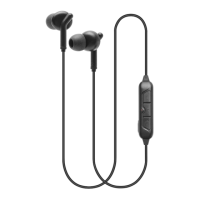

 To Next Page
 General