EasyManua.ls Logo

ROYAL CLIMA RC-RNX24HN - User Manual

ROYAL CLIMA RC-RNX24HN
70 pages
Print Icon
To Next Page IconTo Next Page
Loading...
1
ROYAL CLIMA
2022
R410A
Renaissance
On/Off

Questions and Answers

  • T
    Tammy DanielsAug 6, 2025
    What to do if ROYAL CLIMA Air Conditioner shows High-pressure protection error?
    • B
      Bill ThompsonAug 6, 2025
      If your ROYAL CLIMA Air Conditioner displays a 'High-pressure protection' error, start by checking the connections of the plug-in terminals to ensure they are secure and that the terminals and the main PCB are properly connected. Use a multimeter to check for disconnections. Also, with a multimeter, verify the state of the high-pressure switch to ensure it is in the OFF state. If the pressure is normal but the switch remains open, the pressure voltage is likely faulty. Should the problem persist despite a normal pressure switch and intact connections, consider replacing the main PCB.
  • J
    Joseph BrennanAug 18, 2025
    What to do for Liquid Deficiency Protection error on ROYAL CLIMA Air Conditioner?
    • J
      Jerome TorresAug 18, 2025
      If your ROYAL CLIMA Air Conditioner is showing a Liquid Deficiency Protection error, start by checking the stop valve. Use hexagons to turn it counterclockwise to ensure the valve is fully open. Inspect the evaporator, condenser, and connection pipes for any damage or cracks, paying close attention to welding points and pipe joints for refrigerant leaks. Also, measure the temperature sensor with a multimeter at ambient temperature to check if the coil temperature sensor has abnormal resistance.
  • J
    James TranAug 25, 2025
    How to troubleshoot E1 Indoor Unit temperature sensor error in ROYAL CLIMA Air Conditioner?
    • J
      Jose MaloneAug 25, 2025
      If your ROYAL CLIMA Air Conditioner displays an E1 error, indicating an issue with the indoor unit temperature sensor, check the sensor for resistance problems, short circuits, or open circuits; the resistance value should be within a reasonable range (15K under 25°C). Inspect the sensor wire for breaks. Ensure the terminal connectors are securely fixed and check the weld between the terminal and the main PCB for looseness, gently pulling the terminal for inspection if needed. Also, check if the sensor is affected by dampness. If a standard sensor isn't available, temporarily replace it with another sensor to see if the error disappears; if it does, replace the original sensor; if not, check the indoor unit's main PCB and replace if necessary.
  • L
    Linda WilliamsonNov 11, 2025
    How to fix E0 overcurrent protection error on ROYAL CLIMA Air Conditioner?
    • R
      ramosstephenNov 11, 2025
      If your ROYAL CLIMA Air Conditioner shows an E0 error, indicating overcurrent protection in the indoor unit, take the following steps. For fixed-frequency models, check if the live line passes through the current transformer; if not, correct the line placement and reboot for inspection. Use a current clamp to measure the working current and ensure it's within the normal range specified on the nameplate; if the current is normal, the current transformer may be faulty, and the indoor unit's main PCB should be replaced. Also, verify that the power supply voltage is within the normal operating range; if unstable, address the local grid voltage. If the working current is too high but the voltage is normal, the system may be blocked or overloaded, requiring further inspection based on the specif...
  • D
    David KelleyDec 1, 2025
    How to fix E2 Outdoor Unit coil sensor error on ROYAL CLIMA Air Conditioner?
    • T
      Todd JohnsonDec 1, 2025
      If your ROYAL CLIMA Air Conditioner displays an E2 error, which indicates a problem with the outdoor unit coil sensor, begin by checking the sensor for resistance issues, short circuits, or open circuits; the resistance value should be around 20K?. Inspect the sensor wire for any breaks. Verify that the terminal connectors are securely fixed and check the weld between the terminal and the outdoor unit's main PCB for looseness. Gently pull the terminal for inspection if necessary. Also, check if the sensor is affected by dampness. If a standard sensor is unavailable, temporarily replace the temperature sensor of the outdoor unit coil with another sensor to see if the error persists; if the error disappears, replace the original sensor; if the error continues, check the indoor unit's main PC...

Summary

Part I: Technical Information

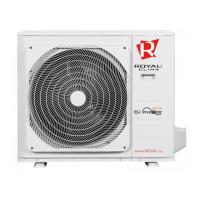
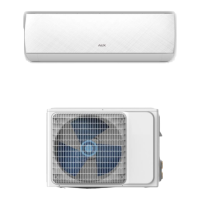
Indoor and Outdoor Unit Appearance

Visual representation of the indoor and outdoor units of the air conditioner.

Model List

List of available models for the air conditioner, including their designations.

Indoor Unit Dimension Diagrams

Technical drawings detailing the dimensions of the indoor units.

Outdoor Unit Dimension Diagrams

Technical drawings detailing the dimensions of the outdoor units.

Remote Controller Introduction

Overview of the remote controller and its basic functions.

Remote Controller Button Functions

Detailed explanation of each button's function on the remote controller.

Advanced Remote Control Functions

Explains functions like MENU, SWING, HEALTH, and ECO modes.

Additional Remote Control Features

Details on SLEEP, SILENCE, DISPLAY, LIGHT, and Anti-F functions.

Specialized Remote Control Modes

Explains COSY, HUMI, iCLEAN, Child-lock, and Anti-F functions.

Remote Control Usage and Operation Modes

Instructions for battery installation and basic operation modes.

Additional Operation Modes and Precautions

Details Fan, Drying modes, and remote control handling precautions.

Cooling Only Refrigerant System

Diagram illustrating the refrigerant flow for cooling-only operation.

Cooling & Heating Refrigerant System

Diagram showing refrigerant flow for both cooling and heating modes.

Heating Mode Refrigerant System

Diagram illustrating the refrigerant flow for heating operation.

Indoor Unit Electrical Wiring Diagram

Schematic showing the electrical connections for the indoor unit.

Outdoor Unit Electrical Wiring Diagram

Schematic showing the electrical connections for the outdoor unit.

Part II: Installation and Maintenance

Essential Tools for Installation and Maintenance

Visual guide to the tools required for installation and maintenance tasks.

Installation Guidelines and Safety

Key notes, safety instructions, and requirements for proper installation.

Indoor Unit Installation Procedure

Steps for installing the indoor unit, including location selection and parts check.

Indoor Unit Installation Details

Procedures for creating wall holes, routing pipes, and connecting drain pipes.

Indoor Unit Piping and Electrical Connections

Instructions for wrapping pipes, securing the unit, and electrical connections.

Outdoor Unit Installation Preparation

Parts list and location selection guidelines for the outdoor unit.

Outdoor Unit Piping and Wiring

Steps for connecting pipes, adding refrigerant, and wiring the outdoor unit.

Outdoor Unit Wiring and Air Expulsion

Wiring diagrams and procedures for expelling air from the system.

Post-Installation Checks and Leak Testing

Procedures for verifying installation safety and performing refrigerant leak tests.

Test Operation Procedures

Steps for preparing and conducting the final test operation of the unit.

8. Maintenance

Troubleshooting Guide Overview

Introduction to error codes and their reference codes for troubleshooting.

Troubleshooting Procedure Format

Explains the structure and approach for detailed troubleshooting steps.

Troubleshooting E0: Indoor Unit Overcurrent Protection

Details cause, tools, parts, and procedure for overcurrent protection errors.

Troubleshooting E1: Indoor Unit Temperature Sensor Error

Explains cause, tools, parts, and procedure for temperature sensor errors.

Troubleshooting E2: Outdoor Unit Coil Sensor Error

Details cause, tools, parts, and procedure for outdoor coil sensor errors.

Troubleshooting E3: Indoor Unit Coil Sensor Error

Explains cause, tools, parts, and procedure for indoor coil sensor errors.

Troubleshooting E4: Indoor Unit Motor Error (PG Motor)

Details cause, tools, parts, and procedure for PG motor errors.

Troubleshooting E4: Indoor Unit Motor Error (DC Motor)

Explains cause, tools, parts, and procedure for DC motor errors.

Troubleshooting Eb: Indoor EE Failure

Details cause, tools, parts, and procedure for EE chip failures.

Troubleshooting P2: High-Pressure Protection

Explains cause, tools, parts, and procedure for high-pressure protection errors.

Troubleshooting P3: Liquid Deficiency Protection

Details cause, tools, parts, and procedure for liquid deficiency protection.

Troubleshooting Normal Malfunctions

Identifies common issues and their potential causes for normal operation problems.

Troubleshooting No Power Display

Flowchart for diagnosing and resolving no power display issues.

Troubleshooting Indoor Motor No Operation

Flowchart for diagnosing and resolving indoor motor non-operation.

Troubleshooting Outdoor Unit No Operation

Flowchart for diagnosing and resolving outdoor unit non-operation issues.

Troubleshooting Step Motor No Operation

Flowchart for diagnosing and resolving step motor non-operation.

Troubleshooting: Heating Mode No Hot Air Blow

Flowchart for diagnosing heating mode issues with no hot air.

Troubleshooting Remote Control Failure

Flowchart for diagnosing and resolving remote control operational failures.

9. Exploded Views and Parts List

Indoor Unit Exploded View

Visual breakdown of the indoor unit components with numbered parts.

Indoor Unit Parts List

Detailed list of all parts for the indoor unit with quantities.

Outdoor Unit Exploded View

Visual breakdown of the outdoor unit components with numbered parts.

Outdoor Unit Parts List

Detailed list of all parts for the outdoor unit with quantities.

10. Removal Procedure

Indoor Unit Component Removal

Step-by-step guide to removing key components of the indoor unit.

Indoor Unit Internal Component Removal

Procedures for removing internal components like PCB, heat exchanger, and motor parts.

Indoor Unit Motor and Volute Removal

Steps for removing the motor assembly and volute from the indoor unit.

Outdoor Unit Exterior Component Removal

Steps for removing external covers and panels of the outdoor unit.

Outdoor Unit Internal Component Removal

Procedures for removing internal components like motor, blade, and panels.

Outdoor Unit Electrical and Pipeline Removal

Steps for removing electrical box, partition, support plates, and pipeline.

Outdoor Unit Valve and Compressor Removal

Procedures for removing stop valves, valve plates, and the compressor.

Outdoor Unit Condenser Removal

Steps for removing the condenser from the outdoor unit.

Appendix

Sensor R-T Analysis Table

Data table for analyzing temperature sensor resistance and voltage correlations.

Sensor R-T Analysis Table (20 K)

Data table for analyzing temperature sensor resistance and voltage correlations (20K range).

Sensor R-T Analysis Table (50 K)

Data table for analyzing temperature sensor resistance and voltage correlations (50K range).

ROYAL CLIMA RC-RNX24HN Specifications

General IconGeneral
BrandROYAL CLIMA
ModelRC-RNX24HN
CategoryAir Conditioner
LanguageEnglish

Related product manuals