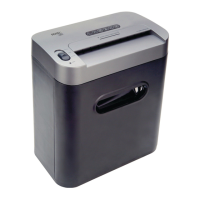
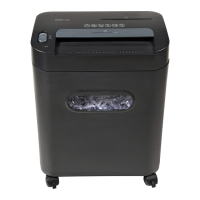
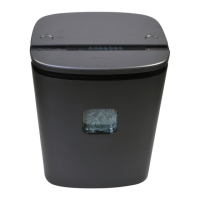
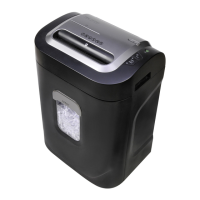
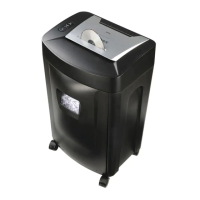
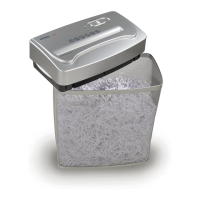
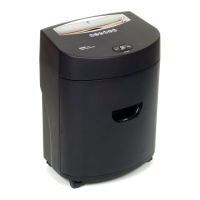
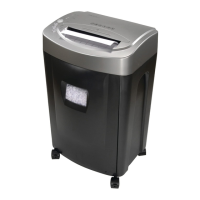
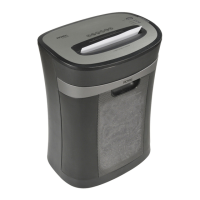
The Royal 120X is a crosscut paper shredder designed for personal and small office use, offering a secure way to dispose of sensitive documents. Its primary function is to shred paper, credit cards, and CDs into small, confetti-like pieces, enhancing security compared to strip-cut shredders.
Function Description:
The Royal 120X operates by feeding documents into a slot, where internal cutters transform them into small crosscut particles. It features an automatic start/stop function, activating when paper is detected in the feed opening and ceasing once the shredding process is complete. This shredder is equipped with a motor overload protection circuit that automatically terminates power in abnormal situations, such as continuous operation beyond the recommended time or exceeding the sheet capacity. This safety feature prevents damage to the motor and prolongs the life of the device.
The control panel, located on top of the shredder head, includes an ON/OFF button, a reverse function, and an ON/OFF LED indicator. The ON/OFF button initiates the shredding process when paper is inserted. The reverse function is crucial for clearing minor paper jams by reversing the cutters, allowing the user to pull out jammed paper. The ON/OFF LED illuminates when the shredder is properly set up (wastebasket inserted, plugged in, and turned on), indicating it's ready for use. If the LED does not light up, it signals an issue with the setup, prompting the user to check the plug, wastebasket, and ON/OFF button.
Important Technical Specifications:
- Shred Type: Cross-Cut
- Shred Width: 5/32" x 1 1/4" (approximately 4mm x 32mm)
- Shredding Capacity: 12 sheets of 20-lb. bond paper
- Feed Opening: 8 3/4" (22.2 cm)
- Weight: 14.3 lbs. (6.5 kg)
- Input: 115 volt AC, 5 amp.
- Continuous Shredding Time: Recommended 3 minutes, followed by 20 minutes off for cooling.
Usage Features:
- Setup: The shredder requires placement on a flat, level surface with the shredder head securely positioned on top of its wastebasket. It must be plugged into a standard 115-volt AC outlet, and the slide switch should be set to the "auto" position for automatic operation. The "ready" LED will light up once properly set up.
- Automatic Operation: Once the shredder is in "auto" mode and the ON/OFF button is depressed, it will automatically start shredding when paper is inserted and stop when the paper has passed through.
- Overload Protection: The device is designed to protect against motor overload. If the shredder is operated continuously for too long (e.g., more than 3 minutes at maximum capacity) or if too many sheets are inserted (exceeding 12 sheets), the automatic thermal motor overload protection circuit will activate, terminating power. In such cases, the user must turn off or unplug the shredder and wait at least 20 minutes for the motor to reset.
- Paper Jam Clearing: For minor jams, the "reverse" button can be used to back out the paper. For major jams, the shredder should be turned off, unplugged, and allowed to cool before attempting to remove the jammed paper.
- Material Compatibility: The Royal 120X is capable of shredding up to twelve sheets of 20-lb. bond paper, credit cards, and CDs. It can also handle small materials like envelopes, credit cards, or receipts, which should be inserted in the middle of the feed opening. It can cut staples and small paper clips, though discretion is recommended.
- Safety Icons: The shredder features warning icons on its top panel to remind users of potential dangers, including keeping children away, avoiding loose clothing, hair, and fingers near the feed slot, and not using aerosol products.
Maintenance Features:
- Wastebasket Emptying: Users are advised to empty the wastebasket frequently and always before it becomes full to prevent jams and ensure optimal performance.
- Cleaning and Moving: The shredder should always be turned off and unplugged before moving, cleaning, or emptying the wastebasket.
- Motor Cooling: To prevent motor overheating, it is recommended to limit continuous shredding to 3 minutes, followed by a 20-minute cool-down period, especially when operating at maximum capacity.
- No User Repair: Users are explicitly warned not to attempt to repair the shredder themselves. Any issues should be addressed through customer support.
- Avoid Flammable Products: Do not use flammable synthetic oil, petroleum-based, or aerosol products on the shredder, as this can pose a fire hazard and damage the device.
The Royal 120X is a robust and secure shredding solution, emphasizing user safety and product longevity through its design and operational guidelines. Regular adherence to the usage and maintenance instructions will ensure efficient and safe operation.

 Need help?
 General

 To Next Page