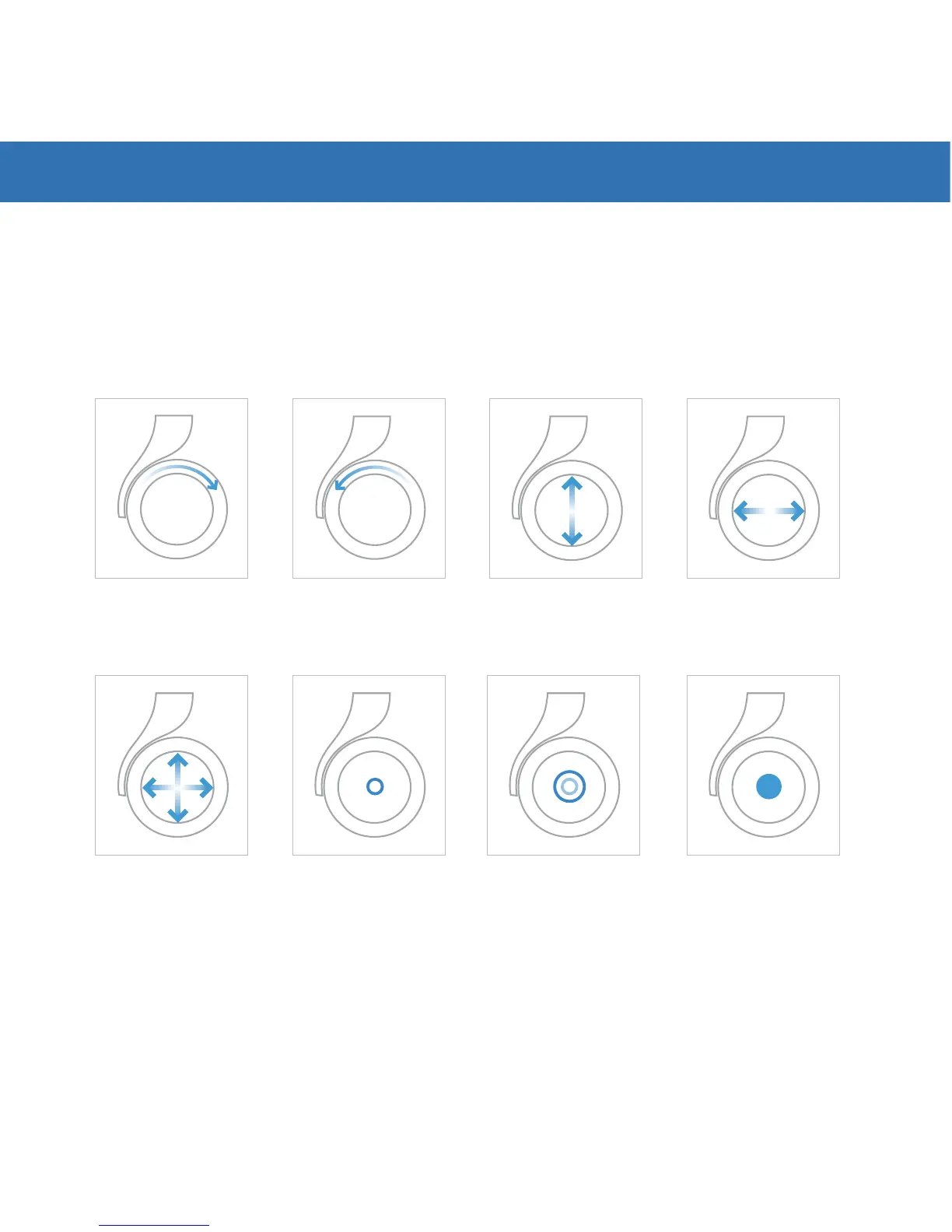
Moon’s right earpad acts as a volume and navigation control touch pad.
Using Royole’s patented flexible sensor technology, you can swipe, tap,
double tap, pinch in, and zoom out. See the images below for details.
Please refer to your manual or go to www.royole.com/support for more
detailed information.
7. VOLUME AND NAVIGATING CONTROLS
Increase Volume
Decrease Volume
Multi-directional
Swipe Navigation
Tap Once
Enter/Select/Pause
Tap Twice
Previous Folder/Screen
Next/Previous
Music
Forward/Reverse
Video or Music
Press & Hold
Opens Special Menus


 To Next Page