8. ADJUSTING SCREEN SIZE
Moon's advanced AMOLED displays are scalable, allowing you to change
the overall screen size to fit your viewing comfort and preference.
For example, when watching a movie, it is recommended you adjust the
screen to its maximum size. For video games, information is sometimes
displayed at the edges of the screen, so a smaller screen may make game
play more enjoyable.
To change the screen size, go to the Main Menu and select "Settings".
Next, select and enter the "Display" folder. Once inside, select "Display
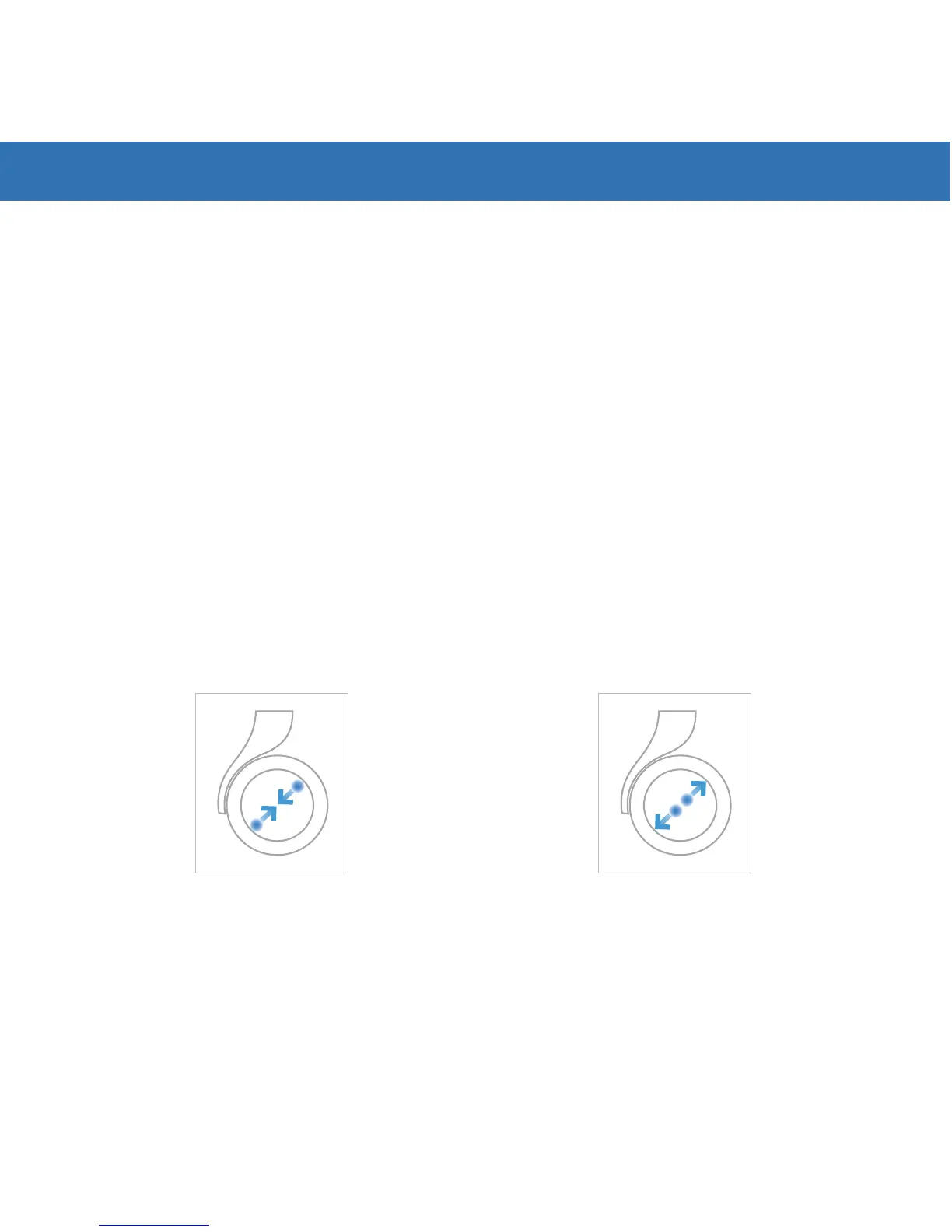
Scaling". See illustrations below on how to use your thumb and index
finger to increase or decrease the screen size.
Continuously Apply Pressure
Increase Screen SizeDecrease Screen Size
Please refer to your manual or go to www.royole.com/support for more
detailed information.


 To Next Page