

EasyManua.ls Logo

RSE Mini Lite - User Manual

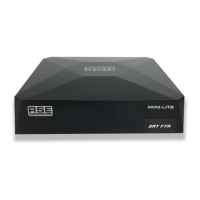
RSE Mini Lite
2 pages
Print Icon
To Next Page IconTo Next Page
Loading...
Instructions for Mini Lite Installation
1. Mount Mini Lite so antenna cable, USB Ports and HDMI Cable are accessible.
2. Connect satellite antenna to Mini Lite receiver.
3. Connect HDMI cable from Mini Lite to TV.
4. If using the supplied Y cable for power, remove existing power cable from TV and plug
into the female end of the T cable, then plug male ends into TV and Mini Lite.
5. Plug IR sensor into IR socket on the side. Mount IR sensor to front side of TV or wher-
ever you can point the remote to.
6. Turn TV on with the TV remote and select HDMI input.
7. Turn the Mini Lite on with the Mini Lite remote and select channel to view.
CAUTION - PLEASE NOTE: Should you be disconnecting and/or reconnecting the satellite dish lead
please ensure the Receiver is turned OFF. This will prevent any short circuit on the LNB supply voltage
from the Receiver. Also ensure there is no faults on the aerial lead and any dish connections are cor-
rect. RSE will not cover any warranty where LNB output has been damaged.
CONDITIONS OF SALE:
RSE accepts no warranty on the availability of channels from any satellite network.
From time to time channel lists and programs change, this may require you to have this receiver reprogrammed
or set up with new software. This may require a technicians visit, website access or sending this unit back to
RSE in Auckland for programming. Some of the above will incur charges which would be the responsibility of
the customer to pay.
RSE does not accept any warranty on the services provided other than hardware failure.
Channels as of March 2019
1 5 9 13 17
2 6 10 14 18
3 7 11 15 19
4 8 12 16 20
1 2 3 4 5
Question and Answer IconNeed help?

Do you have a question about the RSE Mini Lite and is the answer not in the manual?

Summary

Mini Lite Installation Guide

Mounting for Accessibility

Mount Mini Lite ensuring antenna cable, USB Ports, and HDMI Cable are accessible.

Connect Satellite Antenna

Connect the satellite antenna cable to the Mini Lite receiver.

Connect HDMI to TV

Connect the HDMI cable from the Mini Lite receiver to the TV.

Power Connection Setup

Use the supplied Y cable for power, connecting to TV and Mini Lite.

IR Sensor Installation

Plug the IR sensor into the side socket and mount it for remote pointing.

TV and Receiver Power On

Turn on TV selecting HDMI input, then turn on Mini Lite.

Conditions of Sale

Using the PVR and Settings

Instant Recording

Press Record button for immediate recording and Stop to end.

Timed Recording Setup

Use EPG to navigate and select programs for automatic recording.

Delete Timed Recordings

Access System Setup > Timer Setting to delete scheduled recordings.

Playback Recorded Programmes

Navigate to Multimedia > Media Player to view saved recordings.

Satellite Finder Function

Use INFO button to display signal strength for dish alignment.

Set Correct Time

Configure Time Zone and Daylight Saving via System Setup.
RSE Mini Lite Specifications

General IconGeneral
BrandRSE
ModelMini Lite
CategoryReceiver
LanguageEnglish