4140
6.1
DVD Initial settings/General settings
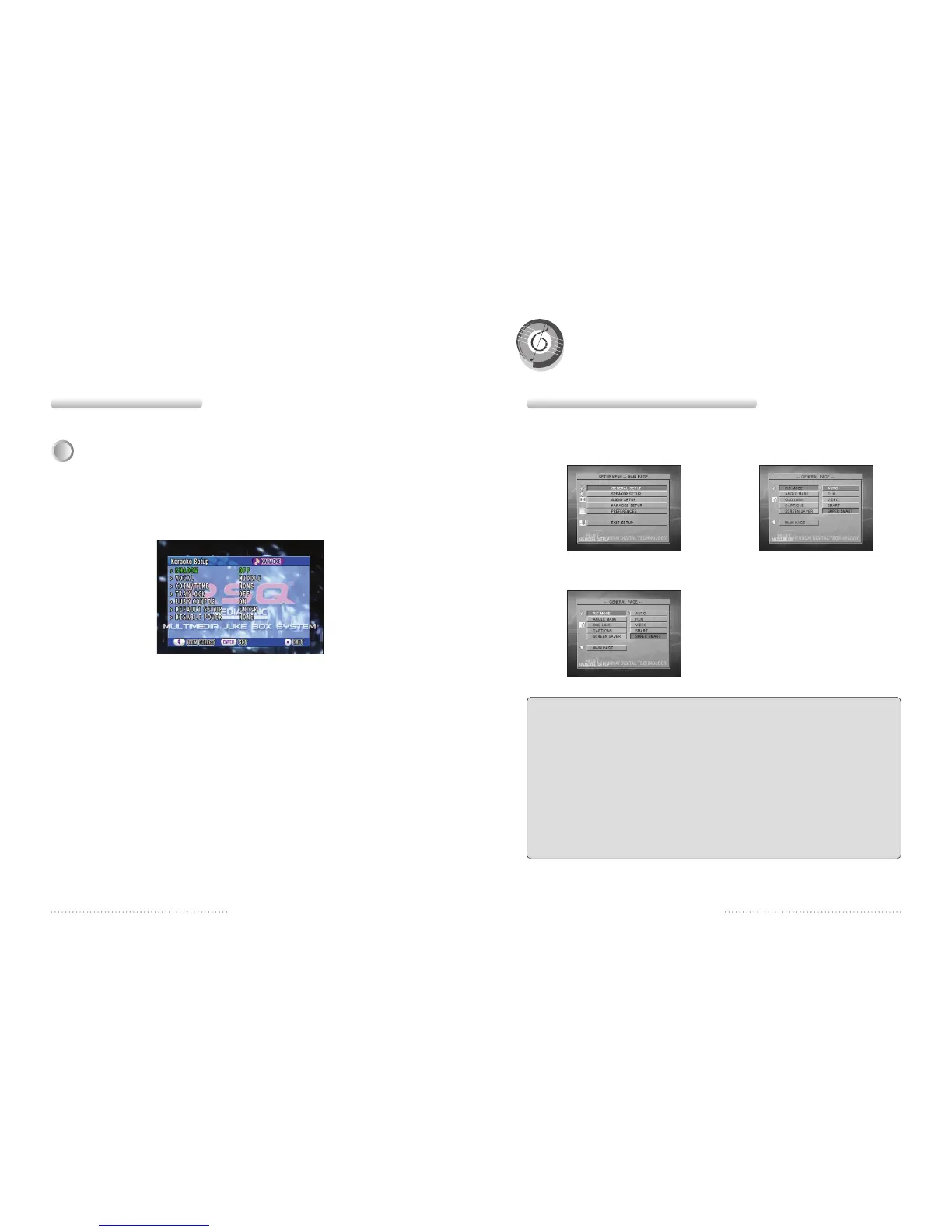
• PIC MODE : IMAGE DETAILS SETTINGS
AUTO Sets the screen resolution automatically.
FILM Setting for a film or a progressive
VIDEO Sets to the high Resolution Mode
SMART Sets to the high Resolution Mode that support
the Progressive.
S-SMART Sets to the High Resolution Mode that
supports the Progressive.
• ANGLE MARK : CAMERA MARK
If you have some TITLES filmed from different angles, you will
see a camera icon on the screen by pressing ON button. This
icon means that you can see different pieces of TITLES.
• OSD LANG : SCREEN INDICATION LANGUAGE
SETTING
You can select a language of the screen.
• CAPTIONS
Translation of foreign dialogue of a movie.
• SCREEN SAVER : SCREEN PROTECTOR
SETTING
After certain duration of STOP/PAUSE state, screen protector
stats to work.
• MAIN PAGE : RETURN TO MAIN SETUP PAGE
You can return to the Main MENU on the SETUP page.
Press SETUP button in stopped or playback state.
Point out the SETUP by Ɗor ƌ buttons and press
ENTER button.
Select desired setting by Ɗor ƌ button and enter
the detailed setting with
Ȟ
button.
Select a desired setting by pressing Ɗor ƌ buttons
and press ENTER button to apply it.
You can come out of the detailed settings page by
pressing Ȝ button.
5.3 Special Operations
The function is only available with HDD Karaoke mode.
Various functions of the HDD Karaoke can be set as desired along with “Karaoke INITIAL SETUP” function.
Enter your PASSWORD.(Initial password is ‘0000’)
Displayed on the screen while setup mode appears on the screen by pressing “SET UP” when the state
is karaoke mode.
Press cursor Up(Ɗ), Down(ƌ) buttons to move to “SETUP MENU” and then press ENTER button to
select the desired item.
ҫ
Shadow : This function enables to set the lyrics to be displayed in the black strips.
ҫ
Singer : This function enables to set the singer to High, Middle, Low or off.
ҫ
Coin/Time : This function enables to set the number of coin to sing one song or the time for singing.
ҫ
Tray Lock : While user plays you can’t choose to move the disc tray.
ҫ
Ruby Config : This function enables to set the screen display of ruby playing a song functioned with ruby.
ҫ
Default Setup : This function restores the settings to initial state of purchase.
ҫ
Power setup : It setup power of Karaoke player.
(NONE/FRONT/SMALL RCU/BIG RCU/FRONT_SMALL/FRONT_BIG/SMALL_BIG/ALL)
3
Karaoke Setup
Initial Setting


 To Next Page