KP Series Telephone Interface (TIF) Operation 261
Bosch Security Systems, Inc.
Technical Manual
F.01U.304.914
Rev. 05
Centralized Auto Dials
The Centralized Auto Dials allows up to 999 phone numbers to be stored in the intercom as a scrollable list from the
keypanels. Auto dials are telephone numbers frequently dialed and are maintained using the AZedit Intercom Configuration
Software. Customizing auto dial numbers in AZedit is as easy as entering the telephone number and selecting whether or not it
is scroll enabled.
The following firmware versions must be loaded to utilize centralized auto dials in your intercom system:
• AZedit Intercom Software V3.6.1 or later
• MCII-e V2.0.4 or later
• PeriphII-e (Ethernet) V1.20.0 or later
• Periph Controller (Standard) V10.20.0 or later
• DBX V1.20.0 or later
• Cronus Firmware V1.5 or later
• Zeus II Firmware V3.4.0 or later
• Zeus III Firmware V1.0.0 or later
• KP-5032/4016 Firmware V1.1.0 or later
Centralized Auto Dial
The Centralized Auto Dial can be used two (2) different ways, with TIF assignments or with keypad sequences. You can also
configure locally stored auto dial numbers on the keypanel. For more information, see “Key Options Menu, Auto Dial” on
page 223.
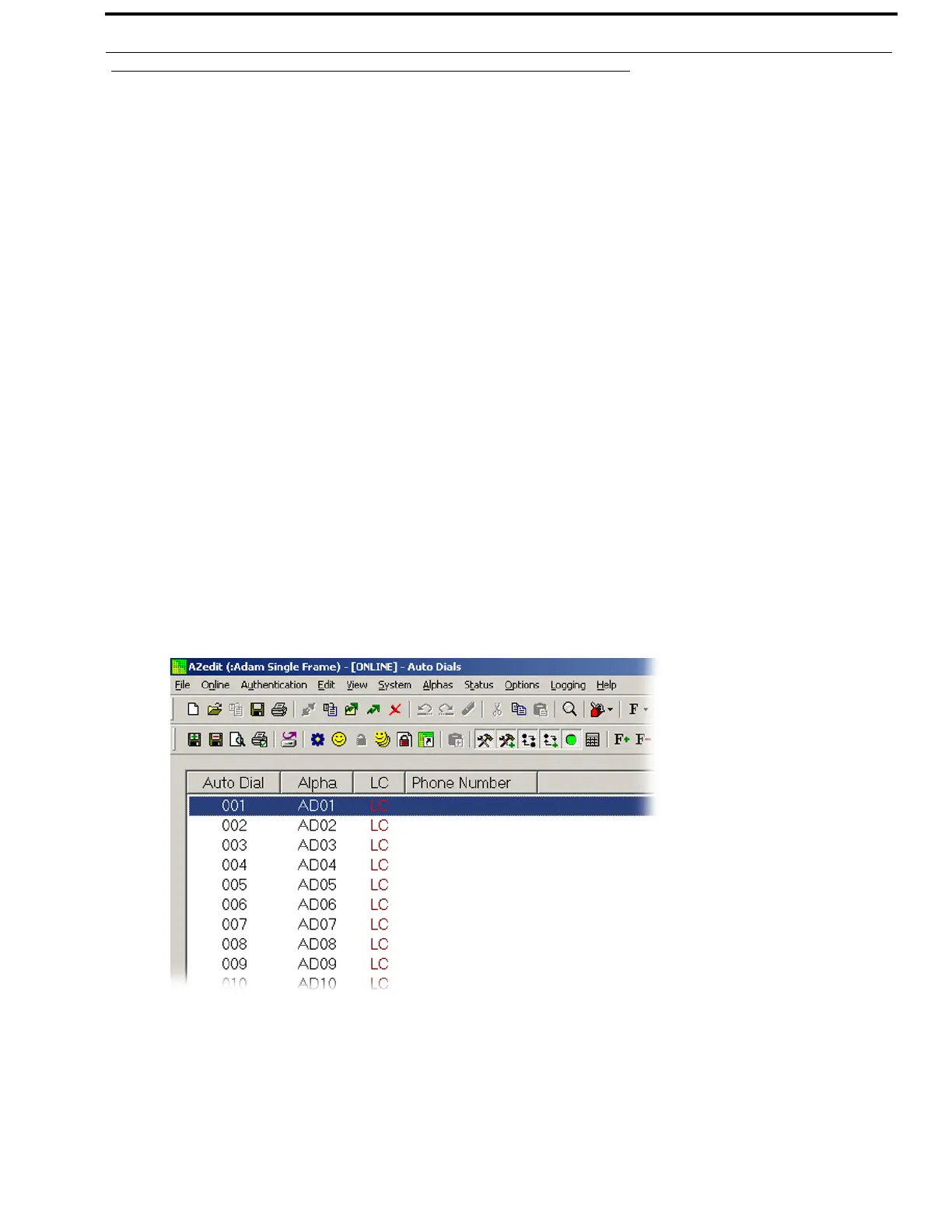
To access the Auto Dials window, do the following:
> From the System menu in AZedit, select Auto Dial.
The Auto Dials window appears.



 To Next Page