EN-5
EN
DA
DE
FR
IT
ES
NL
NO
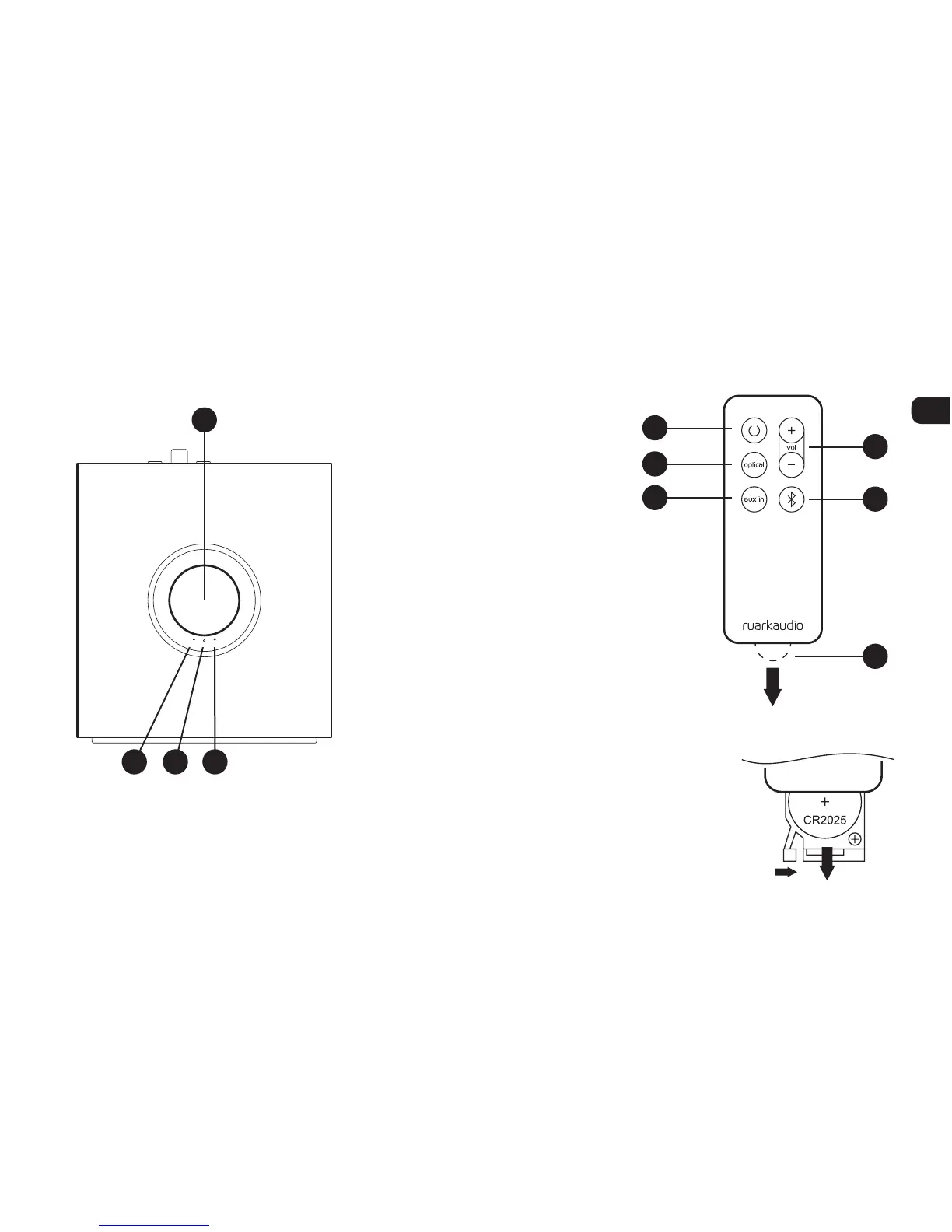
4 Remote control3 Controls
Changing battery
1. Hold the lock to the side
with your nger and slide the
battery compartment out.
2. With the remote face down, replace the
battery with a new CR2025, ensuring
the at side marked with + faces up.
3. Push the battery compartment
back into place.
21. Standby
22. Optical
23. Aux in
24. Volume
25. Bluetooth
26. Battery tab
NOTE: before using your
remote for the first time you
must remove the plastic tab
(26) to activate the battery.
17
19 2018
21
24
25
26
22
23
17. Control knob
18. Optical input indicator LED (green)
19. Bluetooth input indicator LED (blue)
20. Aux input indicator LED (amber)
Right speaker (top)


 To Next Page