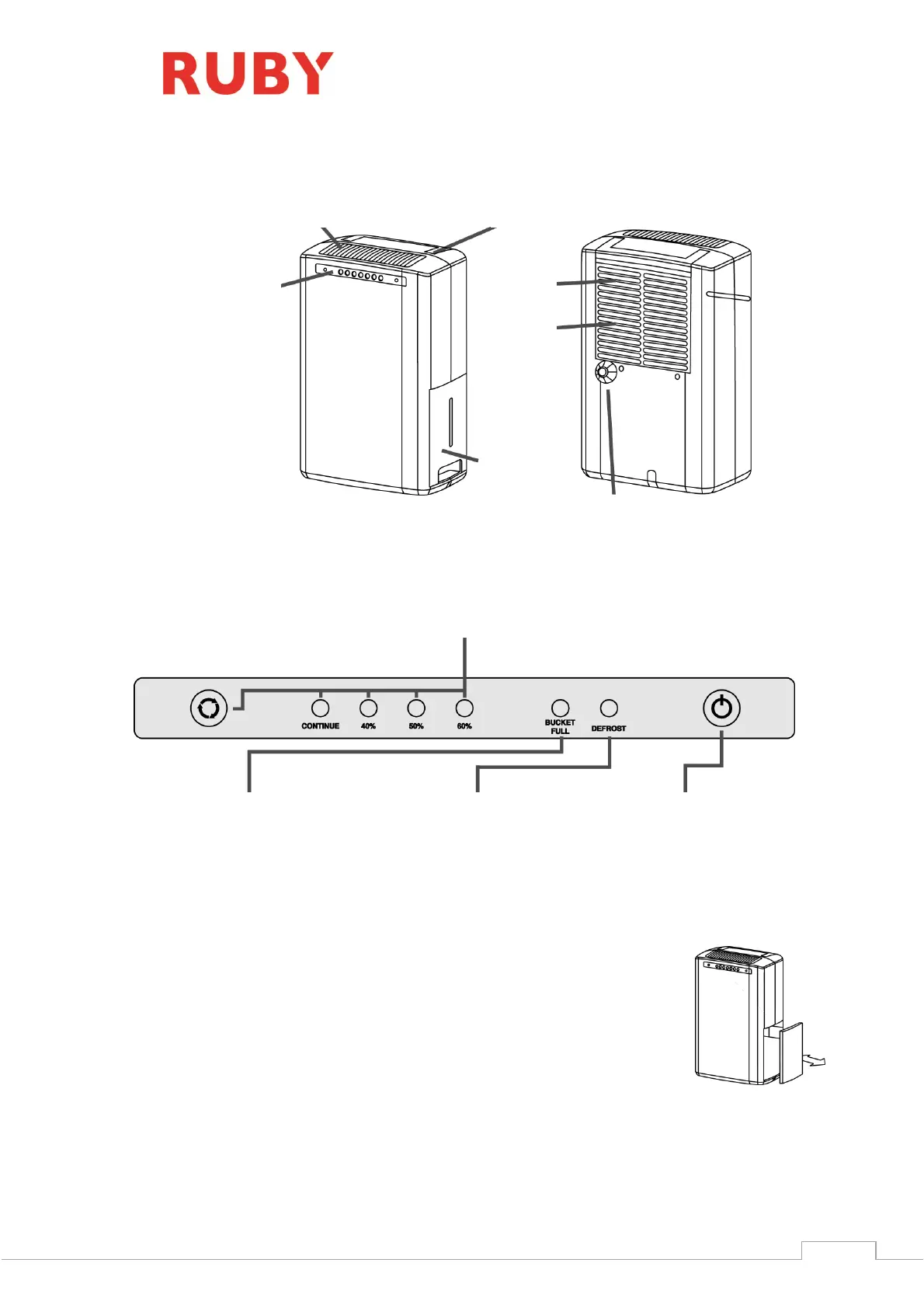
Humidity set key
To set the humidity, press the key to select the
desired setting.
The sequence is:
60%50%40%CONTINUO60%…
Bucket full lamp
When the bucket is full, the bucket
full indicator will be on and the
dehumidifier will stop operating.
DESCRIPTION OF COMPONENTS
FUNCTIONS
OPERATION INSTRUCTION
Start operation
1. Ensure that the unit is connected to the power socket
2. Make sure the water tank is placed in proper position. (After plug on the
machine for the first time, if the full tank lamp light up, just pull out the
water tank, then push it back to the proper position.)
3. Press the power control to turn on the machine; Press to select humidity
setting. If the humidity indoor is over the set humidity, then the machine will
start removing moisture. When the humidity in the room reached the set
humidity then the machine will stop operating. When the humidity in the room is over the set
humidty then the machine will start removing moisture again.


 To Next Page