8. BATTERY
RG170 supports 5V/1A charging; using any higher
charging current may damage your phone.
Risk of explosion if battery is replaced by an incorrect
type. Dispose of used batteries according to the
instructions.
9. PREPARATON
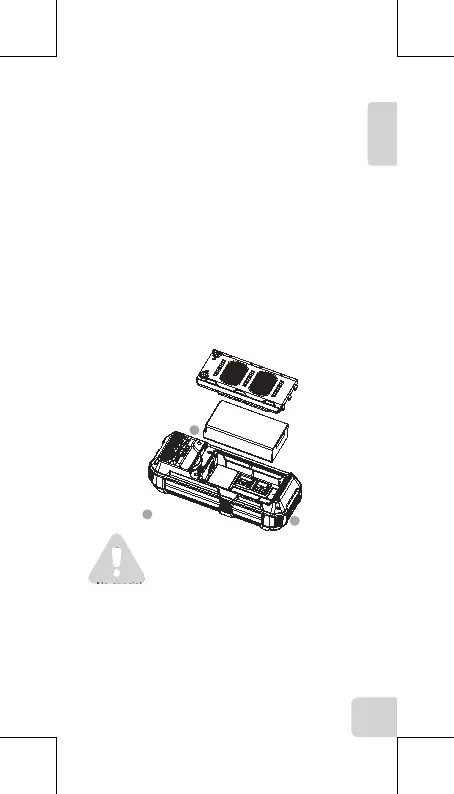
9.1 Install and remove the battery/Install the Micro
SIM card and Micro SD card
9.1.1 Rotate the battery cover screw with a screwdriver as
shown in figure 1, then remove the battery cover to take
the battery out.
9.1.2 Install the Micro SIM card and Micro SD card as
shown in figure 3.
9.1.3 Press the battery into the battery compartment
after inserting the Micro SIM card and SD card into the
device.
9.1.4 Close the battery cover and tighten the screw on the
battery cover.
Note:
Please ensure that the rubber cover of the device's
headphones and USB connector are perfectly sealed so
that they are properly waterproof and dustproof.
No special declaration will be made later on.
Please ensure that the rubber cover of the device's
headphones and USB connector are perfectly sealed so
that they are properly waterproof and dustproof.
No special declaration will be made later on.
EN
7
1
2
3


 To Next Page