2
Basic Operation
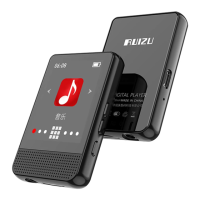
● Power On/Off Button
Press and hold the power button for 3s to turn on/off the MP3.
When the MP3 is on, short press to lock/unlock the screen.
● Unlock Screen
Swipe the screen or press power button to unlock the screen
● Main Interface
※ Swipe right/left or tap the left/right arrow to select the
functions.
※ Swipe the screen from bottom to up or tap to the main
interface.
● Volume +/-
Press or hold the ‘Volume +’/‘Volume -’ button to increase or
reduce the volume.
Music
● Music Icon: Tap the ‘Music’ icon to enter into the music menu.
Tap to return to ‘Music’ icon.


 To Next Page