Back
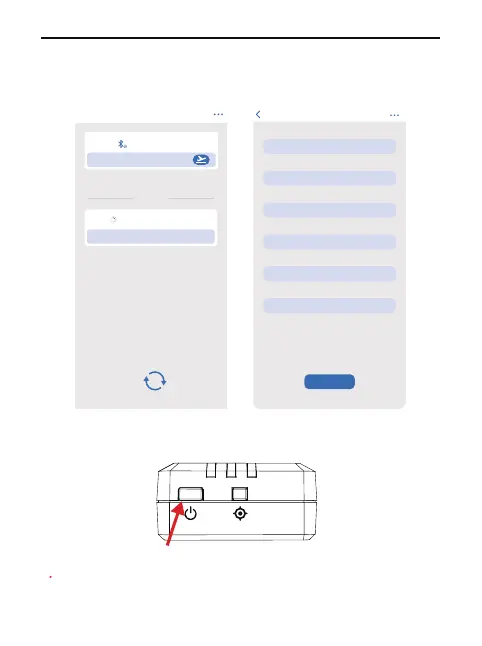
Remote ID series number
18696000001
Operator ID
*********
Aircraft Model
*********
Weight (g)
*********
UAS
*********
SAVE
Registration Number
*********
Device search
Drones around
Bluetooth
Settings
Device
18696000001
Please long press setting button after power on the module
Sea
rching drone and display series number
Please click series number to enter setting page
1.
2.
3.
After bind is done , pls restart the device
3.
4.
Copyright ©2024 Ruko All Rights Reserved.3
R111 User Manual
Restart the RID module until the indicator on the right
side blinks rapidly.
Click on the device serial number to enter settings on
the App;
Input binding information and save it;
Note: The binding succeeds only after the device
is restarted.
5.
Long press for 3 seconds



 To Next Page