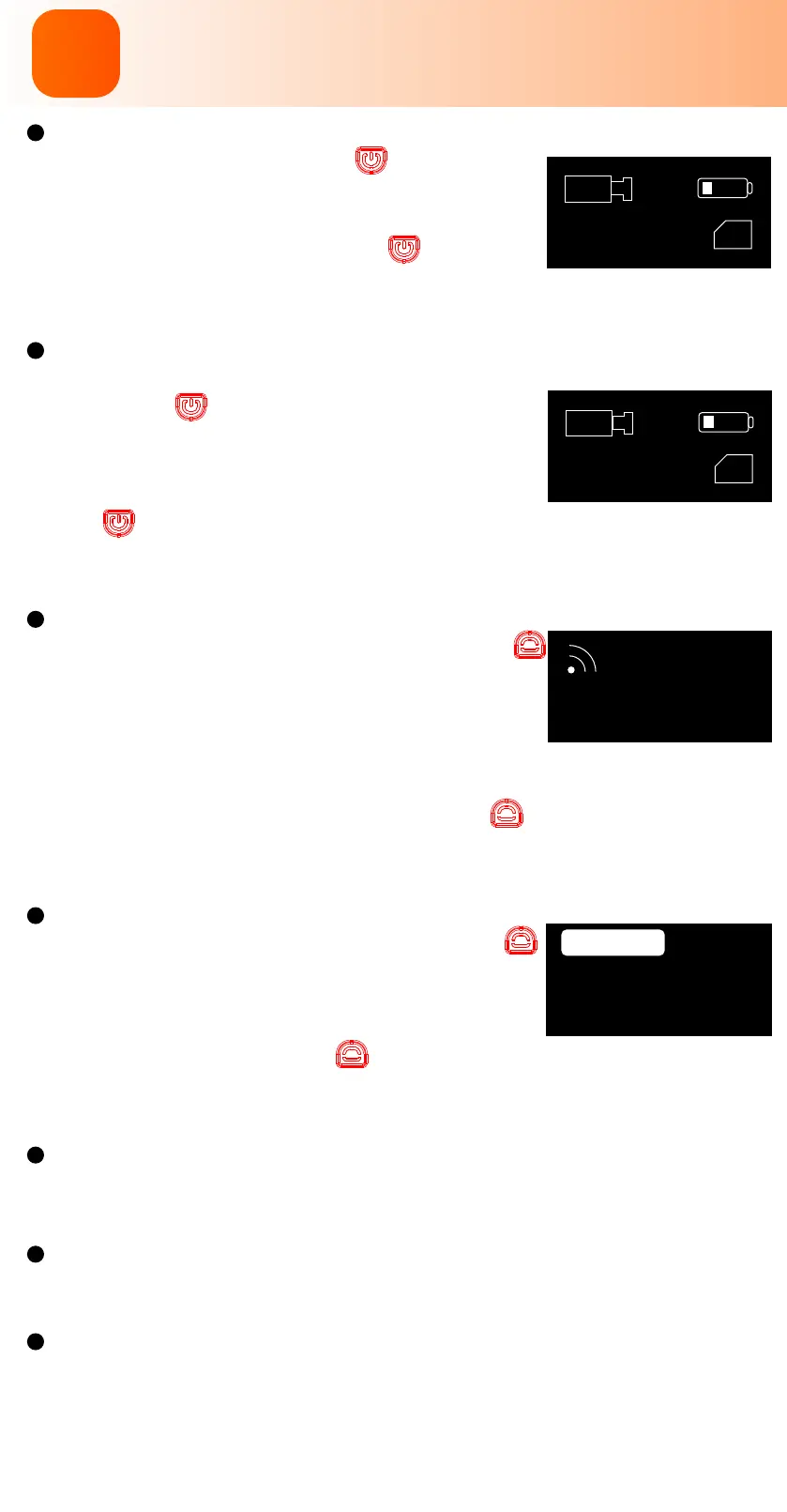
Power on/Power of
Long press Power/Shutter button buzzer beeps
3 times with power light on and camera icon on
OLED display, camera is turned on.
Long press the Power/Shutter button buzzer
beeps 5 times with power light and OLED display
o, camera is turned o.
Video mode
After turning on the camera, sho press the Power/
Shutter button buzzer beeps once, power light
blinks red slowly, OLED display shows recording time,
camera stas recording.
When camera records, sho press Power/Shutter
button buzzer beeps twice, power light turns solid
red, OLED display goes to ready mode, camera stops
recording.
Wi-Fi mode
At standby mode, sho press Wi-Fi/Menu button
buzzer beeps once, Wi-Fi/Menu light blinks blue
slowly, OLED display shows WiFi icon, the camera
turns on Wi-Fi and waits for a connection.
When camera is connected via Wi-Fi, Wi-Fi/Menu light
stays solid blue.
At Wi-Fi mode, sho press Wi-Fi/Menu button buzzer beeps once with
Wi-Fi/Menu blue light and WiFi icon o, camera turns o Wi-Fi and stays
standby.
Menu mode
At standby mode, long press Wi-Fi/Menu button
to enter menu setting mode, buzzer beeps once,
Wi-Fi/Menu light turns solid orange, OLED display
shows menu setting.
Long press Wi-Fi/Menu button to quit OLED setting
mode, buzzer beeps once with orange Wi-Fi/Menu light
o, OLED display and camera go back to standby mode.
Low power alarm
When the camera is low, the orange light ashes and the buzzer beeps each
3 seconds till camera powers o
Forced shutdown
When the camera behaves abnormally and both buttons don’t give any
responses, press both buttons simultaneously to shut down the camera.
Abnormal conditions
Card error(no card, card full or low-speed card,etc): Red light blinks quickly
Failed Wi-Fi connection: Wi-Fi/Menu light doesn’t blink or always stays
solid blue
Abnormal booting: Camera fails to detect the lens module, and blue light
blinks quickly with OLED display on, camera shuts o in 5 seconds.
4K30FPS
TF
00:00:01
TF
WiFi
SSID :RunCam6 XXXX
PASSWORD:1234567890
Camera Basic Operations
2



 To Next Page