1.3 Trace5 Device Preparation
For the device to work, you first need to insert a SIM card. To do so, open the device housing and perform
the actions described below.
Opening the Device
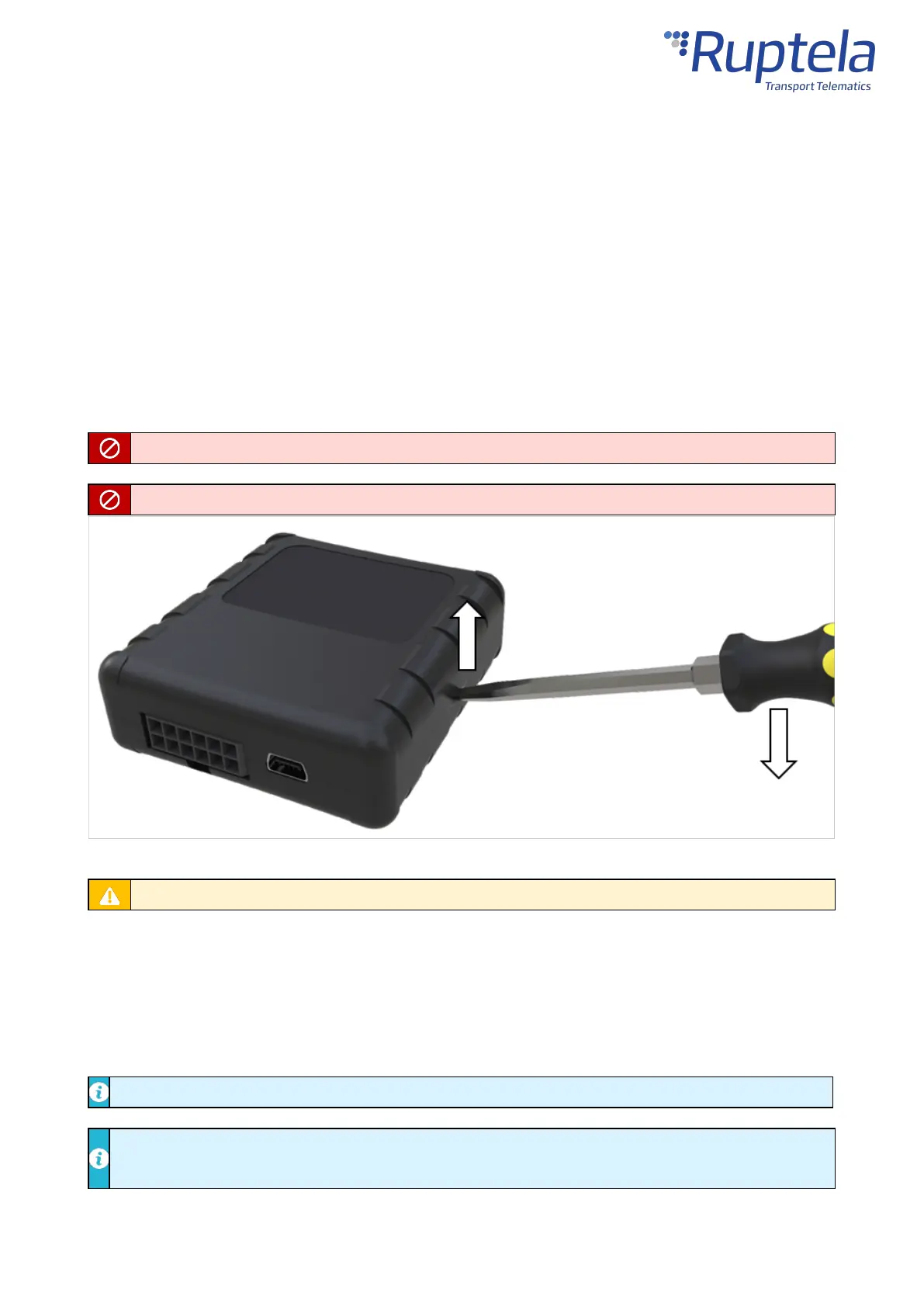
Use a flat head screwdriver to open the plastic housing. Insert the screwdriver between the top and
bottom parts of the housing and lift the top part up as shown in the image below. The top of the housing
should easily dismount from the holding pins.
Make sure that the device is powered off before opening it!
The use of inappropriate tools or excessive force may cause permanent damage to the device.
Avoid opening the device more times than required, as it may wear out the holding pins.
Inserting a SIM Card
Insert your SIM card into the device as shown in the image below. The microchip must be facing down.
All SIM card security codes must be disabled, otherwise, the SIM card will not work with the device.
An industrial grade SIM is strongly recommended if the device will be exposed to temperatures
higher than 40° C.


 To Next Page