
 Need help?
Do you have a question about the RUPTELA Trace5 and is the answer not in the manual?
Provides information about Trace5 vehicle tracking devices and how to use them.
Contains copyright and usage restrictions for the document.
Crucial safety guidelines including device handling, installation, power, and environmental conditions.
Explains symbols and text conventions used for emphasis and warnings.
Lists common acronyms and abbreviations used throughout the manual.
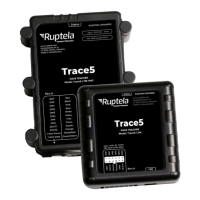
Overview of the Trace5 GNSS-based telematics device for fleet management.
Lists different Trace5 models based on connectivity options (2G, LTM, LTE-EMEA, etc.).
Details internal antennas, backup batteries, and IP30/IP67 housing options.
Describes device ports, indicators, and key features.
Details the items included in the Trace5 device package.
Lists quality tests and certifications Trace5 devices comply with.
Details major certifications like E-Mark, CE, FCC, and IC for compliance.
Covers RoHS, PTCRB, and WEEE compliance standards.
Information regarding patents for Trace5 devices.
Explains LED patterns for GNSS fix status and sleep mode.
Details device pin assignments and physical dimensions/weight.
Specs for internal storage, accelerometer, SIM, connector, antenna, environmental, and electrical conditions.
Details power usage and cellular options for Trace5-2G.
Details cellular variants, GNSS module, and interfaces (Power, Analog, Digital I/O).
Instructions on how to open the device housing using a flat head screwdriver.
Guide on inserting the SIM card into the device with the microchip facing down.
Steps to reinsert the PCB and securely close the device housing.
Instructions for connecting the 12 Pin harness and USB cable.
Visual guide comparing Mini, Micro, and Nano SIM card sizes.
Downloading, installing, and launching the Device Center application and drivers.
Navigating the main configuration menu and understanding its elements.
Understanding configuration files and their extensions.
Procedures for loading and saving configuration files to/from the device.
Configuring server details, backup servers, and APN parameters.
Setting up engine detection methods, logic, and conditions.
Configuring location update rates and various filters for accuracy.
Accessing advanced features and configuring via SMS commands.
Outlines automatic, manual, and OTA firmware update procedures.
Detailed steps for manual updates using .efw* files or .fwp packs.
Covers OBDII harness installation, required tools, and best practices.
Wiring diagrams, correct/incorrect installation visuals, and using the assistant.
Verifying installation and introducing troubleshooting via SMS commands.
Using commands like gsminfo, getapn, coords, and reset for diagnostics.
Using the 'reset' SMS command to restart the device without losing parameters.
How to access TrustTrack via web browser or mobile application.
Checking vehicle status, signal sync, and specific details in TrustTrack.
 General
| GPS/GNSS Accuracy | 2.5m CEP |
|---|---|
| IP Rating | IP67 |
| Connectivity | Bluetooth |
| Input/Output | Digital inputs |
| GNSS | GPS, GLONASS, Galileo, BeiDou |

 To Next Page
