Updating Firmware using .efw* Extension Files
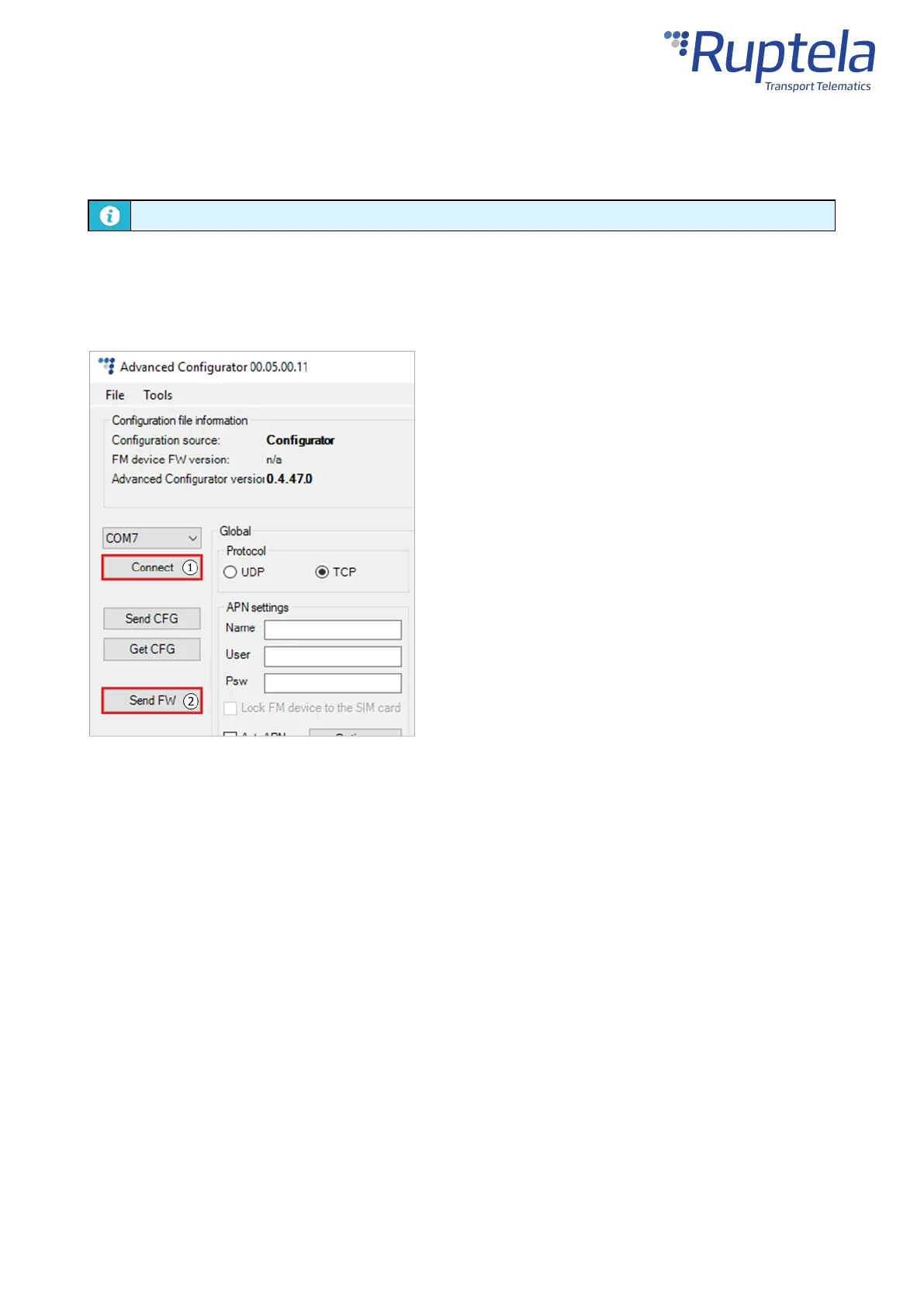
To update the firmware with the .efw* extension file, clickConnectandSend FWin the main
configurator menu. Locate your firmware file and clickOpen. The firmware update process will start.
Updating Firmware using .fwp Pack
To update the firmware with the .fwp pack, clickConnectandSend FWin the main configurator menu.
Locate your firmware .fwp pack and clickOpen. The advanced configurator will upload the required
device firmware file(s) and the update process will start.
Updating Firmware Over-the-air
The exact process of how to update firmware over the air depends on your fleet management software.
The following conditions must be met for the update to be successful:
· The device must be connected to a power supply
· The device must be connected to a cellular network


 To Next Page