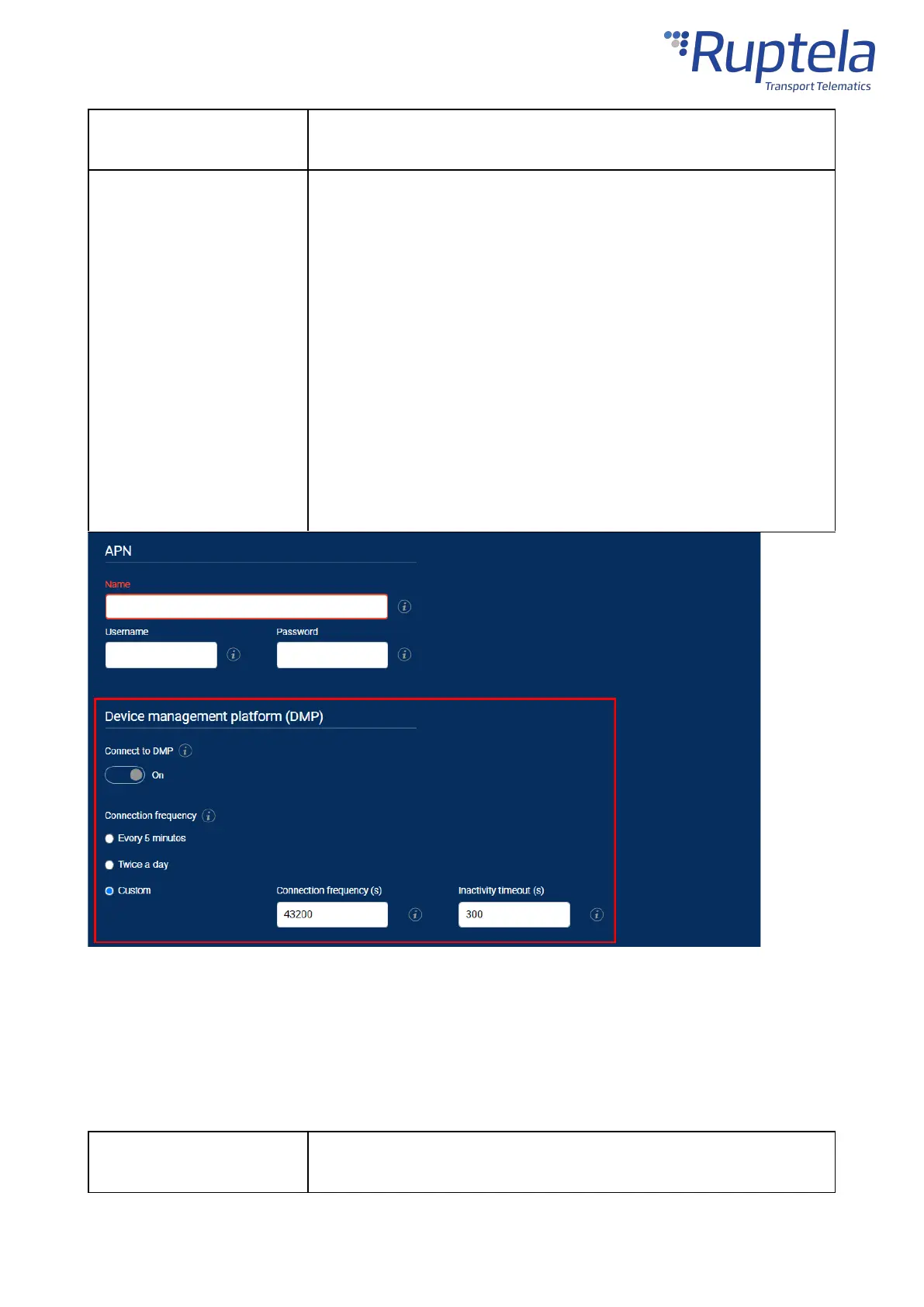
Set how often the device will connect to the device management
platform.
Possible values:
· Every 5 minutes
· Twice a day
·
Custom
–
allows setting the following:
o Connection frequency (s)
– set a custom connection
frequency
o Inactivity timeout (s)
– set how long the device will
wait for updates after connecting before closing the
connection
Default value:
Every 5 minutes
Engine Detection Settings
Open theEngine detection and data collectionsection. Configure engine state detection conditions
and set the location update rate. When the engine is turned on, records are generated more often, and
the state can be displayed in your tracking platform.
Engine state detection
method
How the device detects whether the engine is turned on. Possible values:
·
Custom
– configure your own engine detection conditions


 To Next Page