18
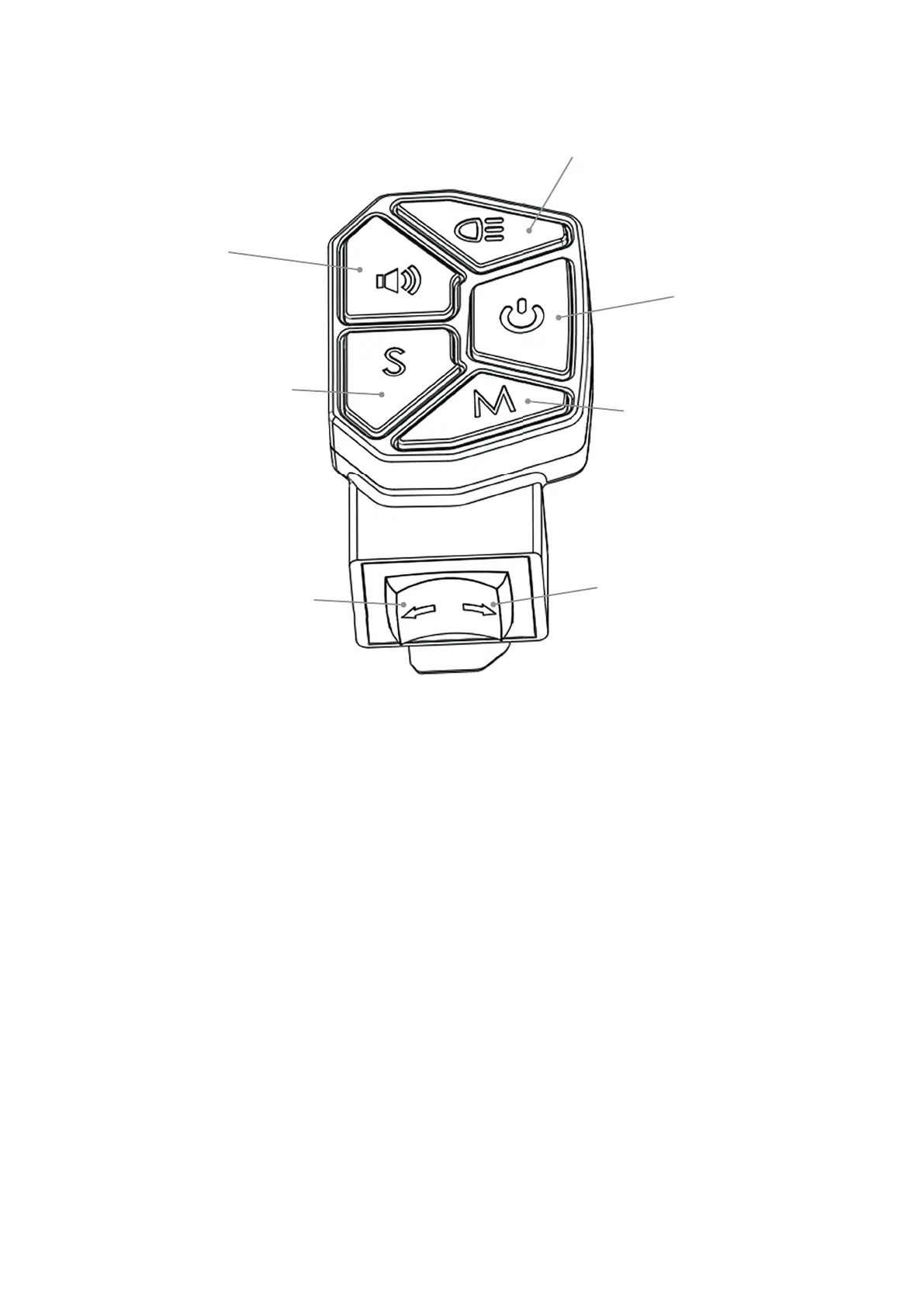
Lights
Horn
Speed switch
Mode settings
Left turning light
Right turning light
On/Off
On/Off switch: Press 2 seconds to turn the scooter on or off.
Lights switch: One click the lights switch, all lamps are bright; one click the lights switch, all lamps off.
On the dual motor drive scooter, two click the light switch, change to single/dual motor drive.
Horn switch: Hold the horn switch and horn sound, release the horn switch and stop the sound.
Speed switch: click the speed switch button, switch from the default middle speed shift, click the
speed switch button again, switch from high speed to low speed gear; click the speed switch
button again, switch from low speed to medium speed gear; cycle repeatedly.
Mode settings: Metric ~ English switch
Left turning switch: press the left turning button, the left turning light fl ash; press the right turning
button, the right turning light fl ash.


 To Next Page