19
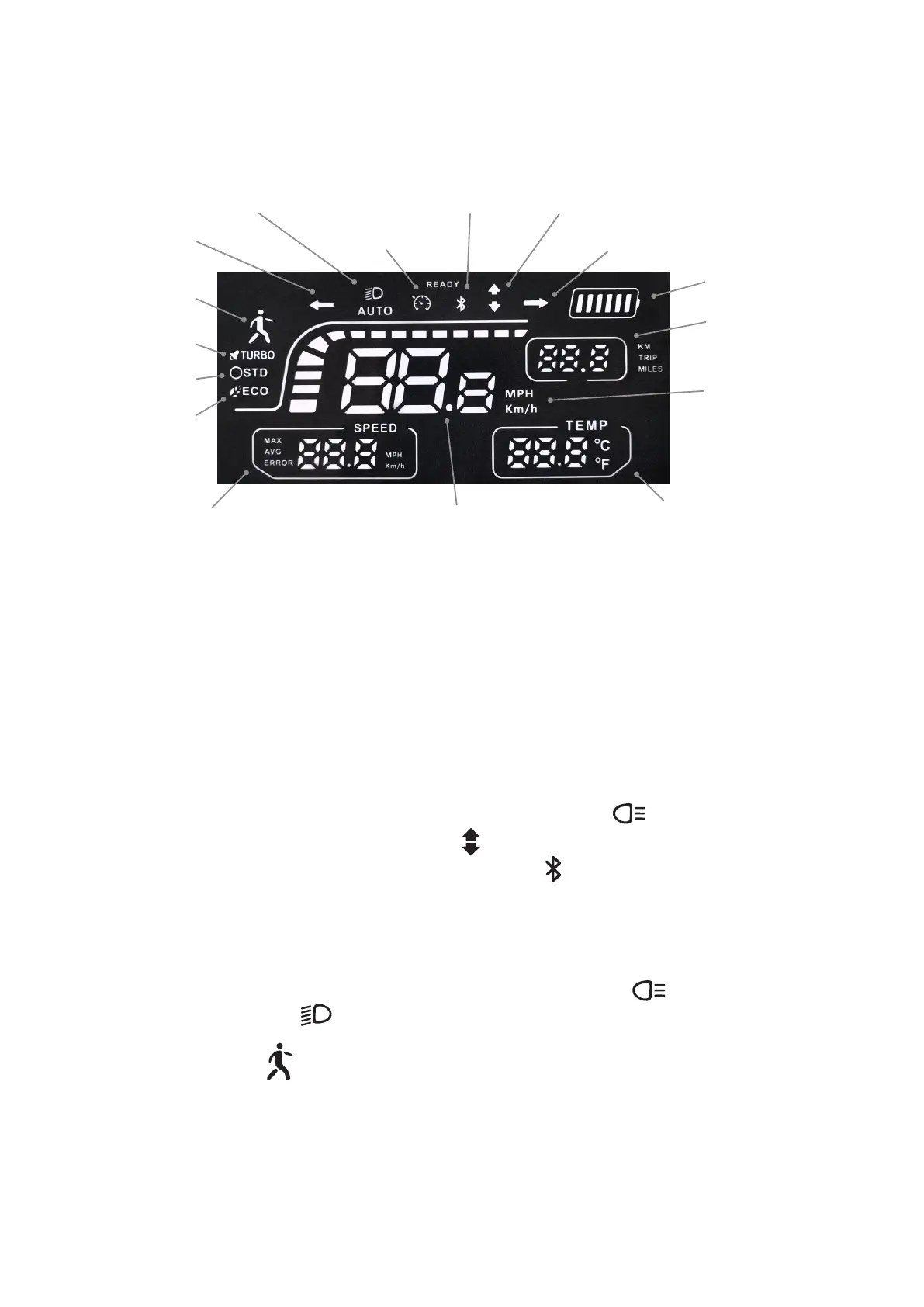
Front lamp no/off
Left turn signal
Walking mode
Sport mode
Normal mode
Bluetooth Front drive/Rear drive/Dual motor drive
Right signal
Cruise control
Energy Save mode
Speed Max speed
Metric and imperial
Battery indicator
Riding range
Temperature display
Instrument panel display
Power display: Six led lights on the display show battery power.
When 6 led bright, charge between 100% and 90%, and when 5 led s light up, power between
90% and 70%. When the battery runs out, five led lights turn off (one on, red warning) and the
scooter slides to a natural stop due to inertia. So you have to charge it very soon.
It is recommended not to drain the battery by 100% and charge it before use.
Double-drive mode: Ruptor double-drive, double-click the headlight switch button of the
multi-function switch, the instrument display shows , at this time the vehicle is dual-drive mode.
Bluetooth connection: The display board has display symbols , indicating that some have APP
function and can be connected to mobile Bluetooth. The scooter can be controlled on the mobile
phone.
When READY: turns on, the word "READY" appears on the instrument display to remind riders to
wear a helmet and sheath and abide by traffic regulations when riding.
Light: After the vehicle is powered on, press the headlight switch button for clicking the
multi-function switch. Symbols appear on the instrument display, when all the lights of the
vehicle are turned on.
Pedestrian mode: symbols on the instrument display when the vehicle speed is less than 6Km/h.
: Maximum speed: It shows the highest speed of the whole ride.
: Current speed: The display shows the current speed during ride
: Riding range: Show the current mileage during the ride, and automatically return to zero after
turning off the power supply.


 To Next Page