INTERCOM RIDERPILLION
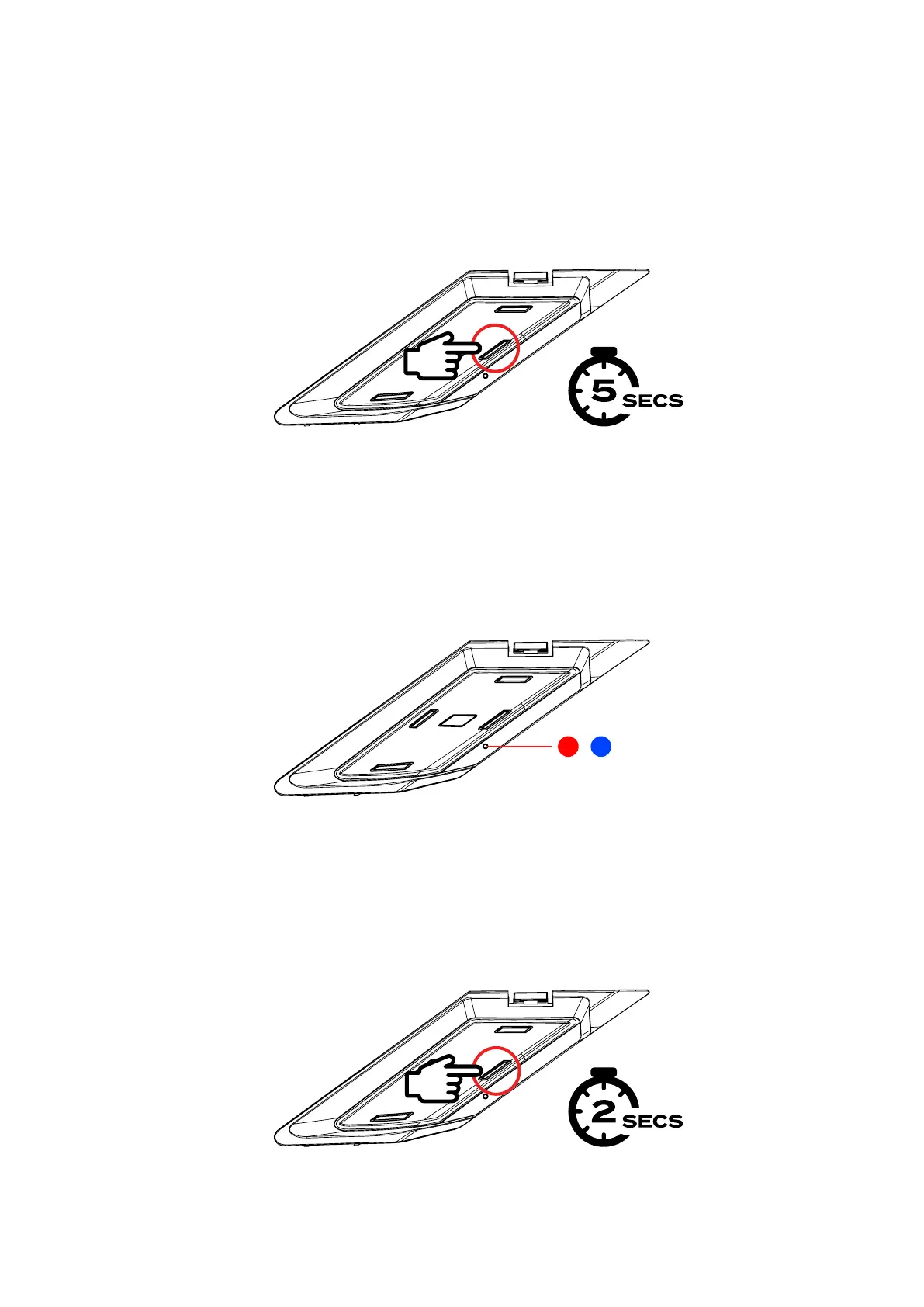
• When connecting two Shockwave units for the first time, put both units into
Bluetooth® pairing mode by holding the INTERCOM BUTTON for 5 seconds.
• Once in pairing mode, the LED will flash periodically between Red & Blue to show that
it is in pairing mode and you will hear the message ‘Pairing State’.
• Then hold down the INTERCOM BUTTON for 2 seconds to open a channel, you will
hear a tone through both Shockwave units to indicate a successful connection.



 To Next Page