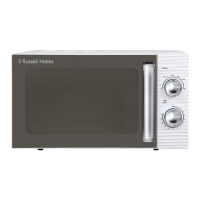
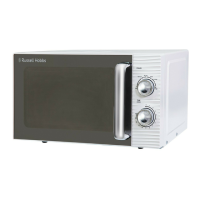
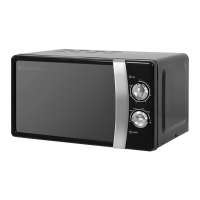
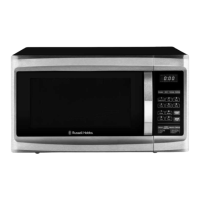
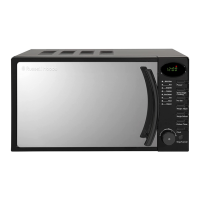
This document is a user's manual for the Russell Hobbs 17 litre piano black microwave oven, model RHM1714B. It provides comprehensive instructions for operating, maintaining, and troubleshooting the appliance, ensuring safe and efficient use.
Function Description
The Russell Hobbs RHM1714B is a microwave oven designed for cooking, reheating, and defrosting food using high-frequency electromagnetic waves. These microwaves cause water molecules in food to vibrate, generating heat that cooks the food quickly and efficiently. The oven operates from a standard household electrical socket and features a magnetron that converts electrical energy into microwaves. The interior is metal-lined, and the door has a fine metal mesh to prevent microwave leakage, ensuring safety during operation. The oven is designed not to work when the door is open.
Usage Features
The microwave oven offers a variety of features to simplify food preparation:
- Display: The clear display shows cooking time, power level, action indicators, and the current clock time, providing essential information at a glance.
- Power Settings: Users can select from six different cooking power levels: 100% (High), 80% (Medium high), 60% (Medium), 40% (Medium low), 20% (Low), and 0% (used as a kitchen timer). This flexibility allows for precise cooking based on the food type and desired outcome.
- Time/Menu Knob: This multi-functional knob is used to input cooking times, select food types from the auto menu, and start cooking programs. It also allows for quick start cooking by simply pressing it multiple times to set a desired cooking duration.
- Clock Setting: The oven features a 24-hour clock that needs to be set before using cooking programs. The process involves pressing the 'Clock' button, turning the 'Time/Menu' knob to set the hour and minutes, and then confirming.
- Microwave Cooking: To initiate microwave cooking, users select a power level using the 'Power' button, then turn the 'Time/Menu' knob to set the desired cooking time (ranging from 10 seconds to 60 minutes), and finally press the 'Time/Menu' knob to start.
- Quick Start Cooking: For rapid cooking at 100% power, users can simply press the 'Time/Menu' knob multiple times to set a cooking duration between 30 seconds and 12 minutes. The oven will automatically begin cooking.
- Weight Defrost: This feature allows for defrosting food based on its weight, with a range from 100g to 1800g. Users press the 'Weight Defrost' button, select the weight using the 'Time/Menu' knob, and then press the 'Time/Menu' knob to start. The oven will pause midway through the defrosting cycle to allow users to turn or rearrange the food for even defrosting.
- Auto Menus: The oven includes eight pre-programmed auto menus for common food items, simplifying cooking. These include Milk/Coffee, Rice, Spaghetti, Potatoes, Auto Reheat, Fish, Pizza, and Popcorn. To use an auto menu, users select the desired menu by turning the 'Time.Menu' knob, choose the weight using the 'Weight Adjust' button, and then press the 'Time/Menu' knob to start.
- Multi-Stage Cooking: The oven supports multi-stage cooking, allowing users to combine up to two different cooking programs sequentially. For example, one can cook at 100% power for a certain duration and then switch to 60% power for another period.
- Pre-Set Function: This feature enables users to pre-set the oven to start cooking at a later time. After setting a cooking program, users press the 'Pre-set' button, use the 'Time/Menu' knob to set the desired start hour and minutes, and then press the 'Time/Menu' knob to confirm. The oven will store the time and automatically begin operation at the specified time.
- Kitchen Timer: A separate kitchen timer function can be used as a countdown reminder. Users press the 'Kitchen timer' button, turn the 'Time/Menu' knob to set the required time, and then press the 'Time/Menu' knob to start. The oven will not operate during this time.
- Child Safety Lock: To prevent accidental use by children, the oven includes a child safety lock. This is activated by pressing and holding the 'Stop/Cancel' button for 3 seconds, and deactivated by repeating the same action.
- Audible Alerts: The oven provides audible beeps to indicate the completion of cooking or defrosting programs, and the word 'End' is displayed. These alerts repeat every 2 minutes until the oven door is opened or the 'Stop/Cancel' button is pressed.
- Utensil Information: The manual provides important guidelines on suitable cookware, advising against metal pans, dishes with metal trim, paper-covered wire twist-ties, and melamine dishes. It emphasizes using microwave-approved cookware and thermometers, and cautions against heating sealed containers or baby bottles with teats left on.
Maintenance Features
Proper maintenance is crucial for the longevity and safe operation of the microwave oven. The manual outlines several cleaning and care instructions:
- Unplug Before Cleaning: Always turn off and unplug the microwave oven before cleaning to ensure safety.
- Interior Cleaning: Keep the inside of the oven clean by wiping food or liquid spills from the walls with a damp cloth. Harsh detergents or abrasives are not recommended.
- Exterior Cleaning: The outside of the oven should be cleaned with a damp cloth and polished dry with a soft cloth. Care should be taken to prevent water from seeping into the ventilation openings.
- Control Panel Cleaning: The control panel should be cleaned with a soft, damp cloth, avoiding detergents, abrasives, or spray-on cleaners.
- Steam Management: If steam accumulates inside or around the oven door, wipe it with a soft cloth. This is common in humid conditions.
- Odor Removal: To eliminate odors from the oven interior, place a cup of water with lemon juice and skin in a deep microwave-safe bowl, microwave it for three minutes, then thoroughly wipe and dry the cavity walls with a soft cloth.
- Turntable Support and Oven Floor: Regularly clean the turntable support and the oven floor. The bottom surface of the oven can be wiped with mild detergents and water, then dried. The turntable support can be washed in soapy water.
- Glass Tray: The glass tray should be removed regularly for cleaning and washed in warm soapy water.
- Waveguide Cover: The waveguide cover must be kept clean and wiped with a soft damp cloth after each use. Failure to maintain cleanliness can lead to deterioration of the surface, potentially affecting the appliance's life and creating a hazardous condition.
- Installation Requirements: The oven must be placed on a horizontal surface strong enough to support its weight (approximately 10.5kg). Specific clearances are required: a minimum of 3 inches (7.5cm) between the oven and adjacent walls (with one side open), and 12 inches (30cm) above the oven. It should be kept away from high temperatures, steam, radios, and TVs to prevent interference. The ventilation openings on top of the microwave should not be covered, as the outer casing can become extremely hot.
- Power Connection: The oven must be plugged into a suitable 13amp mains socket, ensuring the voltage matches the rating label. Extension cables or mains socket adaptors should not be used. The plug must be accessible, and the socket within easy reach of the power cord.
- Safety Warnings: The manual reiterates several safety warnings, including not using the oven for non-food items, avoiding operation when empty, not storing items inside, piercing foods with membranes, not deep-frying, being cautious when removing hot containers, stirring baby food and checking temperature, allowing cooked food to stand, and not cooking food directly on the glass tray. It also warns against overcooking, leaving the oven unattended, and removing wire twist-ties from bags. In case of fire inside the oven, users are instructed to keep the door closed, turn off the oven at the wall switch, or shut off power at the fuse/circuit-breaker panel. Children should not use the microwave oven and must be supervised. Any damage to the door or door seals requires repair by a competent person before further use.

 Need help?
 General
 Weight and Dimensions

 To Next Page