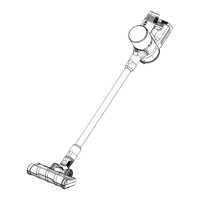
This document is a user manual for the Russell Taylors Cordless Vacuum Cleaner, model VC-22. It provides essential information regarding its operation, maintenance, and warranty.
Function Description
The Russell Taylors Cordless Vacuum Cleaner (VC-22) is designed for dry suction cleaning in household environments. Its cordless design offers flexibility and ease of use without being tethered to a power outlet. The vacuum cleaner is equipped with a dust cup for collecting debris and a filter system to ensure efficient cleaning and prevent engine overheating. It features a telescopic aluminum tube and a floor brush with two positions, catering to both hard and soft/textile surfaces. Additionally, a crevice nozzle is included for cleaning tight spaces.
Important Technical Specifications
While specific technical specifications like motor power, battery capacity, or suction power are not explicitly detailed in the provided pages, the manual emphasizes several key aspects:
- Model: VC-22
- Power Source: Cordless, battery-operated. The manual highlights the importance of proper battery maintenance for prolonged lifespan.
- Suction Type: Dry suction only.
- Dust Capacity: The dust cup has a "MAX" level indicator, which users should not exceed during operation.
- Filter System: The device incorporates a filter that requires regular cleaning and occasional replacement to maintain optimal performance and prevent engine overheating.
- Accessories: Includes a telescopic aluminum tube, a floor brush (with two positions for different surfaces), and a crevice nozzle.
- Safety: The appliance is designed for household use. It includes warnings about checking voltage, not immersing parts in liquid, not leaving unattended, keeping children away, and avoiding vacuuming liquids or sharp objects.
Usage Features
The VC-22 is designed for straightforward operation:
- Assembly: Users insert the telescopic aluminum tube into the suction hole opening, ensuring a firm fit. Nozzles are then connected to the tube.
- Floor Brush Adjustment: The floor brush offers two positions, allowing users to select the appropriate setting for either hard floors or soft/textile surfaces.
- Power Control: The appliance is turned on and off using a dedicated on/off switch.
- Dust Cup Monitoring: Users are advised to monitor the dust capacity and ensure it does not exceed the "MAX" level marked on the dust cup.
- Cordless Convenience: Being cordless, the vacuum cleaner offers unrestricted movement during cleaning tasks.
Maintenance Features
The manual provides comprehensive instructions for maintaining the VC-22 to ensure its longevity and optimal performance:
- General Cleaning:
- Except for the main unit, other parts can be cleaned with warm soapy water, rinsed, and thoroughly dried before reassembly.
- The main unit should not be immersed in water or any other liquids.
- The exterior of the unit should be cleaned with a soft, moist cloth, ensuring no liquid enters the unit.
- Aggressive chemicals or abrasives should not be used.
- The device should not be used if the filter is broken or worn out.
- The unit is not user-serviceable; users should not attempt to disassemble or repair it.
- Dust Cup and Filter Maintenance:
- Emptying the Dust Cup: For best performance, the dust cup should be emptied after each use. This involves pressing the opening release button (6) to empty dust from the container.
- Cleaning/Replacing the Filter: The filter should be cleaned regularly, ideally after every second or third use, or more frequently if visibly blocked, to prevent clogging and engine overheating.
- Filter Cleaning Procedure:
- Always remove the adapter from the wall socket before cleaning or replacing the filter. Do not clean or replace the filter during charging.
- Remove the tube from the vacuum cleaner.
- Remove waste from the dust container.
- Remove the dust container from the vacuum cleaner by pressing the release button (figure 7A) and taking it out (figure 7B).
- Turn and remove the upper lid from the dust container (figure 7C).
- Take the dust separation system and filter from the dust separation system (figure 7D).
- Rinse the filter and the dust separation system thoroughly in lukewarm water.
- Allow the filter to dry thoroughly before re-mounting.
- Important Filter Cleaning Notes:
- Water could penetrate the appliance if the filter is not thoroughly dry, potentially causing electrical damage.
- Do not clean the filter in a washing machine.
- Do not dry the filter with a hairdryer.
- Battery Maintenance:
- Charging Discipline: Charge the battery when it reaches 20% capacity. Avoid letting the battery drop below 20% power, as deep discharge can harm performance and endurance.
- Full Charge Cycle: Allow the battery to charge to full power uninterrupted. Undercharging or frequent short charges can shorten battery life.
- Cooling Period: After charging, turn off the power and allow the battery to cool before removing it or placing it back into service. This prevents overheating, which can damage the battery and electrical circuits.
Troubleshooting Guide
The manual includes a basic troubleshooting guide for common issues:
- Vacuum Will Not Operate:
- Possible Reason: No power in the electrical outlet.
- Possible Solution: Check fuse or breaker; replace fuse/reset breaker.
- Vacuum Will Not Pick-Up or Suction Power Is Weak:
- Possible Reasons: Dust cup container is full; dust cup filter needs cleaning or replacement.
- Possible Solutions: Empty dust cup container; remove dust cup filter and check for objects in the air duct, then remove them; clean or replace dust cup filter; charge unit.
- Dust Escaping From Vacuum:
- Possible Reasons: Dust cup container is full; dust cup filter is not installed correctly; puncture/hole in dust cup.
- Possible Solutions: Empty dust cup container; review dust cup filter installation instructions.
The Russell Taylors Cordless Vacuum Cleaner comes with a 2-year warranty against manufacturing defects. For warranty claims, customers are instructed to email support@russelltaylors.com and include a copy of the invoice or order ID number as proof of purchase. Each customer is entitled to one warranty claim during the warranty period.

 Need help?
 General

 To Next Page