This document is a user manual for a microwave oven, providing instructions and important information in English, Swedish, Norwegian, German, and Finnish.
Function Description
The microwave oven is designed for heating and cooking food and beverages. It utilizes microwave energy for cooking and also features a grill function. The appliance is intended for household use and similar applications, such as staff kitchen areas in shops, offices, and other working environments, farmhouses, by clients in hotels, motels, and other residential environments, bed and breakfast type environments. It is not intended for industrial or commercial use.
Important Technical Specifications
- Model: 901011720101
- Rated Voltage: 230V~50Hz
- Rated Input Power (Microwave): 1050 W
- Rated Output Power (Microwave): 700 W
- Oven Capacity: 20L
- Turntable Diameter: 255mm
- External Dimensions: 440 x 355 x 259 mm
- Net Weight: Approx. 10.4 kg
- CE Mark: Yes
Usage Features
The microwave oven offers various cooking and defrosting functions, controlled by modern electronic settings.
Clock Setting:
The clock can be set when the microwave oven is electrified. The display will show "0:00", and a buzzer will ring once.
- Press "CLOCK/PRE-SET" to set the hour figure.
- Turn the dial to adjust the hour figures (0-23).
- Press "CLOCK/PRE-SET" to set the minute figures.
- Turn the dial to adjust the minute figures (0-59).
- Press "CLOCK/PRE-SET" to finish clock setting. The clock will flash, and the clock setting will be finished.
- Note: If the clock is not set, it will not function when powered. If there is no operation for 1 minute during the clock setting process, the oven will go back to the previous status automatically.
Microwave Cooking:
- Press the "MICROWAVE" key once, and "P100" will display.
- Press "MICROWAVE" for times or turn the dial to select the microwave power ("P100", "P80", "P50", "P30", "P10") in order.
- Press "START/+30SEC./CONFIRM" to confirm.
- Turn the dial to adjust the cooking time (0:05-95:00).
- Press "START/+30SEC./CONFIRM" to start cooking.
- Note: The step quantities for adjusting the time are: 0---1 min: 5 seconds; 1---5 min: 10 seconds; 5---10 min: 30 seconds; 10---30 min: 1 minute; 30---95 min: 5 minutes.
Microwave Power Chart:
| Microwave Power |
100% |
80% |
50% |
30% |
10% |
| Display |
P100 |
P80 |
P50 |
P30 |
P10 |
Defrost by Weight:
- Press "WEIGHT/TIME DEFROST" once, the screen will display "dEF1".
- Turn the dial to select the food weight (100-2000g).
- Press "START/+30SEC./CONFIRM" key to start defrosting.
Defrost by Time:
- Press "WEIGHT/TIME DEFROST" twice, the screen will display "dEF2".
- Turn the dial to select the cooking time.
- Press "START/+30SEC./CONFIRM" key to start defrosting.
Multi-Stage Cooking:
Two stages can be set for cooking. If one stage is defrosting, it should be put in the first stage automatically. The buzzer will ring once after each stage and the next stage will begin.
- Example: To defrost food for 5 minutes, then to cook with 80% microwave power for 7 minutes.
- Press "WEIGHT/TIME DEFROST" twice, the screen display "dEF2".
- Press the dial to adjust the defrost time of 5 minutes.
- Press "MICROWAVE" once, the screen will display "P100".
- Turn the dial to choose microwave power till "P80" display.
- Press "START/+30SEC./CONFIRM" to confirm.
- Turn the dial to adjust the cooking time of 7 minutes.
- Press "START/+30SEC./CONFIRM" to start cooking.
Pre-Set Function:
- Set the clock first.
- Input the cooking program, be set in preset function. Two stages can be set at most. Defrosting should not be set in preset function.
- Example: To cook with 80% microwave power for 7 minutes.
- Press "MICROWAVE" once.
- Turn the dial to choose 80% microwave power till "P80" display.
- Press "START/+30SEC./CONFIRM" to confirm.
- Turn the dial to adjust the cooking time of 7 minutes.
After the above steps, please do not press "START/+30SEC./CONFIRM". Then do as following:
- Press "CLOCK/PRE-SET". The hour figures flash.
- Turn the dial to adjust the hour figures, the input time should be within 0--23.
- Press "CLOCK/PRE-SET", the minute figures will flash.
- Turn the dial to adjust the minute figures, the input time should be within 0--59.
- Press "START/+30SEC./CONFIRM" to finish setting. The light will blink twice when the time arrives, then cooking will start automatically.
- Note: Clock must be set first. Otherwise, Preset function will not work.
Auto Menu:
- In waiting states, turn the dial right to choose the menu from "A-1" to "A-8".
- Press "START/+30SEC./CONFIRM" to confirm the menu you choose.
- Turn the dial to choose the food weight.
- Press "START/+30SEC./CONFIRM" to start cooking.
- After cooking finish, the buzzer sounds five times.
Menu Chart:
| MENU |
WEIGHT |
DISPLAY |
POWER |
| A-1 AUTO REHEAT |
200g, 400g, 600g |
200, 400, 600 |
100% |
| A-2 VEGETABLES |
200g, 300g, 400g |
200, 300, 400 |
100% |
| A-3 FISH |
250g, 350g, 450g |
250, 350, 450 |
80% |
| A-4 MEAT |
250g, 350g, 450g |
250, 350, 450 |
100% |
| A-5 PASTA |
50g (with water 450 ml), 100g (with water 800 ml) |
50, 100 |
80% |
| A-6 POTATO |
200, 400, 600 |
200, 400, 600 |
100% |
| A-7 PIZZA |
200, 400 |
200, 400 |
100% |
| A-8 SOUP |
200, 400 |
200, 400 |
80% |
Speedy Cooking:
- In waiting state, press "START/+30SEC./CONFIRM" key to cook with 100% power level for 30 seconds. Each press on the same key can increase 30 seconds. The maximum cooking time is 95 minutes.
- During the microwave and time defrost process, press "START/+30SEC./CONFIRM" to increase the cooking time.
- In waiting states, turn the dial left to choose the cooking time directly. After choosing the time, press "START/+30SEC./CONFIRM" to start cooking. The microwave power is 100%.
- Note: Under the states of auto menu and defrost by weight, cooking time cannot be increased by pressing "START/+30SEC./CONFIRM".
Lock Function for Children:
- LOCK: In waiting state, press "STOP/CLEAR" for 3 seconds, there will be a long "beep" denoting entering the children-lock state and screen will display "L".
- EXITING LOCK: In locked state, press "STOP/CLEAR" for 3 seconds, there will be a long "beep" denoting that the lock is released.
Inquiring Function:
- In cooking states of microwave, press "MICROWAVE", the current power will be displayed for 3 seconds.
- In pre-set state, press "CLOCK/PRE-SET" to inquire the time for delay start cooking. The pre-set time will flash for 3 seconds, then the oven will turn back to the clock display.
- During cooking state, press "CLOCK/PRE-SET" to check the current time. It will be displayed for 3 seconds.
Specification:
- The buzzer will sound once when turning the knob at the beginning.
- "START/+30SEC./CONFIRM" must be pressed to continue cooking if the door is opened during cooking.
- Once the cooking program has been set, "START/+30SEC./CONFIRM" is not pressed in 1 minute. The current time will be displayed. The setting will be cancelled.
- The buzzer sounds by efficient pressing, inefficient pressing will have no response.
- The buzzer will sound five times to remind you when cooking is finished.
Maintenance Features
Cleaning:
- Remove the plug from the electrical outlet before cleaning the microwave oven.
- Clean the inside with a damp cloth. For tough dirt, fill a plastic bowl with 3 cups of waters and add half a lemon. Heat on full power for 10 minutes. Dry the inside with a dry cloth.
- Wash cooking utensils in water and soap and rinse with clean water.
- Clean the door latch and sealing strip carefully with a damp cloth.
- Clean the glass turntable, the rotating ring and the axle with a damp cloth and then dry with a dry cloth.
- Do not clean the microwave with steam.
- Do not use caustic or abrasive cleaning agents which can damage the microwave's casing and scratch the glass in the door.
- If the microwave is not kept clean and in good condition, it will wear out faster, its useful life is shortened and the risk of personal injury or the microwave no longer working increases.
Troubleshooting:
The manual provides a table for troubleshooting common issues:
| TROUBLE | POSSIBLE CAUSE | REMEDY

 Need help?
 General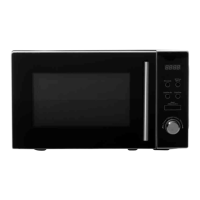

 To Next Page