5
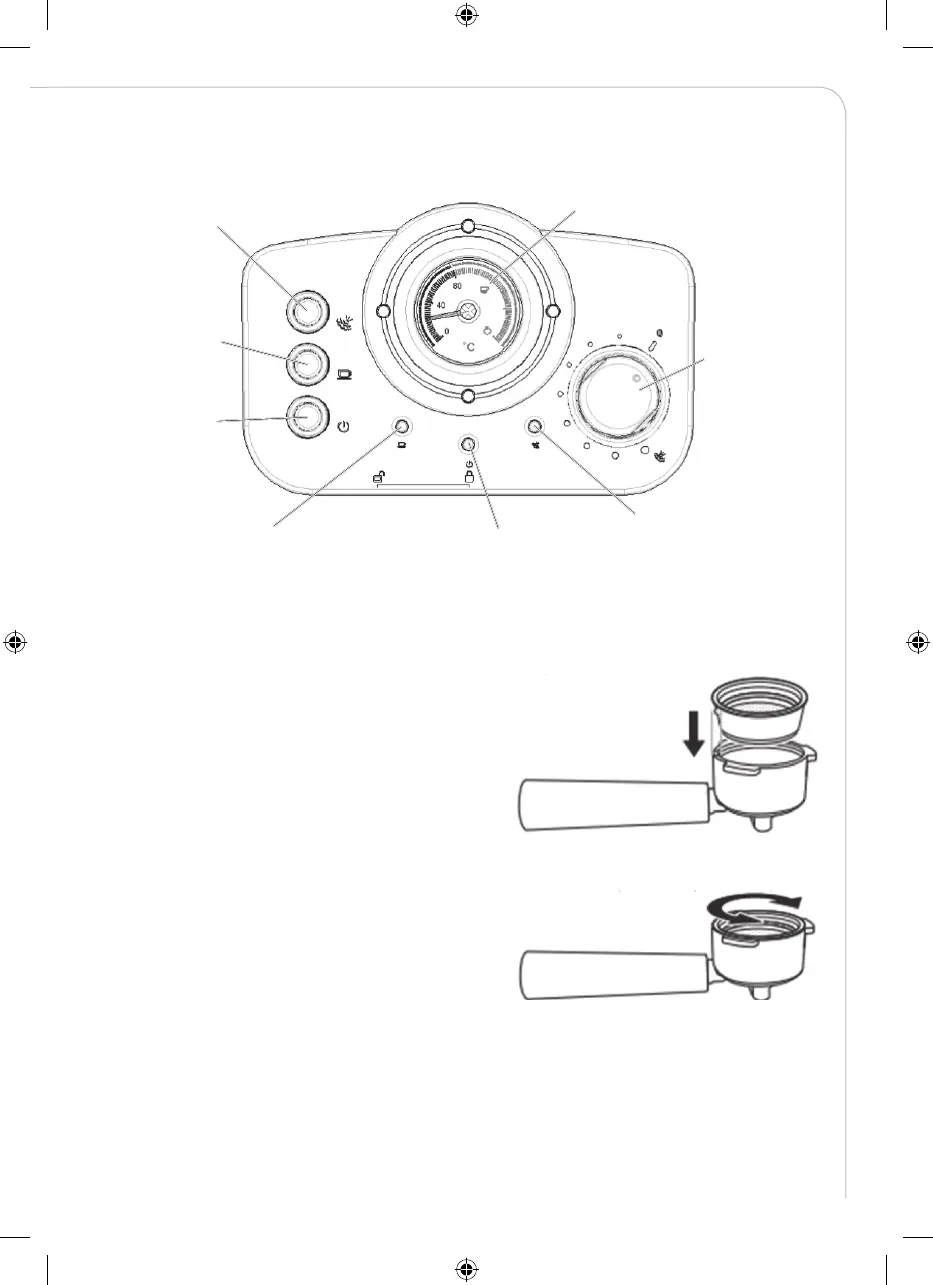
CONTROL PANEL
INSERTING THE PORTAFILTER
1. To insert the selected fi lter in the porta-fi lter,
make sure to align the notch on the fi lter with
the groove inside the porta-fi lter.
2. Turn the fi lter to the left or right to lock
in place. This will help secure the fi lter
in the porta-fi lter.
Steam control button:
down to steaming and
up to stop.
Pump control
button: down to
make co ee and
up to stop.
ON/OFF button
Thermometer
Steam knob
Co ee indicator (green):
When co ee temperature is
high enough, it will turn on.
Power indicator (red):
When the appliance turns on,
the indicator will light up.
Steam indicator (yellow):
When steam temperature is
high enough, it will turn on.
IM_903014050101_Espresso_machine_v2.indd 5 2019-10-03 13:57


 To Next Page