7
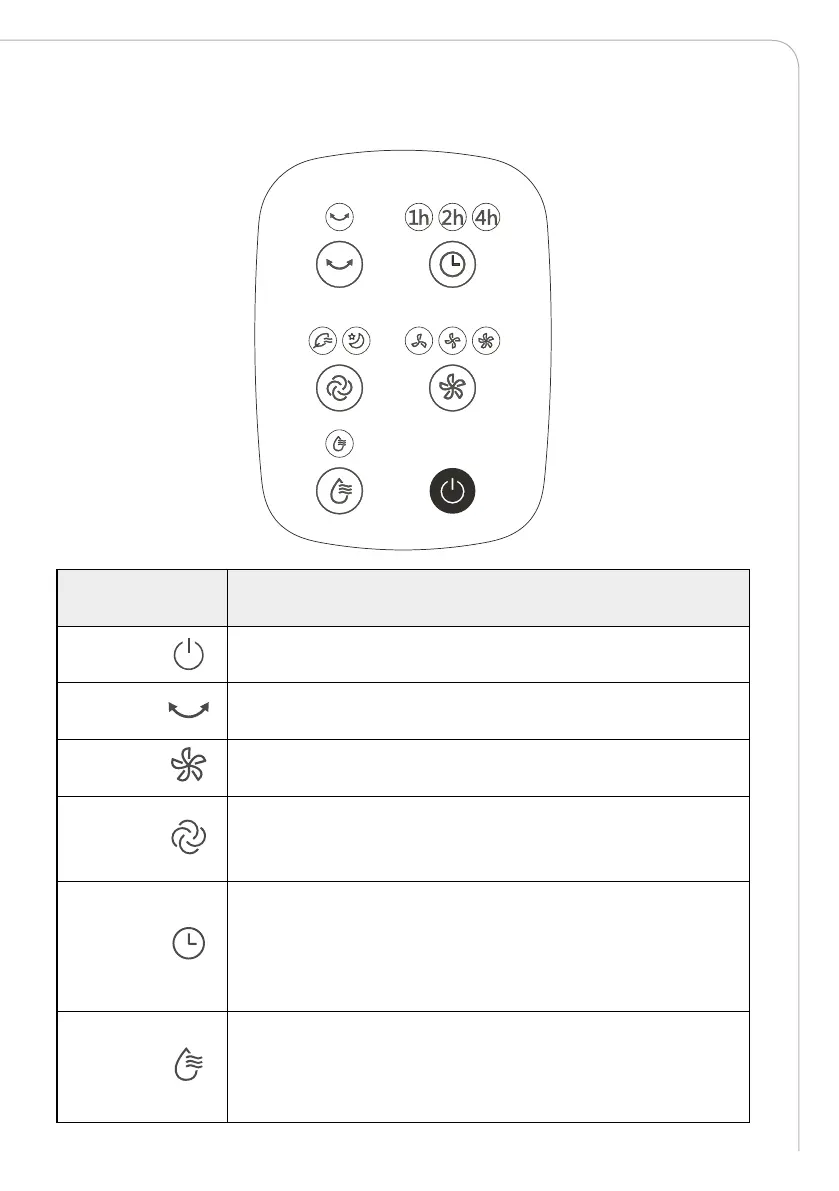
OPERATING INSTRUCTIONS OF THE MACHINE BODY
BUTTONS FUNCTION DESCRIPTION
Startup/
Standby
The product is activated or shut down.
Air swing Touch the air swing button, to activate or shut down air swing.
Wind speed
Press the button to switch wind speed to low-grade, medium-gradend
high-grade.
Wind type
Press the button to select among these three types of wind: Normal wind
(grade 3, the wind speed indicator light is on), sleep wind (grade 1, sleep
wind the indicator light is on), natural wind (grade 1, natural wind the
indicator light is on).
Timing/
Reservation
The indicator light will be on when pressing the button under startup
state, and the timed shutdown time can be set by shortly pressing the
button (the cyclic is based on 1-2-3•••-7-0-1•••).
The indicator light will be on when pressing the button under standby
state, and the reserved startup time can be set by shortly pressing the
button (the cyclic is based on 1-2-3•••-7-0-1•••).
Cool wind
Shortly press to open or close cool wind under startup state. The
experience eect is better, when opening the cool wind function in dried
or hot weather.
If indicator light flashes, please feed water in time, and repress shortly
to open the function.



 To Next Page