EasyManua.ls Logo

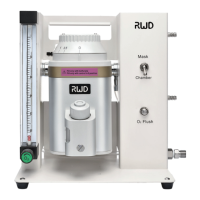
RWD R500 Series - User Manual

RWD R500 Series
31 pages
Print Icon
To Next Page IconTo Next Page
Loading...
User Manual V1.0
R500 Series Compact Small Animal
Anesthesia Machine

Questions and Answers

  • A
    Alicia PetersAug 14, 2025
    What to do if there is no or low anesthetic vapor output from RWD Medical Equipment?
    • M
      montgomerykristopherAug 14, 2025
      If you're experiencing low or no anesthetic vapor output, consider these possibilities: * Check the breathing system for leaks, tears, or holes, and ensure the mask tube seals well. * The anesthetic agent reservoir might be empty; refill it. * The vaporizer might be off; turn the dial to the desired anesthetic volume-percent. * There could be a leak around the filler port; ensure the sealing cap is fully closed. * If none of these resolve the issue, there may be an internal fault and you should contact RWD or a local dealer for servicing.
  • C
    Casey RiosAug 17, 2025
    What to do if my animal sleep level seems too light with RWD R500 Medical Equipment?
    • L
      Lisa PenaAug 17, 2025
      If the animal's sleep level seems too light, check the following: * Ensure the vaporizer is filled with the appropriate anesthetic agent. * The anesthetic concentration might be set too low; adjust the dial to increase the volume-percent of anesthetic. * Inspect the animal breathing circuit for leaks, tears, or holes, and make sure the mask tube seals properly. * Also, check for leaks around the vaporizer filler port and ensure the sealing cap is fully closed.
  • D
    David GibsonAug 21, 2025
    What to do if there is no gas flow in RWD R500?
    • C
      Christine FordAug 21, 2025
      If there is no gas flow, try the following: * Ensure the facility or cylinder gas supply valve is open. * If using a gas cylinder, make sure it is not empty and replace if needed. * Check that the gas supply hose is properly connected to both the cylinder/facility gas system and the anesthesia system. * Verify the oxygen flow control is not turned off; turn the flowmeter valve knob counterclockwise to increase the oxygen flow rate. * If these steps don't restore gas flow, there may be a gas supply regulator malfunction; connect the system to an alternate oxygen supply.
  • K
    Kim WhiteAug 25, 2025
    What to do if my animal sleep level seems too deep with RWD Medical Equipment?
    • S
      Shawn BakerAug 25, 2025
      If the animal's sleep level appears too deep, consider these solutions: * Adjust the dial to reduce the volume-percent of anesthetic, as the anesthetic concentration might be set too high. * If the problem persists, there may be a vaporizer malfunction. In that case, contact RWD or your local dealer for servicing.
  • D
    David ZavalaAug 27, 2025
    What to do if gas flow is not sufficient in RWD R500 Medical Equipment?
    • J
      John AndersonAug 27, 2025
      If the gas flow is insufficient, consider these solutions: * Turn the flowmeter valve knob counterclockwise to increase the oxygen flow rate, as the oxygen flow may be set too low. * Check for leaks around the vaporizer inlet port, ensure the sealing cap is fully closed, and verify that the inlet port is not obstructed.
  • K
    keytaraAug 31, 2025
    How to fix audible leakage around oxygen hose connector in RWD R500?
    • C
      Crystal CrawfordAug 31, 2025
      If you hear leakage around the oxygen hose connector: * Tighten the connection using a crescent wrench, as the oxygen hose connection may be loose. * If the tube doesn't fit, replace it.
  • C
    Corey MccarthySep 3, 2025
    Why is oxygen flow control valve knob hard to turn on RWD R500?
    • A
      aprilmurphySep 3, 2025
      If the oxygen flow control valve knob is hard to turn, it may be due to a dirty or damaged needle valve. The flow valve may need cleaning or replacement. Contact RWD or your local dealer for servicing.
  • S
    Steve ClarkSep 6, 2025
    What causes float in oxygen flowmeter to stick in RWD R500?
    • T
      Thomas RiveraSep 6, 2025
      The flow tube needs cleaning.
  • C
    Cindy ReedSep 9, 2025
    What causes oxygen flow failure in RWD Medical Equipment?
    • W
      wcoleSep 10, 2025
      If you are experiencing oxygen flow failure, this may be due to an internal fault, in that case, contact RWD or your local dealer for servicing.

Summary

Introduction to the R500 Anesthesia Machine

Overview of R500 Series Anesthesia Machine

Introduction to the R500 series anesthesia machine and its manual.

Safety Guidelines for Anesthesia System Operation

Important safety information for operating the anesthesia system.

Key Product Features and Design

Details on the standard features and design of the anesthesia machine.

Equipment Environmental Requirements

Specifies the required environmental conditions for safe operation.

Main Components of the Anesthesia Equipment

Identifies and describes the main components of the anesthesia system.

Safety Precautions and Hazards

Overview of Safety Information

Introduction to the safety information for the R500 series machine.

Usage Restrictions for the Anesthesia Machine

Defines the intended use and restrictions for the anesthesia machine.

Understanding Safety Symbols

Explains the meaning of various safety symbols used in the manual.

Safety Precautions and Best Practices

Provides essential safety precautions for operating the system.

Troubleshooting System Malfunctions

Guides users on what to do if the system malfunctions.

Emergency Shutdown Procedures

Outlines the procedure for emergency shutdown of the system.

Unpacking and System Assembly

Overview of Unpacking and Assembly

Introduction to unpacking and assembly procedures for the anesthesia machine.

Safe Unpacking of the Anesthesia System

Step-by-step guide for safely unpacking the anesthesia system.

Assembling the Anesthesia System Components

Instructions for assembling the main components of the anesthesia system.

System Setup Procedures

Overview of System Setup

Introduction to the setup procedures for the R500 series anesthesia machine.

Required Materials and Goods for Setup

Lists necessary materials and components for system setup.

Initial System Preparation Steps

Details the initial steps for preparing the anesthesia system.

Operating the Anesthesia Machine

Overview of Anesthesia Operation

Introduction to operating the R500 series anesthesia machine.

Pre-Use Checkout Checklist

Essential checks to perform before using the anesthesia system.

Anesthesia Procedure Steps

Step-by-step guide for performing anesthesia procedures.

Post-Anesthesia Procedure Guide

Procedures to follow after completing anesthesia.

Troubleshooting Common Issues

Overview of Troubleshooting

Introduction to troubleshooting common problems with the system.

Safety During Troubleshooting

Safety precautions to follow during troubleshooting.

Understanding Machine Status

Information regarding machine status during troubleshooting.

Record Keeping for Problems and Solutions

Guidelines for maintaining records of problems and resolutions.

Problem-Solution Matrix

A table listing common problems and their solutions.

Equipment Maintenance Procedures

Overview of Maintenance

Introduction to the maintenance procedures for the system.

Safety During Maintenance

Safety precautions related to maintenance procedures.

Annual Inspection Recommendations

Recommendation for annual inspection of the anesthesia system.

Machine Status During Maintenance

Notes on machine status during maintenance.

Maintenance Record Keeping

Importance of keeping records for maintenance.

Parts and Materials for Maintenance

Information on obtaining parts and materials for maintenance.

Cleaning the Anesthesia Equipment

Procedures for cleaning the anesthesia system.

Product Information and Specifications

Product Warranty Details

Details of the product warranty provided by RWD.

Technical Product Specifications

Technical specifications of the R500 series anesthesia machine.

Useful Information for Users

Overview of Useful Information

Introduction to useful information for R500 series users.

Pressure Equivalents Reference

Provides common pressure equivalents for reference.

Pressure Unit Conversion Table

Table for converting between different pressure units.

RWD R500 Series Specifications

General IconGeneral
Vertical DirectionYes
SeriesR500
Frame MaterialAluminum Alloy
Resolution0.01 mm
Adjustable Angle360 degrees
Precision0.05 mm
MaterialAluminum Alloy
ComplianceCE