6 — English
To remove bits:
Lock the switch trigger.
Slide the coupler forward and hold in position.
Pull the bit straight out of the coupler.
WARNING:
Make sure the bit is secured in the coupler before using
the impact driver. Failure to do so could cause serious
personal injury.
DRIVING OR REMOVING SCREWS
See Figures 5 - 6, page 8.
WARNING:
Do not drive a screw where there is likely to be hidden
wiring behind the surface. Contact with a “live” wire will
make exposed metal parts of the tool “live” and shock
the operator. If you must drive a screw where hidden
wire may be present, always hold tool by insulated grip-
ping surfaces (handle) when performing the operation to
prevent a shock to the operator.
NOTICE:
The impact driver is not designed to be used as a drill.
Place the direction of rotation selector in the correct posi-
tion for the operation.
Hold the impact driver with one hand.
Place the bit on the screw head and slowly depress the
switch trigger. Start the bit slowly for more control.
As the screw is driven, impacting will begin.
NOTE: The tool will not run unless the direction of rotation
selector is pushed fully to the left or right.
NOTICE:
To prevent gear damage, always allow the chuck to
come to a complete stop before changing the direction
of rotation.
WARNING:
Battery tools are always in operating condition. Lock the
switch when not in use or carrying at your side, when
installing or removing the battery pack, and when install-
ing or removing bits.
BUILT-IN COUPLER
See Figure 4, page 8.
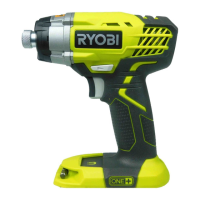
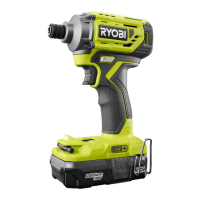
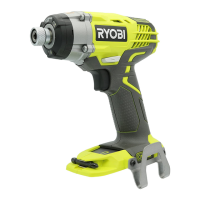
The tool has a built-in coupler. The coupler has been
designed to accept 1/4 in. hex bits.
NOTE: Use only impact quality bits with a locking groove,
minimum length of 2 in.
INSTALLING/REMOVING BITS
See Figure 4, page 8.
To install bits:
Lock the switch trigger by placing the direction of rotation
selector in center position.
Slide the coupler forward and hold in position.
Insert bit straight into coupler.
Slide the coupler back slowly and release.
OPERATION
MAINTENANCE
WARNING:
When servicing, use only identical replacement parts.
Use of any other parts could create a hazard or cause
product damage.
GENERAL MAINTENANCE
Avoid using solvents when cleaning plastic parts. Most
plastics are susceptible to damage from various types of
commercial solvents and may be damaged by their use.
Use clean cloths to remove dirt, dust, oil, grease, etc.
NOTE: ILLUSTRATIONS START ON PAGE 8 AFTER
FRENCH AND SPANISH LANGUAGE SECTIONS.


 To Next Page