8 - English
CONNECTING YOUR PRIMARY SPEAKER TO
Bluetooth
®
See Figure 3, page 13.
Press the GEAR/POWER button to power on the
SCORE
™
Primary Speaker.
A “bt” logo will then appear on the LCD screen, in a
flashing pattern. This signifies that the Primary speaker
is looking for a Bluetooth
®
connection.
Using your Bluetooth
®
capable device, select Ryobi P760
under your setting for Bluetooth
®
to connect.
The “bt” logo will stop flashing on the LCD screen, sig-
nifying a successful Bluetooth
®
connection.
CONVERTING A P760 SCORE
™
PRIMARY
SPEAKER INTO A SECONDARY SPEAKER
See Figures 4 and 6, page 13.
SKAA
®
technology allows you to transform a second
Primary Speaker into a Secondary Speaker.
OPERATION
RYOBI SCORE
™
SPEAKERS WITH SKAA
®
TECHNOLOGY (SKAA
®
OS 2.4)
Each SKAA
®
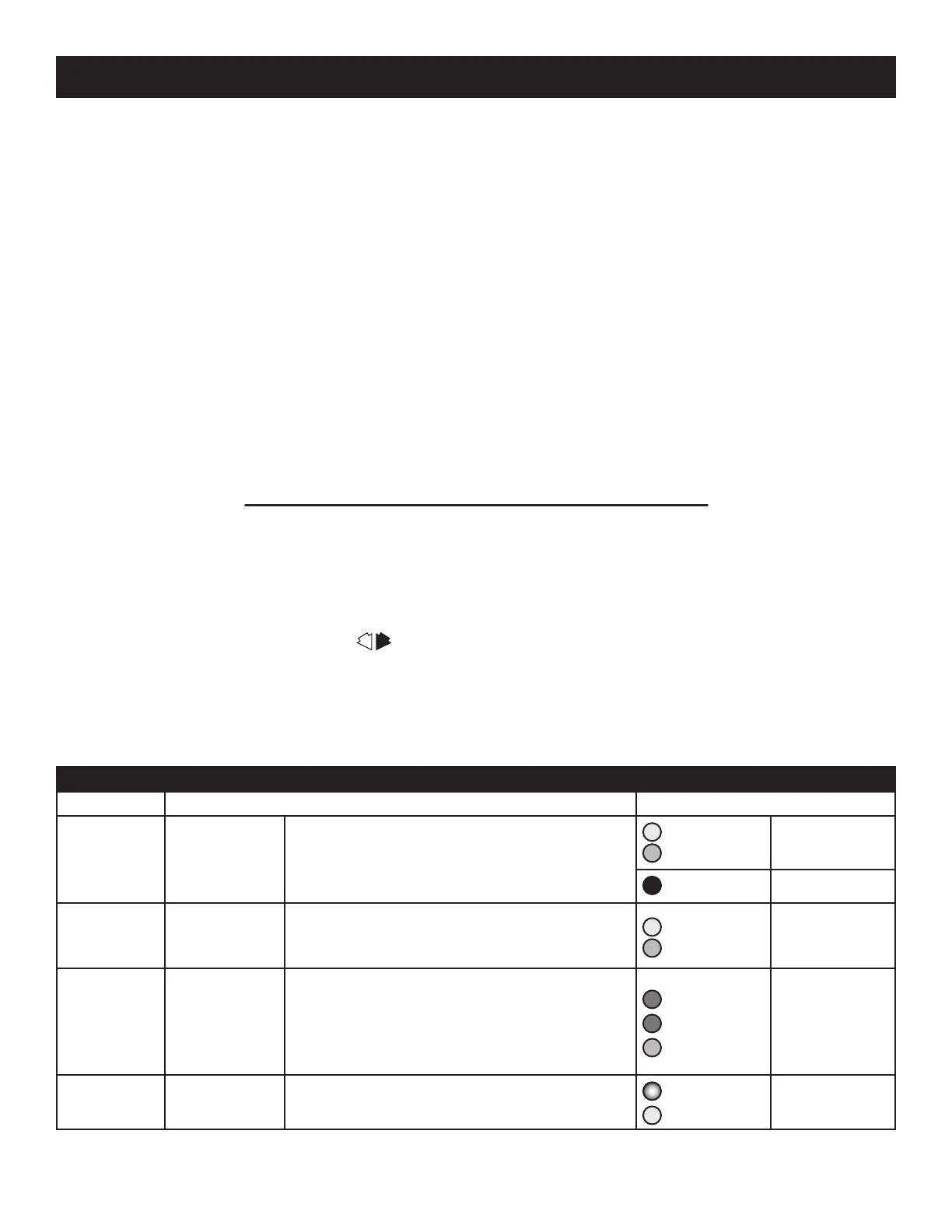
receiver has a Green List which remembers your favorite transmitters. A Green Indicator on your receiver
means you are listening to a favorite, or hunting for one. Your receiver can also explore to find new transmitters—an Amber
Indicator means you are exploring for transmitters which are not on your Green List. A Cluster is a product with two or more
pieces which behave as one, such as a left and right speaker pair. The Bond Button lets you select which transmitter you’re
listening to. The Bond Button has the logo .
Make sure there’s a SKAA
®
transmitter (or another Primary which is in Bluetooth
®
, FM or AUX mode) nearby which is play-
ing audio. Make sure your SCORE
™
Primary is in SKAA
®
mode and adjust the volume to around 10. If you hear nothing
or hear the wrong audio, click the Bond button 6 times. If you still hear the wrong audio, click the Bond button 2 times
(repeat if necessary). Once you hear the right audio, hold the Bond button down for a few seconds until the Indicator (LED)
turns Green.
ESSENTIALS
Bond button Command Indicator Meaning
Hold a few
seconds
Add / Delete
Manually add/delete the current transmitter to/
from your Green List
Yellow to
Green
= Added
Red (flash)
= Deleted
—
Auto Add
SKAA
®
will automatically add the current Amber
transmitter to your Green List if you listen to it for
30 minutes
Yellow to
Green
= Added
1 Click
Green Mode
Rotate through your list of favorite transmitters
(Green List) — when a favorite transmitter is
found, the search stops and audio plays from that
transmitter
Green (dim)
Green (flash)
Green (bright)
= Hunting
= Next one
= Bonded
2 Clicks
Amber Mode
Explore for new, unknown transmitters (ones which
are not already on your Green List)
Amber (dim)
Yellow
= Hunting
= Bonded
Press the GEAR/POWER button to power on the
SCORE
™
Primary Speaker.
Press the GEAR/POWER button until SKAA
®
shows up
on the LCD screen.
The SCORE
™
Primary Speaker will now search for the
SKAA
®
Primary Speaker.
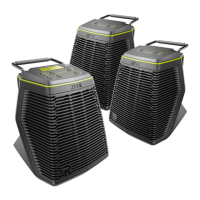
SPEAKER CONFIGURATION
See Figures 5 - 6, page 13.
Up to four Secondary Speakers may be connected to a
Primary Speaker.
Each of the Secondary Speakers requires a charged
18 Volt One+
™
battery pack or included AC power adaptor
for operation.


 To Next Page